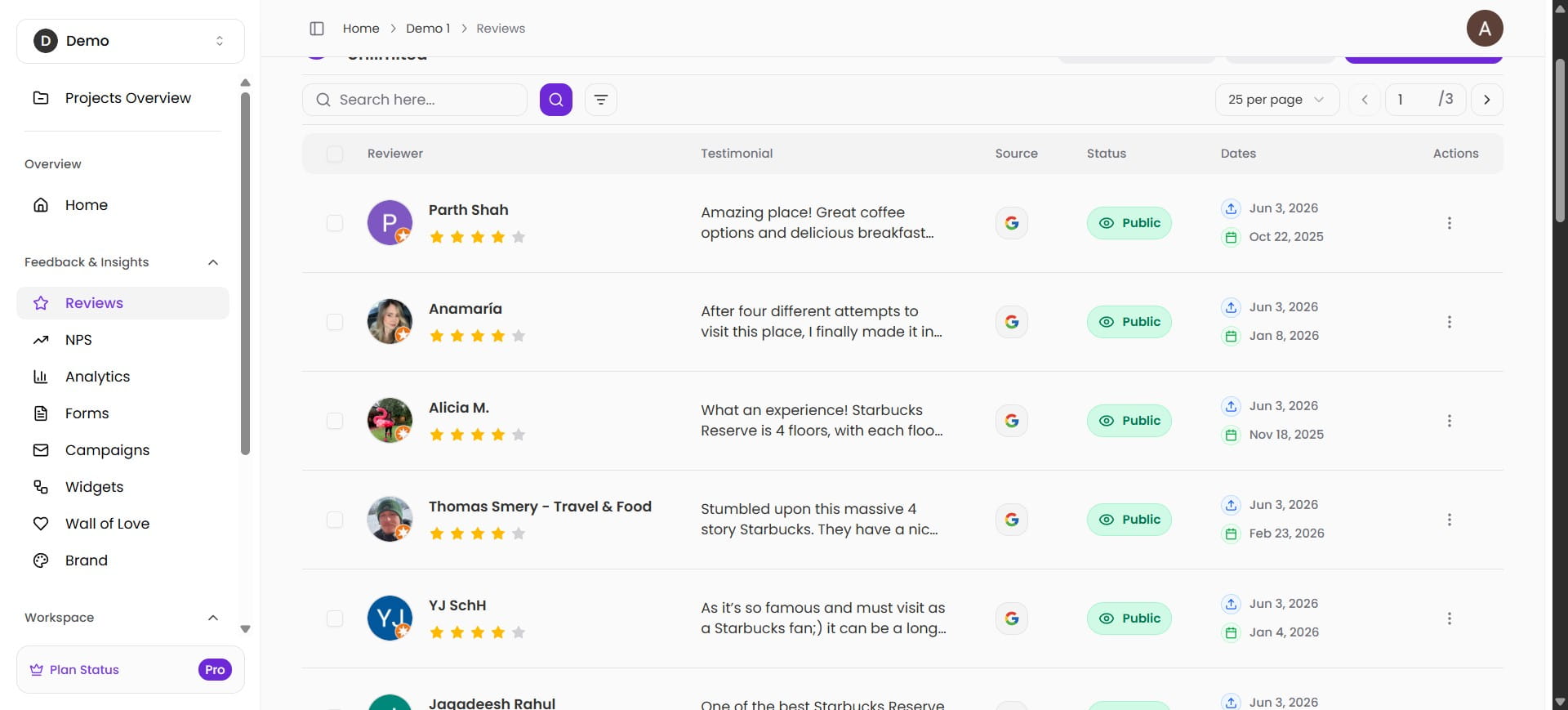
How to Import Google Reviews on Bragly?
This is a step-by-step guide for importing your reviews from Google
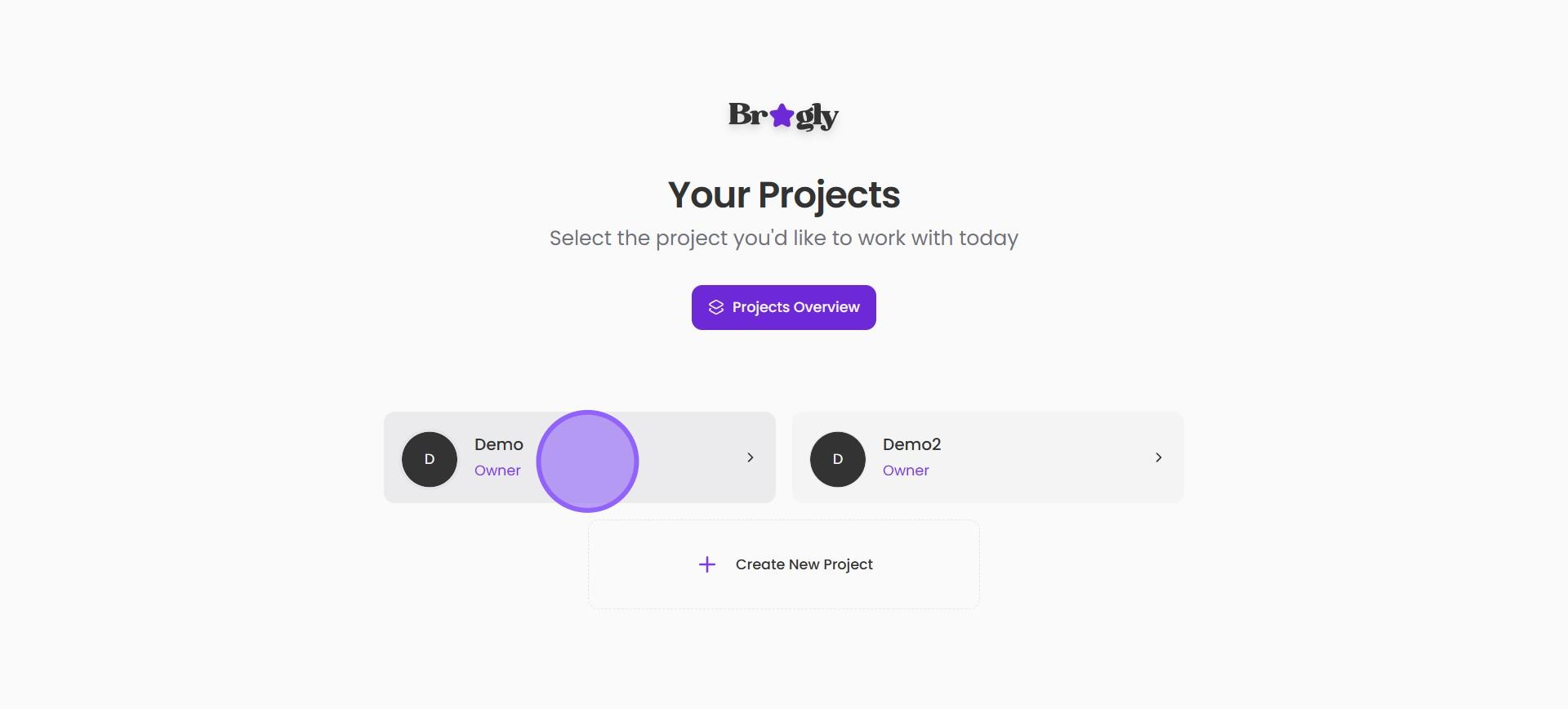
1. Sign into your Bragly account and select the project you want to work on.
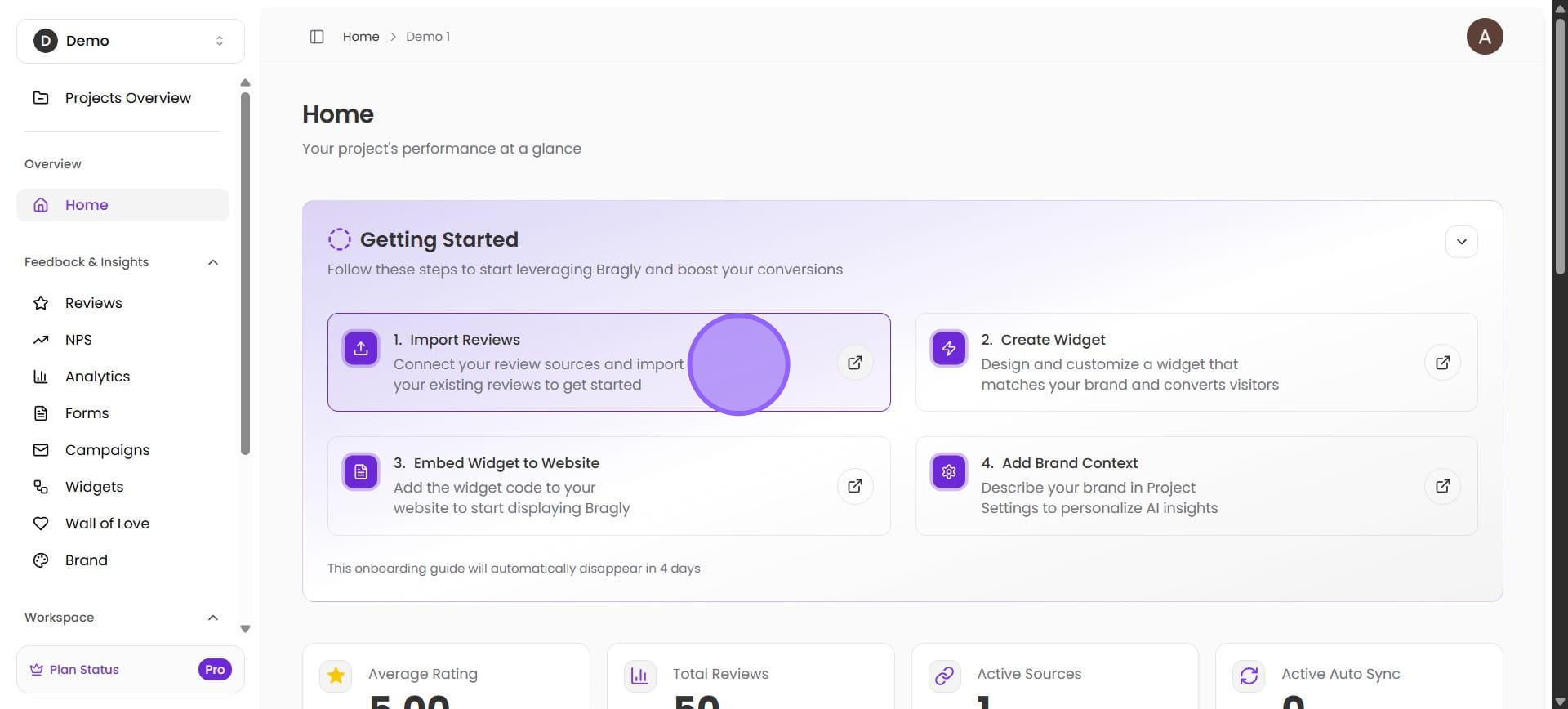
2. You will be led to the project home page. Here, select Import Reviews. You can use the button under Getting Started, or select the Reviews option from the left-hand menu.
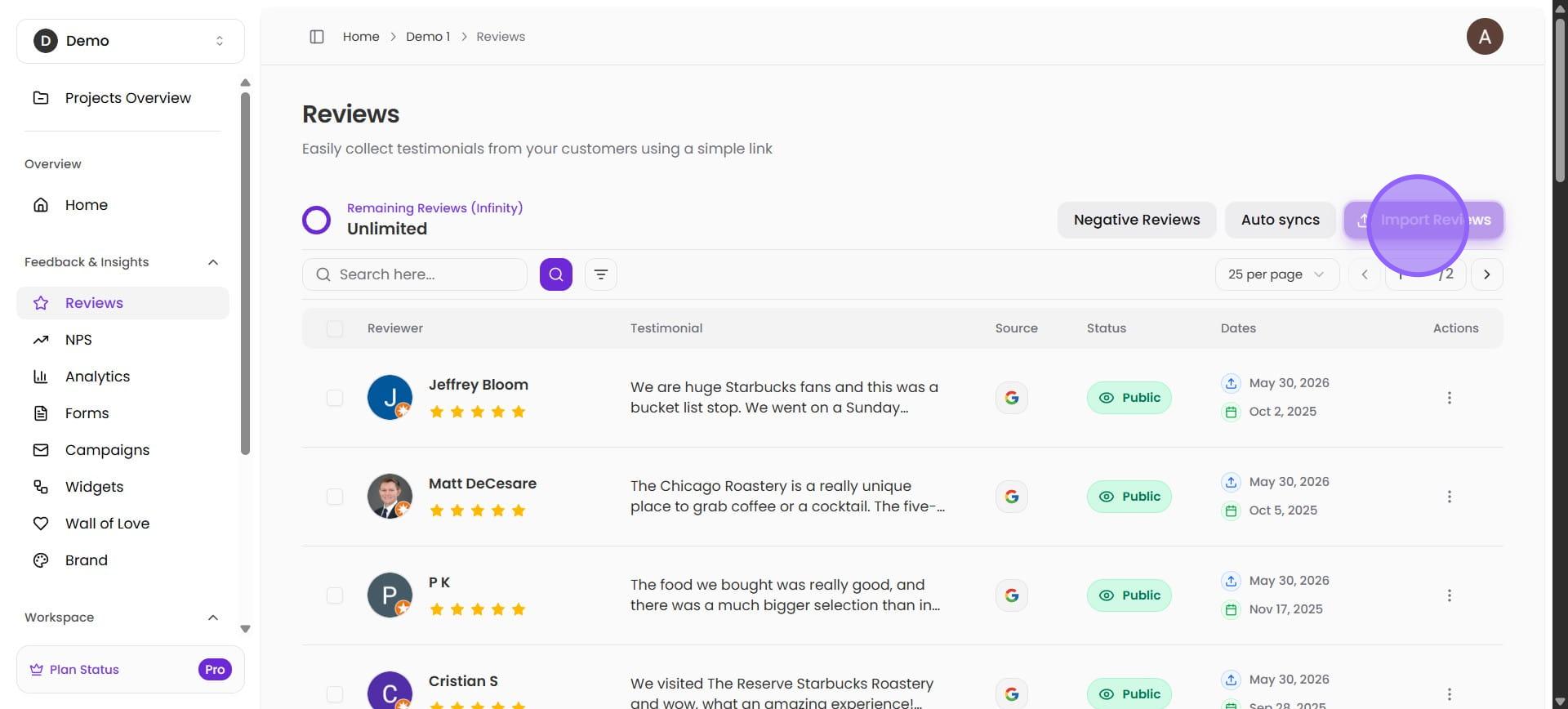
3. Click on "Import Reviews"
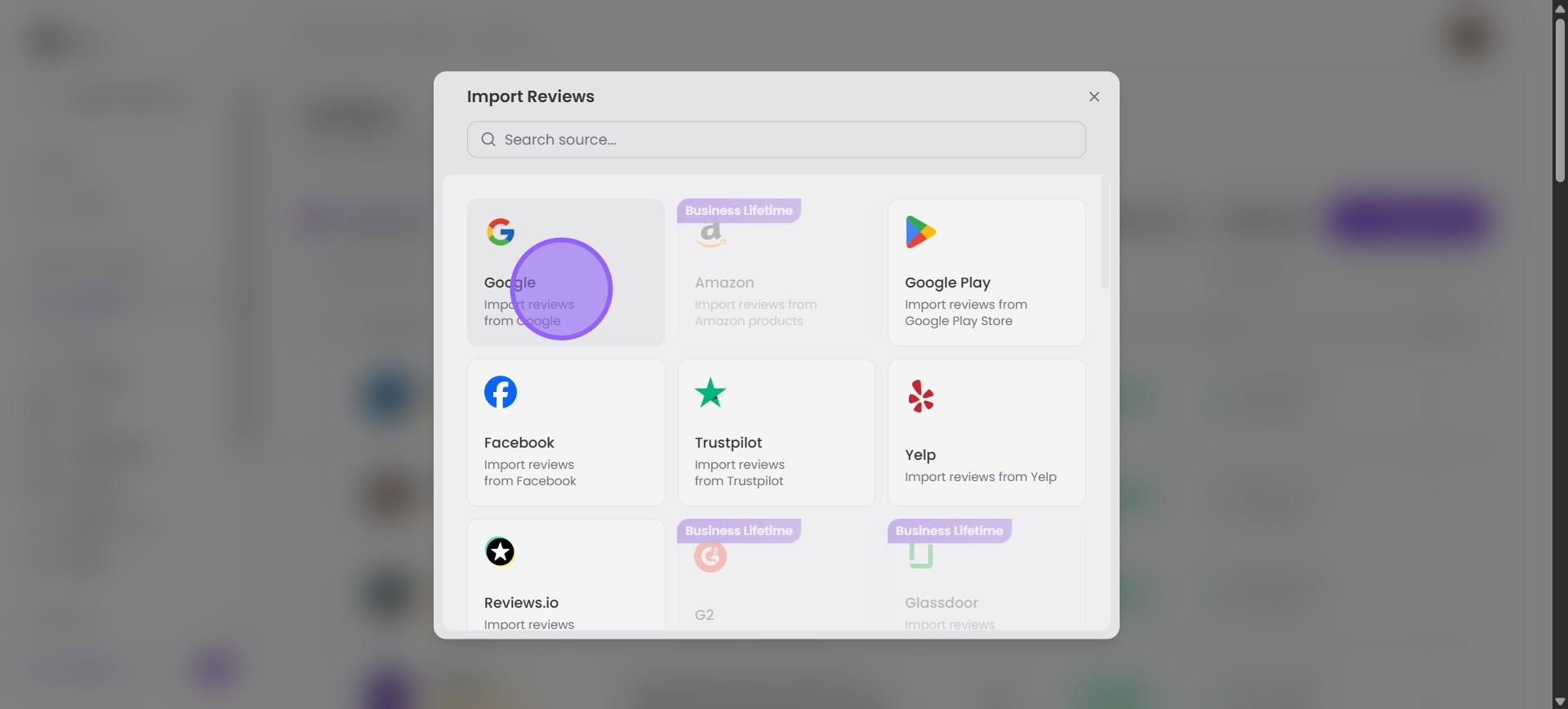
4. Click on "Google"
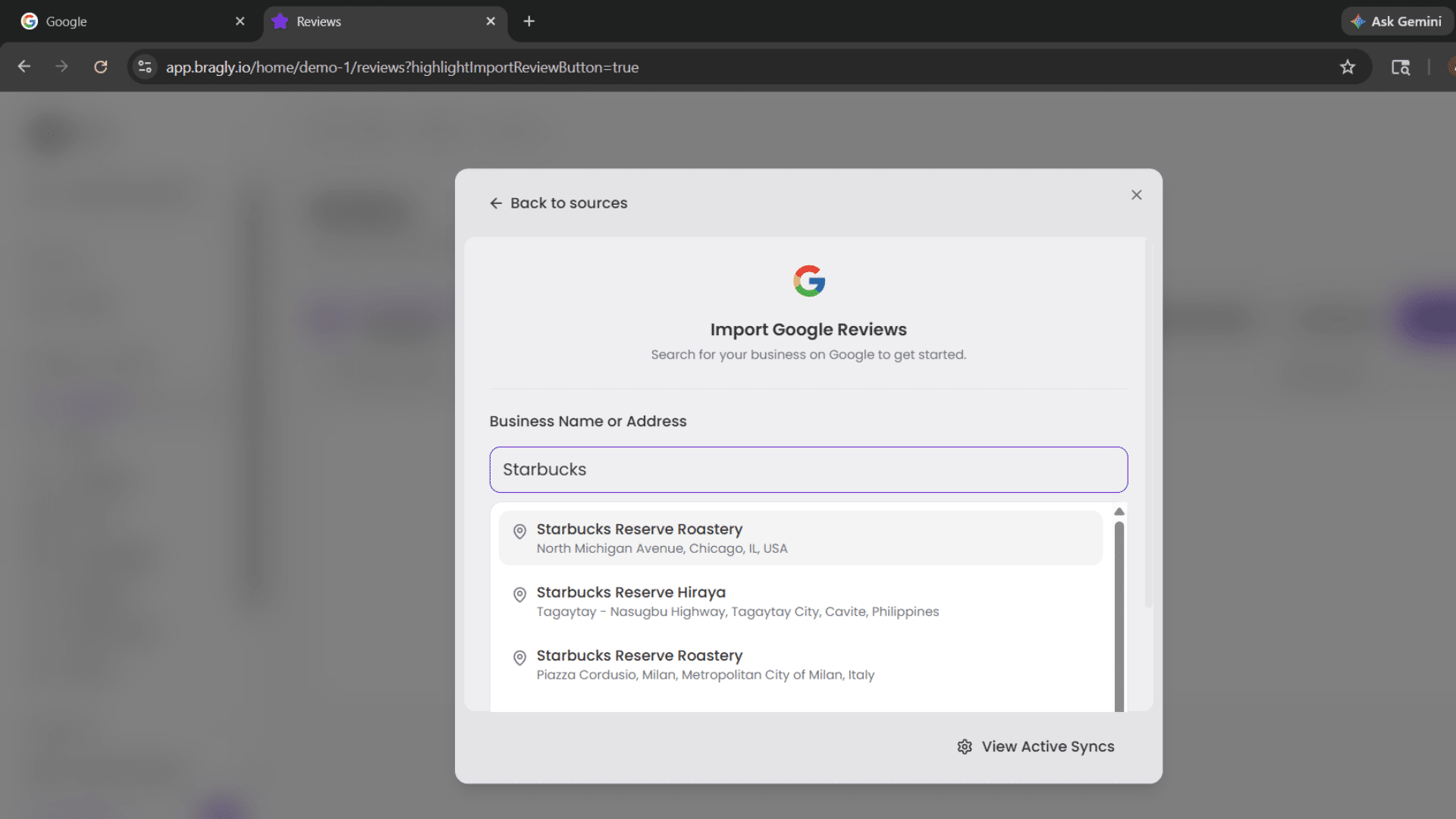
5. Search for your business. Start typing the name of your business and choose from the list.
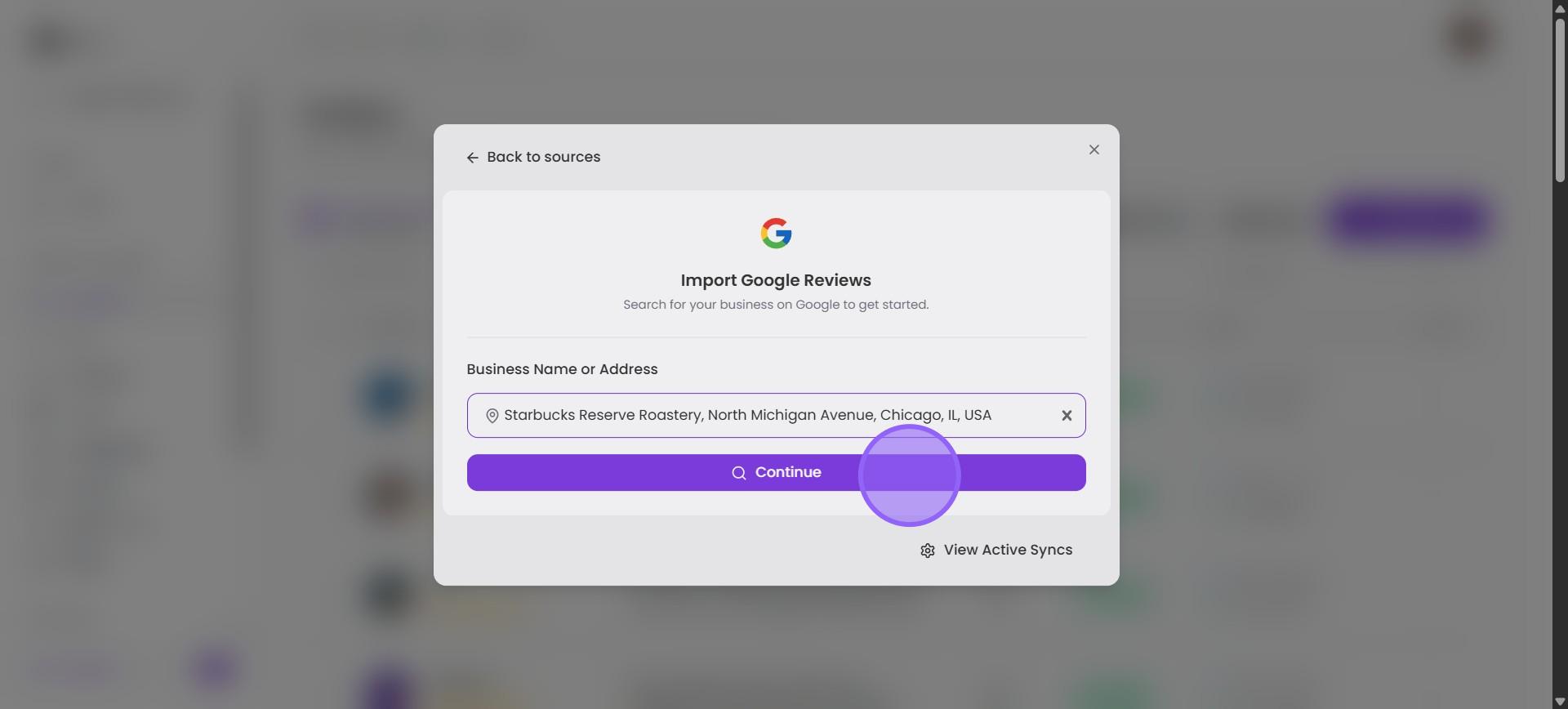
6. Click "Continue"
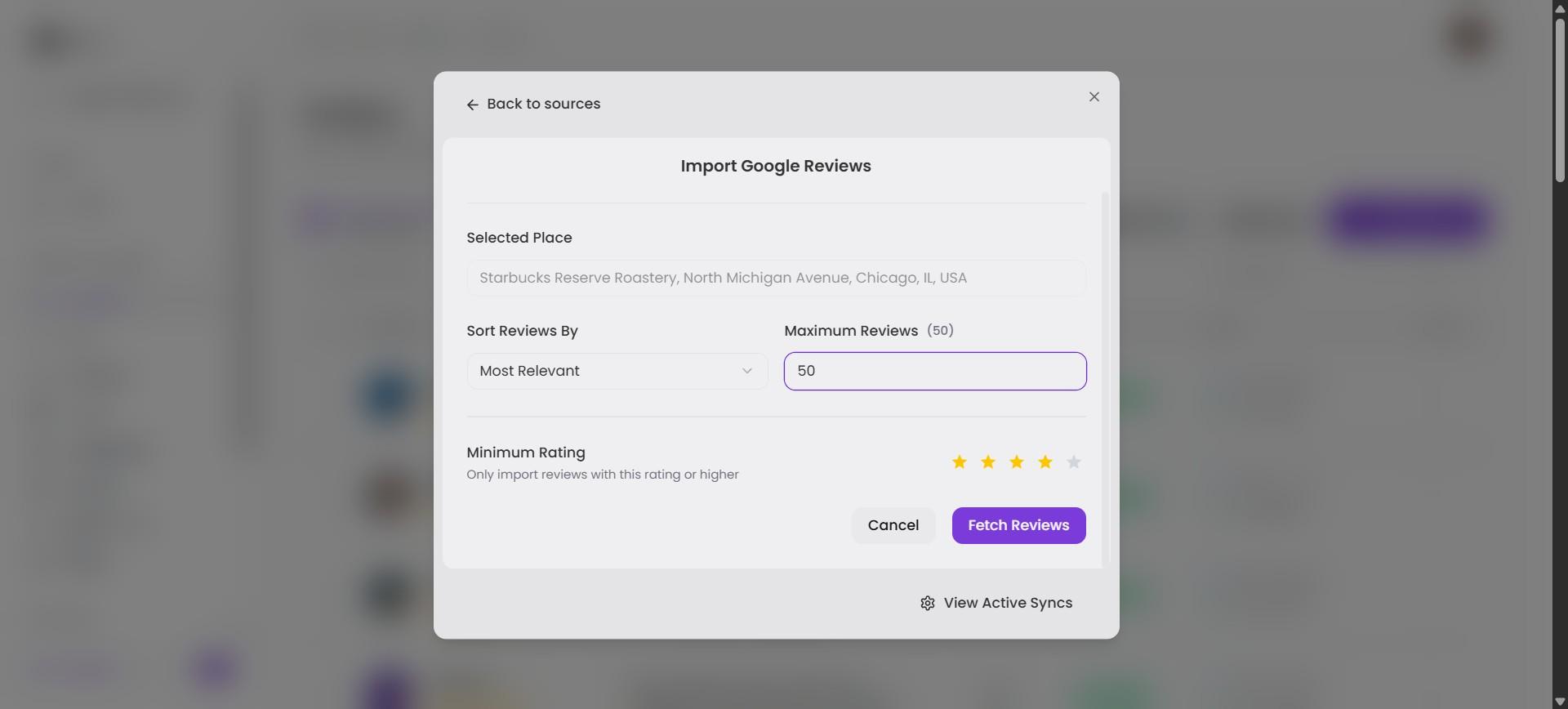
7. You can choose to sort the reviews by rating, relevance, or recency. Adjust the maximum number of reviews to be imported and select the minimum rating. Once you are happy with the parameters, click "Fetch Reviews".
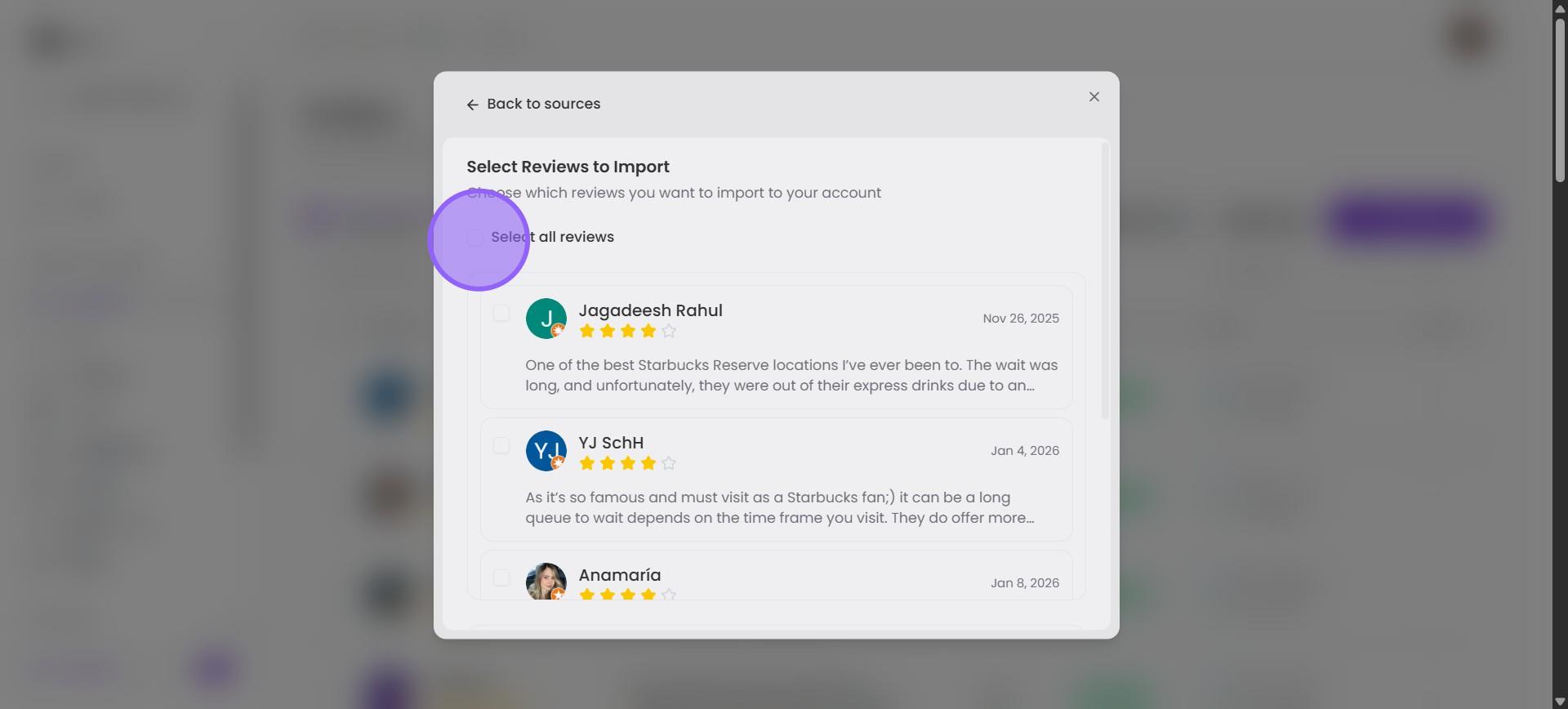
8. Wait a few seconds for the import to complete. Now, you can scroll through the reviews selecting them individually. Or you can click the Select all reviews checkbox to select all.
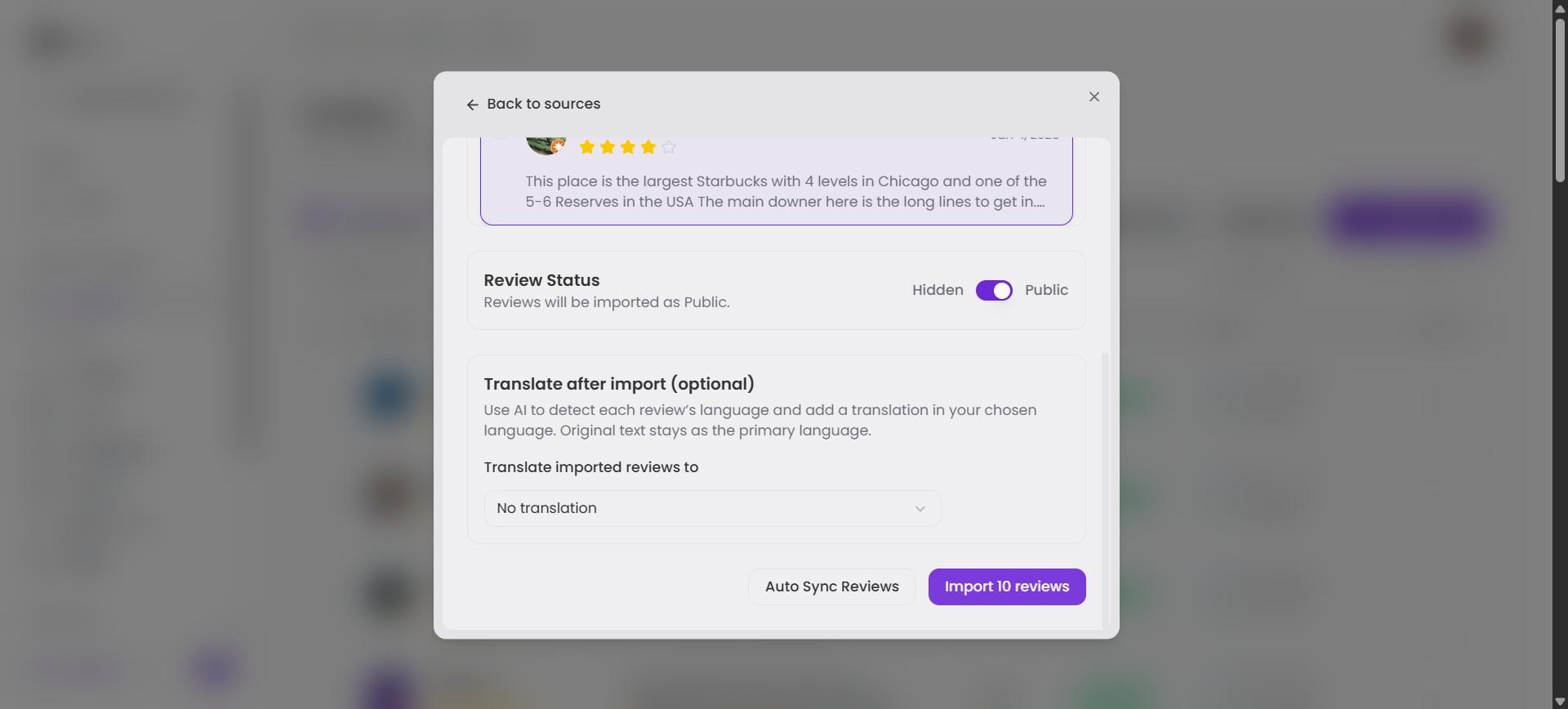
9. Scroll all the way down and click "Import \[x\] Reviews"
10. That's it! 🚀\ You will find your Reviews page populated with the reviews you just imported, along with their sources, status, and dates.