
How to create a Wall of Love on Bragly?
A step-by-step guide to creating and customizing a dedicated testimonial showcase
A Wall of Love is an engaging, full-page or masonry grid showcase of your best customer testimonials. It builds instant social proof and credibility by giving potential customers a single destination to browse all your positive reviews, ratings, and success stories.
Prerequisites
- An active Bragly.io account.
- At least one project created with imported customer reviews.
- Brand Kit set up (optional, but recommended for automatic styling).
Create a New Wall
- From your project homepage, click Wall of Love in the left-hand menu.

- Click the + New Wall button in the top right.

- In the setup window, enter your Wall Name and customize your URL Slug (example: user-reviews).
You can change the name as well as the URL slug later in the editor.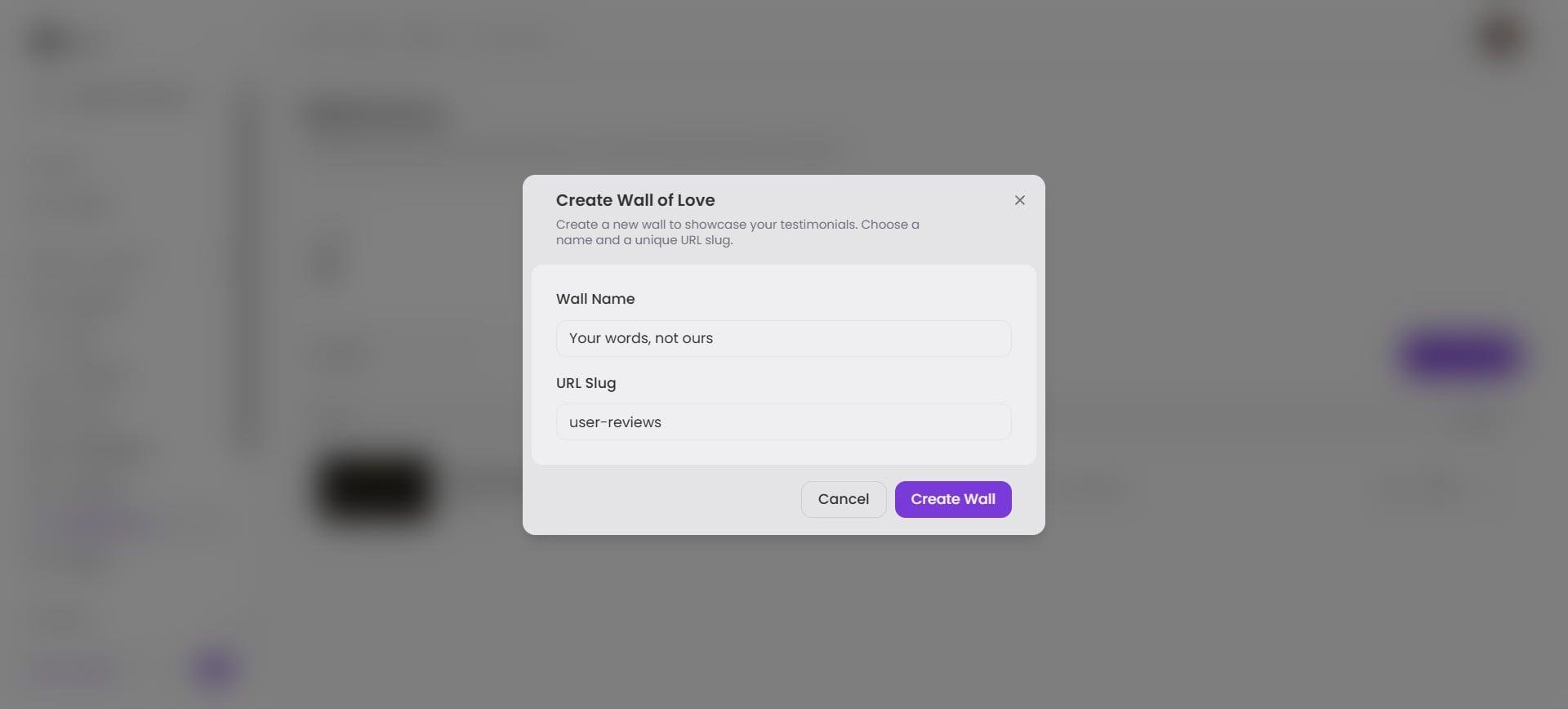
- Click Create Wall to launch the editor.
Customize and Personalize Your Design
Apply Branding: Click Apply Brand Kit to automatically apply your primary brand colors, fonts, and logo.

Select a Theme: Browse the theme options to choose a layout structure (Grid, Masonry, Carousel, etc.) that best fits your aesthetic.
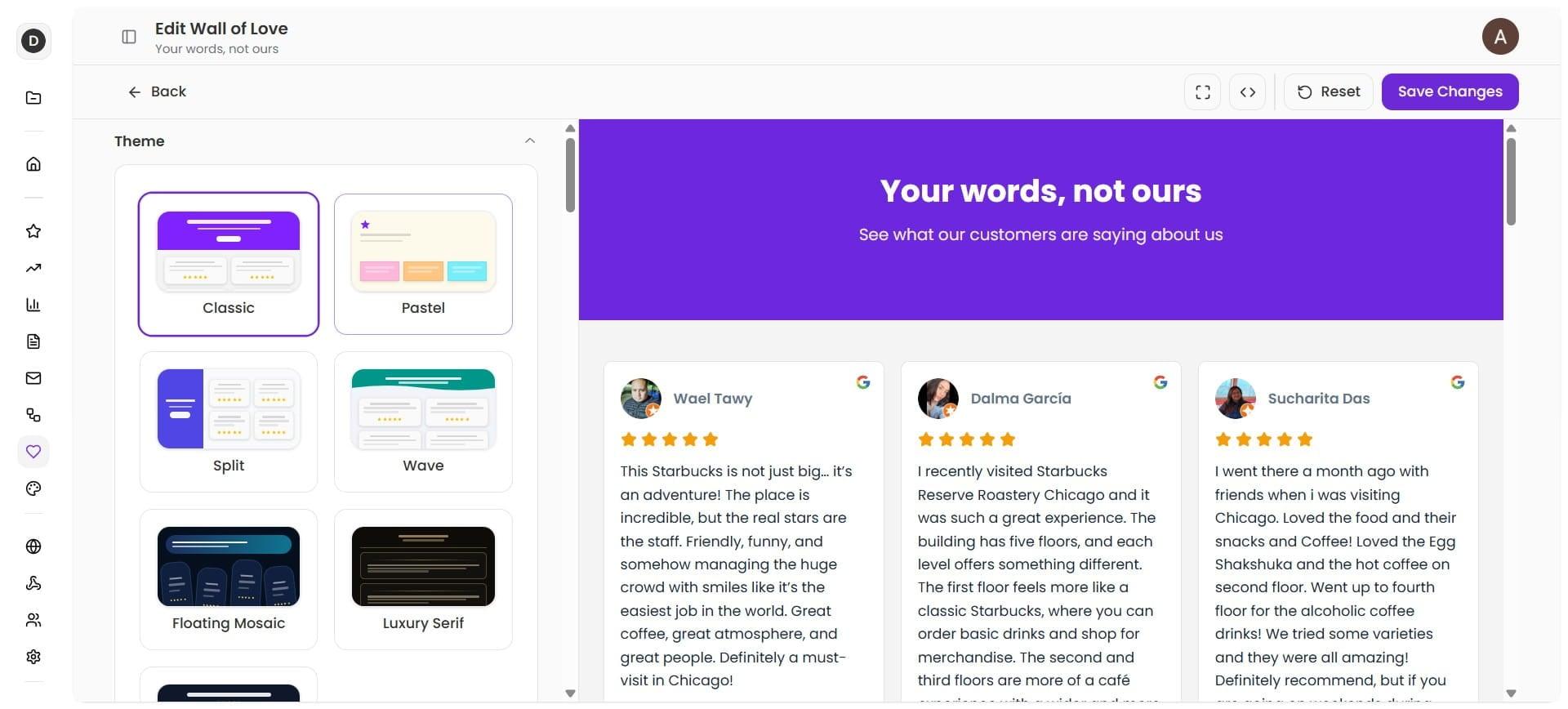
Configure Titles & Copy: Your Page Title and Subtitle come pre-populated, but you can edit them to match your messaging.

Add a Call to Action (CTA): Enter a target link URL in the CTA Button field to direct inspired visitors straight to your pricing, checkout, or booking page.
Made a mistake? Click Reset at any time to revert to default styles.
Set Review Filters
Use the toggle controls in the left panel to curate your content:

- Limit the total number of reviews displayed.
- Set minimum star ratings (e.g., show 4-star and 5-star reviews only).
- Pin your favorite review.
Click Save Changes when you are satisfied with your layout.
Preview, Share, and Embed
- Return to the main Wall of Love page from the left navigation panel.
- Click the Preview (eye icon) next to your wall to view the live preview.

- Click the Copy Link button to grab your unique Wall URL.
You can:- Embed: Insert the URL/embed code into your website builder (WordPress, Webflow, Wix, etc.).
- Custom Domain: Map the Wall of Love directly to your custom domain or subdomain.
There you have it! Your Wall of Love is live and ready to convert visitors.