
Building Your Brand Persona on Bragly
How to Update Your Brand Context and Create a Brand Design Kit
Give your Bragly assets a consistent, professional identity. Setting up your Brand Kit and Brand Context allows Bragly to automatically customize your customer-facing forms, Widgets, Wall of Love layouts, and AI-generated review replies to perfectly reflect your unique brand voice.
Prerequisites
-
A registered Bragly.io account with a Pro or Business plan
-
Your official company logo file and primary brand hex colors.
-
Your business website URL (optional, for Smart Context).
Step 1: Build Your Brand Design Kit
Ensure all of your social proof elements match your business's visual branding.
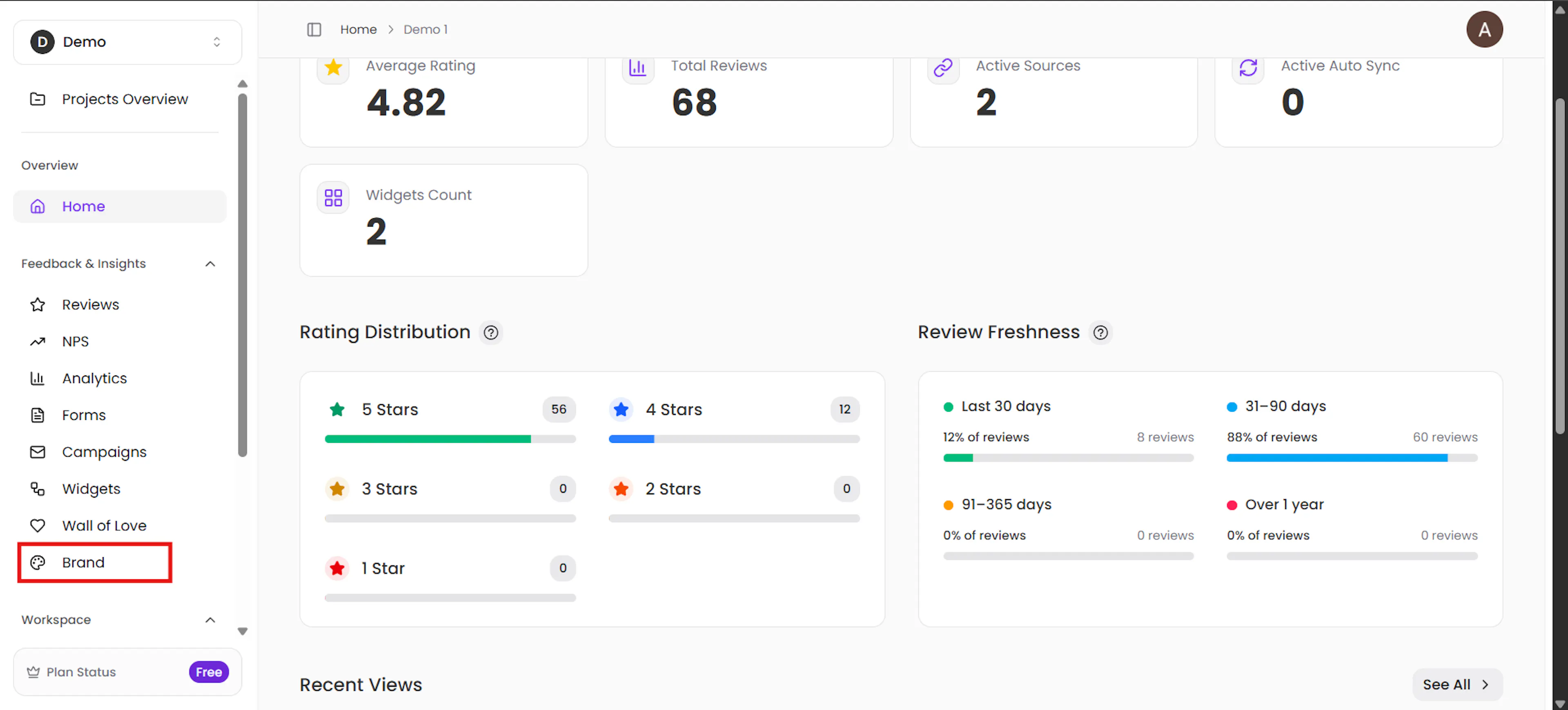
Navigate to the project homepage and click Brand on the left-hand menu.
Under the Logo section, drag and drop your image file or click Browse to upload it from your device.
Scroll down to the Colors & Fonts section to select your specific brand styling.
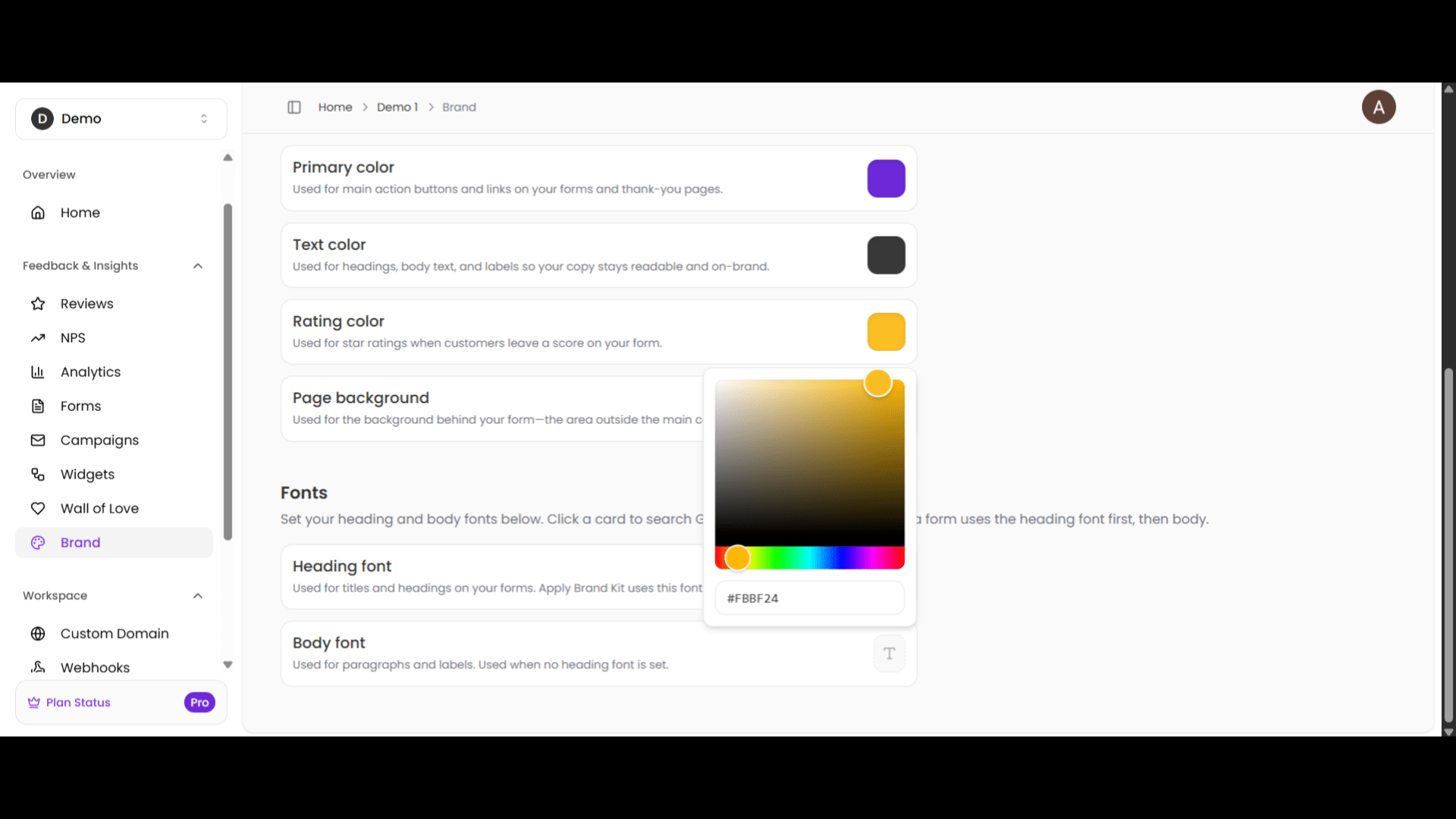
⚡ Note: Changes made to your colors and fonts are automatically saved in real-time.
To apply these visual elements across your live widgets and forms, simply click the Apply Brand Kit button.
Step 2: Create Your Brand Context (AI Training)
Teach Bragly's AI about your business so it can write highly accurate, context-aware review responses and case studies for you.
Option A: Manual Setup
Navigate to the project homepage and select Settings under the Workspace section in the left menu.
Start by uploading Your Company Picture. If you need to update the Project Name at any point, this is where you do it.
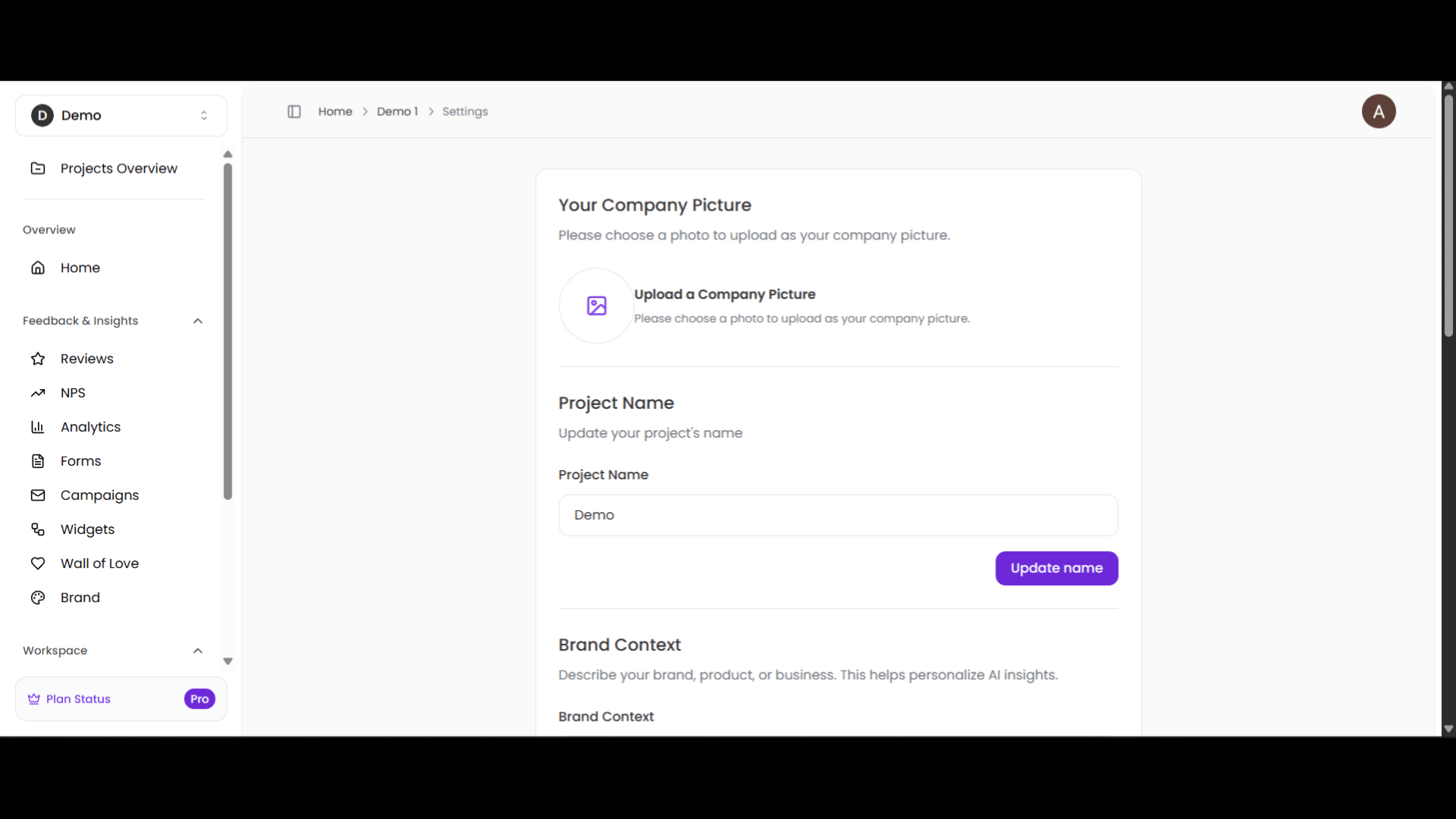
Scroll to the Brand Context box and describe your company. Include details like your industry domain, area of expertise, and target customer personas.
Click Update Brand Context to save.
Option B: Smart Context (Automated)
In the same Settings menu, locate the Smart Context section.
Enter your Website URL into the input field and click Continue.
Bragly will automatically scan your website to extract your brand persona and build your brand context.
⏳ Please Note: The Smart Context scanning process can take a few minutes to complete.
Why this matters for your business
The next time you build a review widget or generate an automated response, Bragly will pull directly from this toolkit, keeping your online reputation seamless, professional, and entirely on-brand.