
Looking for a Shorter Overview?
AI Summary
Key Moments
Importance of Authentic Reviews
Genuine, specific reviews build trust far better than generic, polished testimonials.How to Post Reviews on Google
Step-by-step instructions for posting reviews on both desktop and mobile platforms.Managing Review Freshness and Responses
Regularly updated reviews and thoughtful business replies enhance credibility and trust.Encouraging Real Reviews
Effective, non-coercive review requests at the right moment increase real feedback.You've just finished a purchase or service appointment, and the business asks whether you'd leave a Google review. You open Google Maps, search for the company, and then get stuck looking for the right button. Or perhaps you're the owner, sending review requests that customers open but never complete. In both cases, the problem usually isn't willingness. It's friction, uncertainty, and a growing concern that online feedback may not look genuine.
Learning how to add a review on Google still matters because the platform has become a central trust check. But clicking “Post” is only the starting point. A useful review should reflect a real experience, sound like a real person, and give future customers enough context to make a decision.
Why Google Reviews Are the New Standard for Trust
A customer searching for a local business often checks Google before visiting the company's website. They want to know whether the location is active, whether recent customers had a good experience, and whether the business responds when something goes wrong. A profile with a thin or outdated review history can create doubt even when the business itself is perfectly capable.

Google has become the default reputation check in major markets. 61.6% of Americans who look for reviews before making a decision turn to Google reviews first, according to ConsumerAffairs' review statistics. Other 2026 summaries cited by that source place Google at 71% of consumers' most-used review platform, while local-business summaries report that about 97% of consumers read online reviews before choosing a local business.
That combination changes the practical meaning of a review. It's no longer just feedback left on a third-party website. It appears where customers search, compare locations, check opening information, and request directions.
Why the Google profile matters
Google Reviews gained influence because they sit inside the Google Business Profile and Maps ecosystem. Customers don't have to visit a separate review site to see them. A review can appear alongside the business name, location, photos, services, and contact details during a fast purchasing decision.
Google also connects reputation with the wider local-search experience. Industry summaries report that Google hosts roughly 71% of online reviews, while one independent summary places Google's share at 58% worldwide. The same Google review statistics overview cites research saying reviews influence about 10% of how prominently Google displays a business in local results.
Listing quality adds another layer. The same source reports that Google Business listings with photos are 2x as likely to be viewed as reputable and receive 35% more clicks. Reviews are important, but customers judge the entire profile, including visual proof, recent activity, owner responses, and the clarity of the business information.
A review profile earns trust through the full customer experience, not through a star average alone.
That's why businesses need two capabilities: a simple way to add a review on Google and a disciplined process for keeping the profile credible afterward.
How to Post a Review on Google Desktop and Mobile
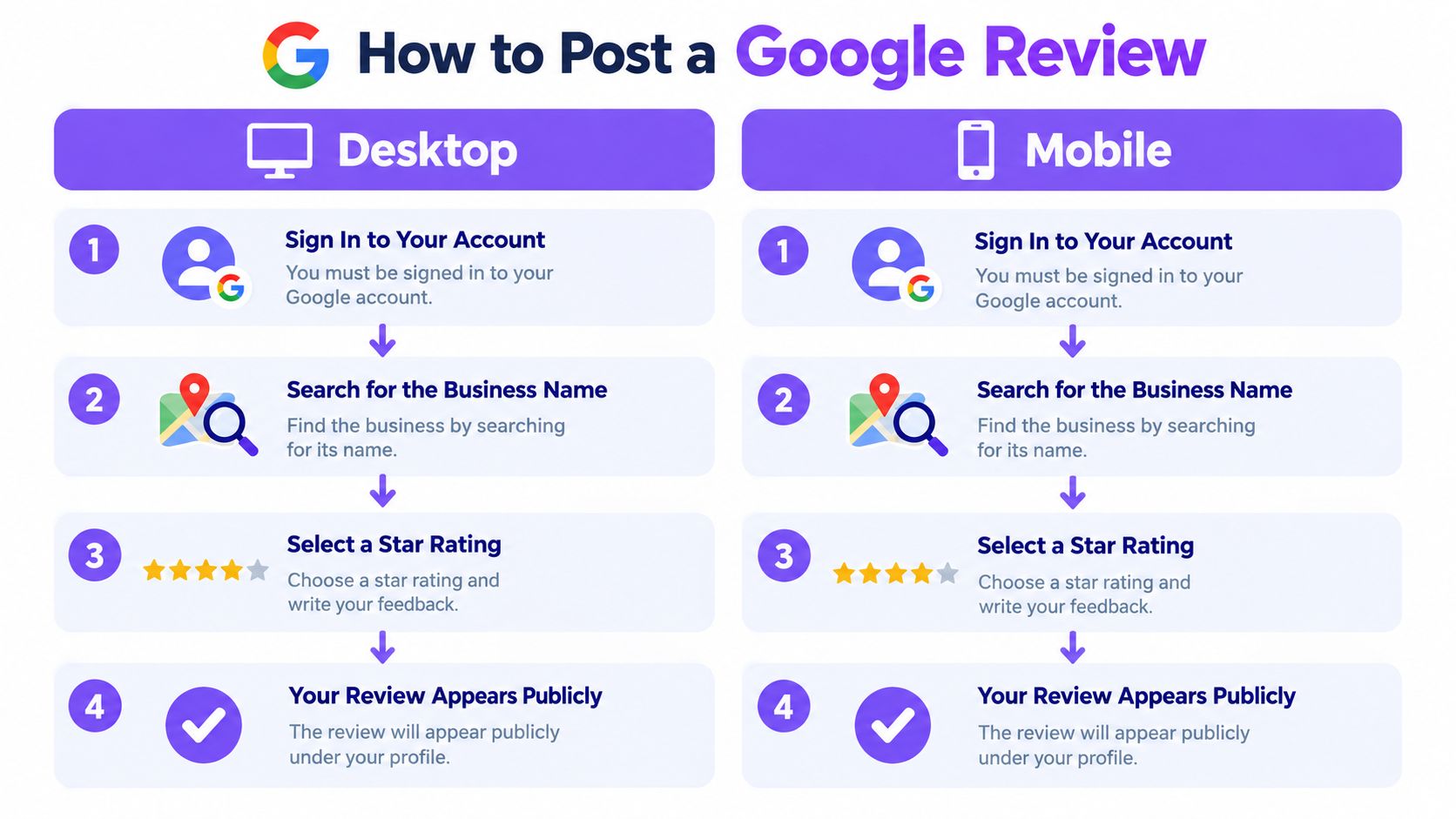
Google's posting path is straightforward once the account requirement is clear. You must be signed in to a Google Account before you can submit a review, which Google's Maps instructions identify as the main requirement.
On desktop
Sign in first. Open Google Maps in your browser and confirm that the correct Google Account is active. If you're not signed in, the review controls may not appear or the submission may stop before posting.
Find the business. Search the exact business name and location. Choose the correct listing, especially if the company has multiple branches or similarly named locations.
Open the review area. Select the business profile, then choose the Reviews section and click the option to write a review. A direct review URL can reduce confusion, so businesses can use a Google review link generator when sending requests.
Choose a rating and write. Select a star rating from one to five, describe the experience in your own words, and add photos if they help explain what happened.
Submit the review. Check the location, rating, and wording before selecting Post. The review is public and appears under your Google profile.
On mobile
Open the Google Maps app while signed in, search for the business, and tap the correct listing. Scroll to the Reviews area, select the option to write a review, choose the star rating, add text or photos, and submit.
The mobile flow can look slightly different depending on the app version, but the core sequence stays the same: account, business, review button, stars, written feedback, post.
A missing button usually has a practical explanation. The account may not be signed in, the wrong business profile may be open, or the user may have selected a location that Google doesn't recognize as a review destination. Switching to the correct account and opening the listing directly usually resolves the problem.
The Credibility Gap Most Review Guides Miss
Posting a review is easy. Making it believable is harder.
Consumers increasingly question whether online feedback reflects a real customer experience. In 2026, 86% of consumers said they're concerned about AI-generated reviews, 82% believed they had seen fake reviews during the past year, and 46% said they're suspicious of reviews that seem written by AI, according to Forbes Business Council's review trends analysis.

A review can be positive and still look suspicious. Generic praise, exaggerated claims, repeated phrasing, and polished marketing language make readers wonder whether the writer ever used the business. The same patterns can also create moderation concerns when many reviews appear to follow a predictable template.
What genuine feedback sounds like
A credible review usually contains specific experience without sounding like an advertisement. It might mention what the customer needed, how the business handled the request, and what stood out. It doesn't need to be long, dramatic, or perfectly written.
Useful details include:
- The situation: Explain what you visited, bought, booked, or needed help with.
- The interaction: Mention a relevant part of the service, such as communication, speed, clarity, or problem-solving.
- The outcome: Describe what happened afterward and whether the service met your expectations.
- The qualification: If the experience had a limitation, state it fairly rather than forcing an absolute endorsement.
A customer shouldn't copy language supplied by the business. Businesses can make the process easier by asking for honest feedback and providing a direct path, but the reviewer must choose the rating and write the account independently.
The safest review is not the most enthusiastic one. It's the one that accurately describes a real experience in a natural voice.
Avoid asking customers to mention specific staff members, keywords, products, or phrases. Don't ask every reviewer to leave the same rating. A healthy profile can include different perspectives, because perfect uniformity often looks less credible than balanced feedback.
The same principle applies to photos. A genuine customer photo can add useful context, but a business shouldn't pressure people to upload staged images or submit content unrelated to their experience. Authenticity protects the customer, the business, and the long-term value of the profile.
What Freshness and Response Behavior Actually Do
A large star average can hide a stale reputation. Customers don't only ask whether a business has positive reviews. They also look at when people posted them and how the business handles criticism.
One 2026 consumer survey reported that 73% of consumers don't trust reviews older than a month, while 45.1% check whether brands respond to reviews. Only 20.5% trust businesses with 100% positive reviews, according to Ringly's 2026 review statistics.
Those figures point to a practical conclusion: a mixed, recent, actively managed profile can feel more trustworthy than a perfect but inactive one.
Freshness is evidence of current operations
Older reviews still provide useful background, especially when they describe consistent service or a long operating history. But they can't fully answer whether the business is reliable today. Staff, pricing, booking systems, product ranges, and service standards can change.
A steady request process helps create a more current picture without pressuring customers. Ask after a meaningful interaction, such as a completed appointment, delivered order, or resolved support issue. A request sent too early may produce vague feedback because the customer hasn't had time to evaluate the experience.
Responses show accountability
A response gives the business an opportunity to acknowledge the customer, clarify information, and demonstrate that someone is paying attention. It also gives future readers context when a complaint involves a misunderstanding or a situation outside the company's control.
Effective replies share a few characteristics:
- They recognize the experience. Thank positive reviewers and acknowledge negative experiences without becoming defensive.
- They stay specific. Refer to the relevant service or issue without exposing private customer details.
- They move sensitive matters offline. Offer a direct contact route for account, payment, or personal information.
- They avoid arguing publicly. A defensive reply can make a small complaint look like a larger management problem.
Businesses don't need to erase every negative impression. They need to show that customers receive a fair response and that recurring problems lead to action.
Smart Ways Businesses Can Encourage Real Reviews
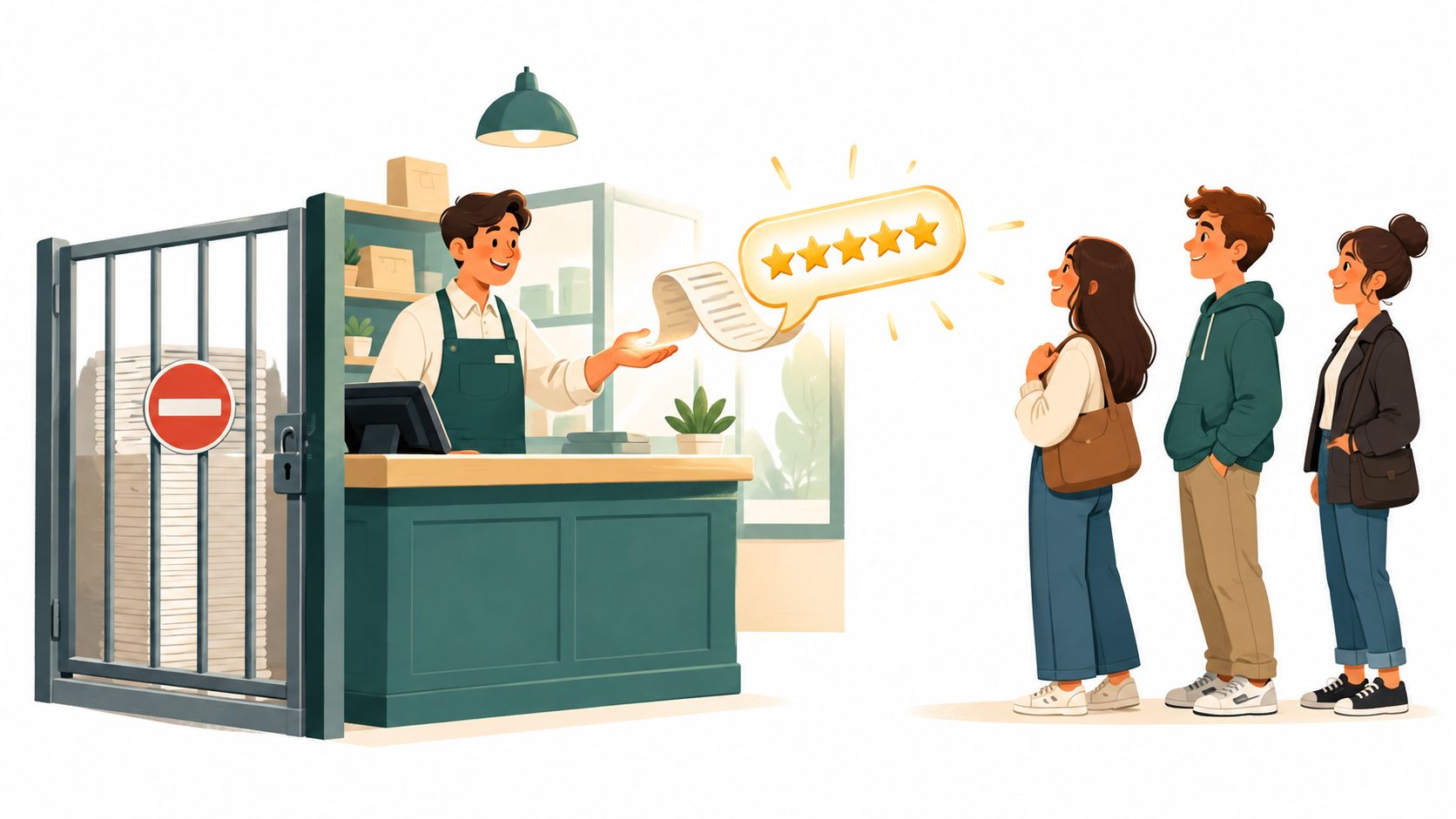
Review generation works best when the request arrives at the right moment and gives the customer a direct path. A vague message saying “find us on Google” creates unnecessary work. A direct review link removes steps, but it must still leave the customer free to decide whether and how to respond.
Compare the common approaches
| Approach | What works | Where it fails |
|---|---|---|
| Personal request | A staff member asks after a successful interaction | Results depend on memory and consistent training |
| Email follow-up | Creates a repeatable message after delivery or completion | Long messages and indirect links reduce completion |
| SMS request | Reaches customers while the interaction is still recent | Poor timing or excessive messages can feel intrusive |
| Direct review link | Takes the customer straight to the Google review form | It can't compensate for a bad experience or a coercive request |
| Collection platform | Centralizes requests, forms, and feedback workflows | Automation still needs thoughtful timing and honest wording |
A practitioner benchmark for review-request programs recommends tracking request-to-review conversion, rather than counting requests alone. It suggests targeting 5% or higher conversion for email, 8% or higher for SMS, at least 10 new reviews per month for a single-location business, and a 100% reply rate within 24 hours. Those benchmarks come from Wiremo's review automation guidance, so they're useful operating references, not guarantees for every business.
The request itself should be short. Identify the interaction, thank the customer, explain that honest feedback helps, and provide the direct link. Don't tell the customer what rating to leave or provide a paragraph they can paste.
Avoid incentives that compromise independence
Google prohibits offering payment, discounts, free goods, or free services in exchange for posting a review, changing a review, or removing a negative review. The Google Maps user-contributed content policy also treats content created because of those incentives as policy-violating.
That rule eliminates a tempting shortcut. A discount for “any honest review” still conditions the reward on review activity, so it isn't a safe workaround. The sustainable alternative is better service, well-timed requests, direct links, and an easy way for customers to share their own words. Businesses can use a review request generator to prepare that outreach without dictating the customer's opinion.
From Single Reviews to a Manageable Reputation System
A business doesn't have a reputation problem only when a negative review appears. It has a workflow problem when nobody knows who monitors new feedback, where responses are recorded, or how useful testimonials reach the website.
A workable system connects three activities:
- Collection: Ask for honest feedback after meaningful customer interactions and make the Google path easy to complete.
- Response: Monitor new reviews, acknowledge customers, and route service issues to the right person.
- Display: Place relevant testimonials on pages where customers need reassurance, while keeping the displayed content current.
This loop prevents reviews from becoming isolated items scattered across Google, Facebook, Trustpilot, industry directories, and internal spreadsheets. It also helps marketing and customer service work from the same evidence instead of relying on occasional manual searches.
Centralize without flattening the feedback
A review aggregation platform can bring feedback from 50+ sources into one workspace, including Google, Trustpilot, G2, Facebook, Yelp, Product Hunt, TripAdvisor, Capterra, the App Store, Google Play, Shopify, Airbnb, Glassdoor, and Zillow. No-code widgets can then display selected reviews in layouts such as carousels, grids, sliders, mosaics, ribbons, badges, and video highlights.
The important distinction is between centralizing and hiding. A business shouldn't display only praise while ignoring recurring complaints in its operations. Tagging can organize feedback by product, location, service type, or issue. Basic analytics and AI-based summaries can help identify patterns, but a manager should still review the original customer language before making a decision.
Auto-sync is useful because manually updating website testimonials creates stale pages. A connected system can refresh displayed content when source reviews change, while webhooks can connect review events to existing workflows. Teams evaluating this approach can review review analytics capabilities alongside their response process, website setup, and reporting needs.
The goal isn't to turn every comment into marketing copy. It's to make customer feedback visible, organized, and actionable without asking one person to monitor every platform by hand.
Building a Review Strategy That Actually Holds Up
Knowing how to add a review on Google solves the immediate mechanics. A durable reputation strategy solves the conditions around it: whether customers receive a timely request, whether the wording sounds independent, whether recent feedback represents the current business, and whether managers respond when expectations aren't met.
Start with the customer journey. Identify the moments when a customer has enough experience to give meaningful feedback. For a local service business, that may be after the appointment is complete. For ecommerce, it may be after delivery and use. For a software company, it may follow successful onboarding or a resolved support issue.
Then keep the operating rules simple:
- Ask consistently, not aggressively. Use a repeatable process instead of sending irregular bursts of requests.
- Protect customer choice. Ask for honest feedback without specifying a rating, wording, or topic.
- Write for credibility. Specific experiences feel more useful than polished slogans.
- Watch recent activity. A profile should reflect how the business operates now.
- Respond like a person. Public replies should acknowledge the customer and avoid private details.
- Use negative feedback operationally. Look for recurring causes instead of treating every complaint as a reputation emergency.
- Display proof carefully. Keep website testimonials relevant, current, and connected to their original source where appropriate.
A review profile doesn't need to look flawless to support trust. It needs to look active, honest, and managed. Customers can accept an occasional poor experience more readily when they see thoughtful responses and recent evidence of improvement.
The best next step is practical. Check whether your Google Business Profile has a clear review path, send one honest request after the next completed interaction, and inspect the profile from a customer's perspective. If the process depends on memory, scattered dashboards, or outdated testimonials, it's time to turn review collection and display into a repeatable workflow.
Use Bragly to collect, organize, analyze, and display customer reviews from multiple platforms with no-code widgets and syncing. Set up a clearer review workflow today, then make your Google feedback easier for customers to find and trust.