Build a Wall of Love for your best reviews
Create a stunning public page that showcases your customer testimonials. Customize the design, filter by rating, and share it anywhere.
Create Your Wall of LoveShow off the love. All in one place.
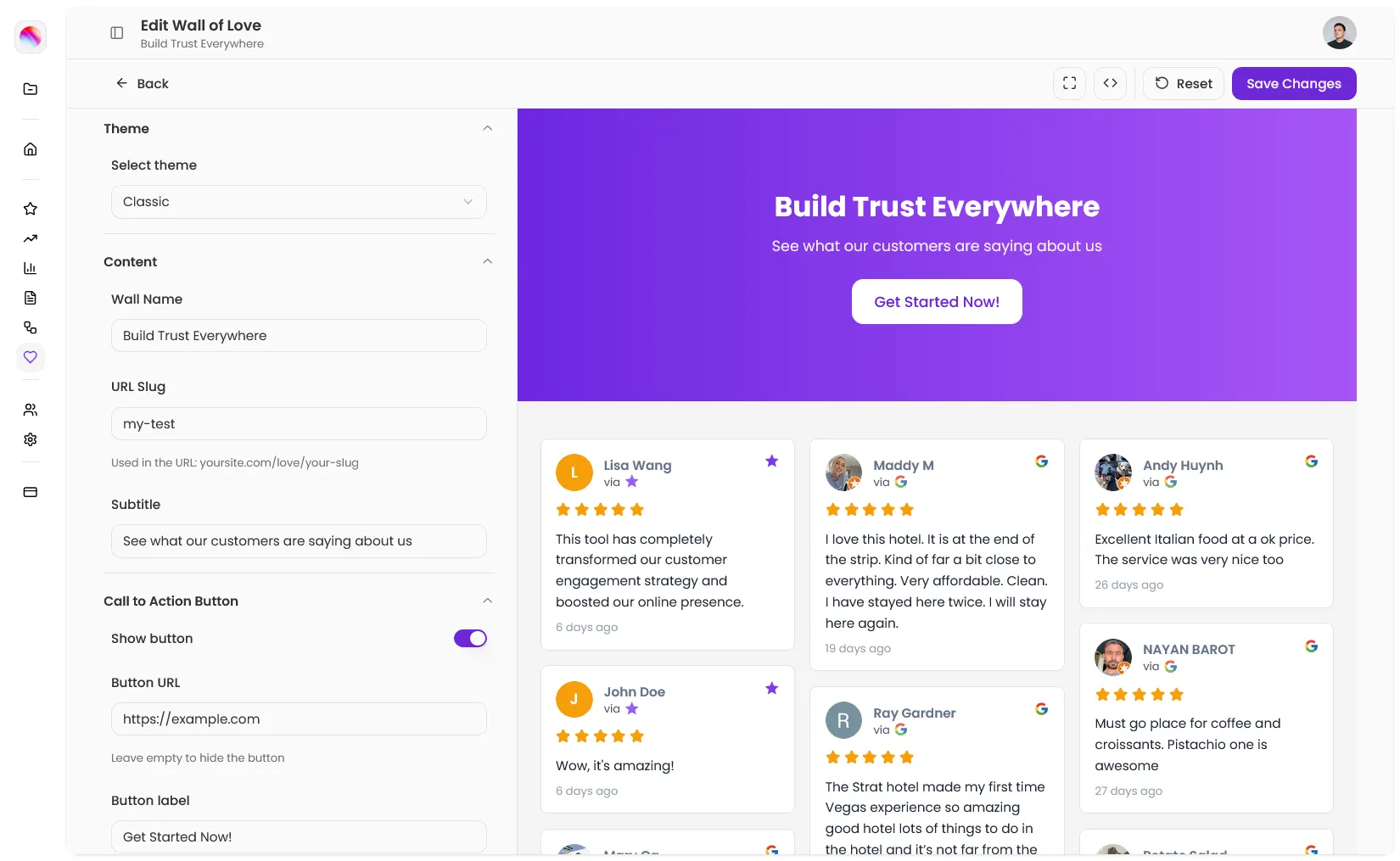
All your best testimonials in one place
A Wall of Love is a public page where visitors can see your customer reviews. It pulls from your connected review sources automatically. No copying and pasting. No manual updates.
Create a wall, pick a theme, customize the design, and share the link. That's it.
What You Get?
Custom URL
Auto populated
Fully customizable
What You Get?
Custom URL
Auto populated
Fully customizable
"I link to my Wall of Love in my email signature. Prospects check it before every sales call."
~ SaaS Marketing team
Choose a theme that fits your brand
Every wall starts with a theme (updated freq). Pick the layout that works for you, then customize colors, fonts, and details to make it yours.
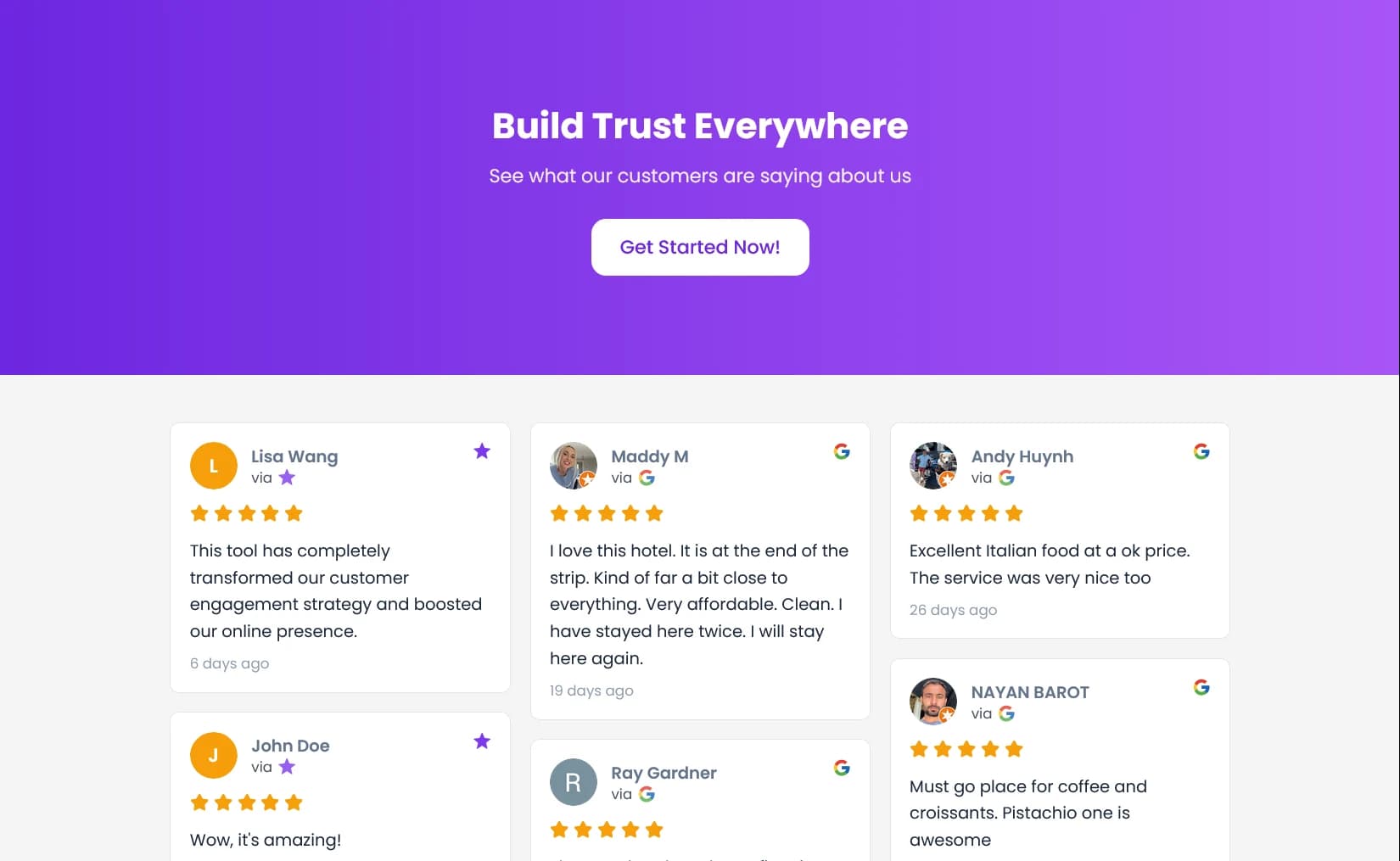
Classic
Full width header with gradient options. Clean testimonial grid below. Title, subtitle, optional CTA button.
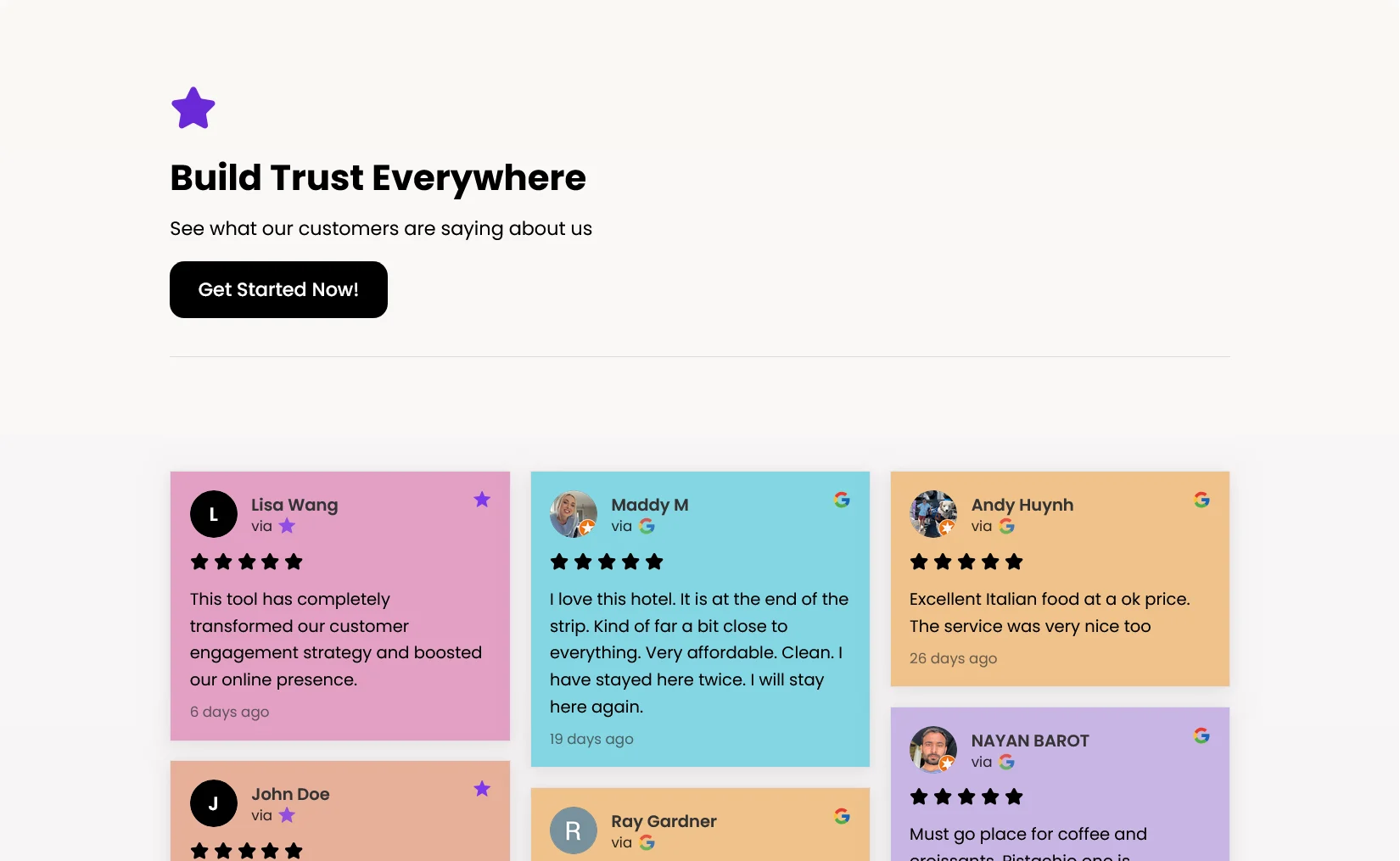
Pastel
Lighter, softer look. Gradient backgrounds, soft card shadows. Great for friendly brands.
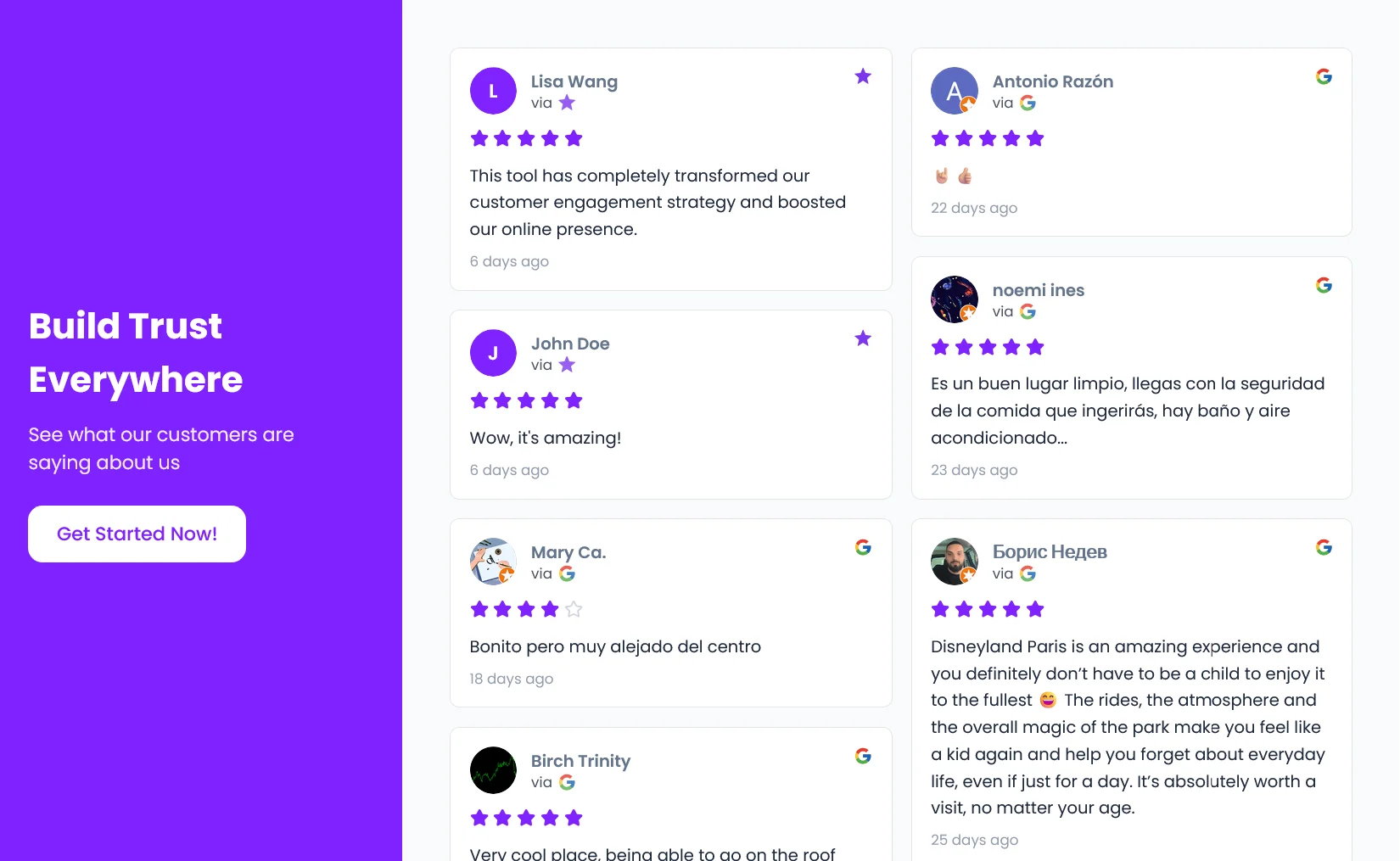
Split
Two column layout. Sticky sidebar with title and CTA on one side, testimonial grid on the other.

Wave
Full width header with a wave shaped divider. Decorative bubbles. Modern and playful.
"I tried all four themes. Went with Split for my SaaS and Pastel for my course. Both look amazing."
~ Course platform owner
Design it to match your brand
Every detail is customizable. Background colors. Card styles. Header gradients. Text colors. Border radius. You control how it looks and feels.
What You Can Customize?
Header
Solid color, linear gradient, or radial gradient, and more.
Cards
Background color, text color, border radius, border color, shadows.
Content
Show or hide star ratings, review dates, review sources.
CTA Button
Add a button to your header with custom label and URL.
What You Can Customize?
Header
Solid color, linear gradient, or radial gradient, and more.
Cards
Background color, text color, border radius, border color, shadows.
Content
Show or hide star ratings, review dates, review sources.
CTA Button
Add a button to your header with custom label and URL.
"I link to my Wall of Love in my email signature. Prospects check it before every sales call."
~ SaaS Marketing team
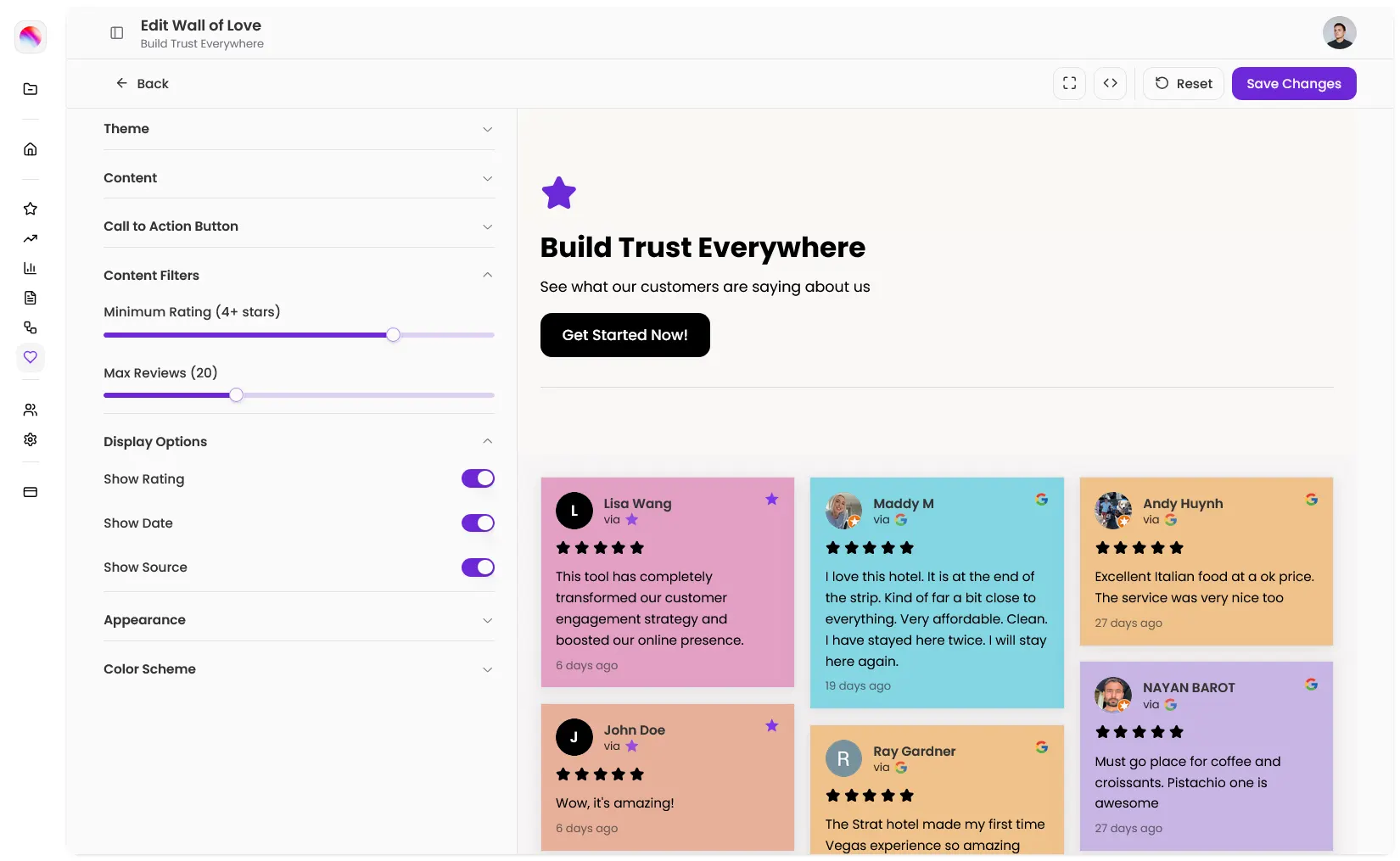
Filter Options
Minimum rating
Max reviews
Only show your best reviews
Not every review belongs on your Wall of Love. Set a minimum star rating to filter out anything below 4 or 5 stars. Cap the total number of reviews so your wall stays focused.
Filter Options
Minimum rating
Max reviews
"I set mine to 4+ stars and max 20 reviews. Clean, focused, impressive."
~ Business owner
Share your wall with the world
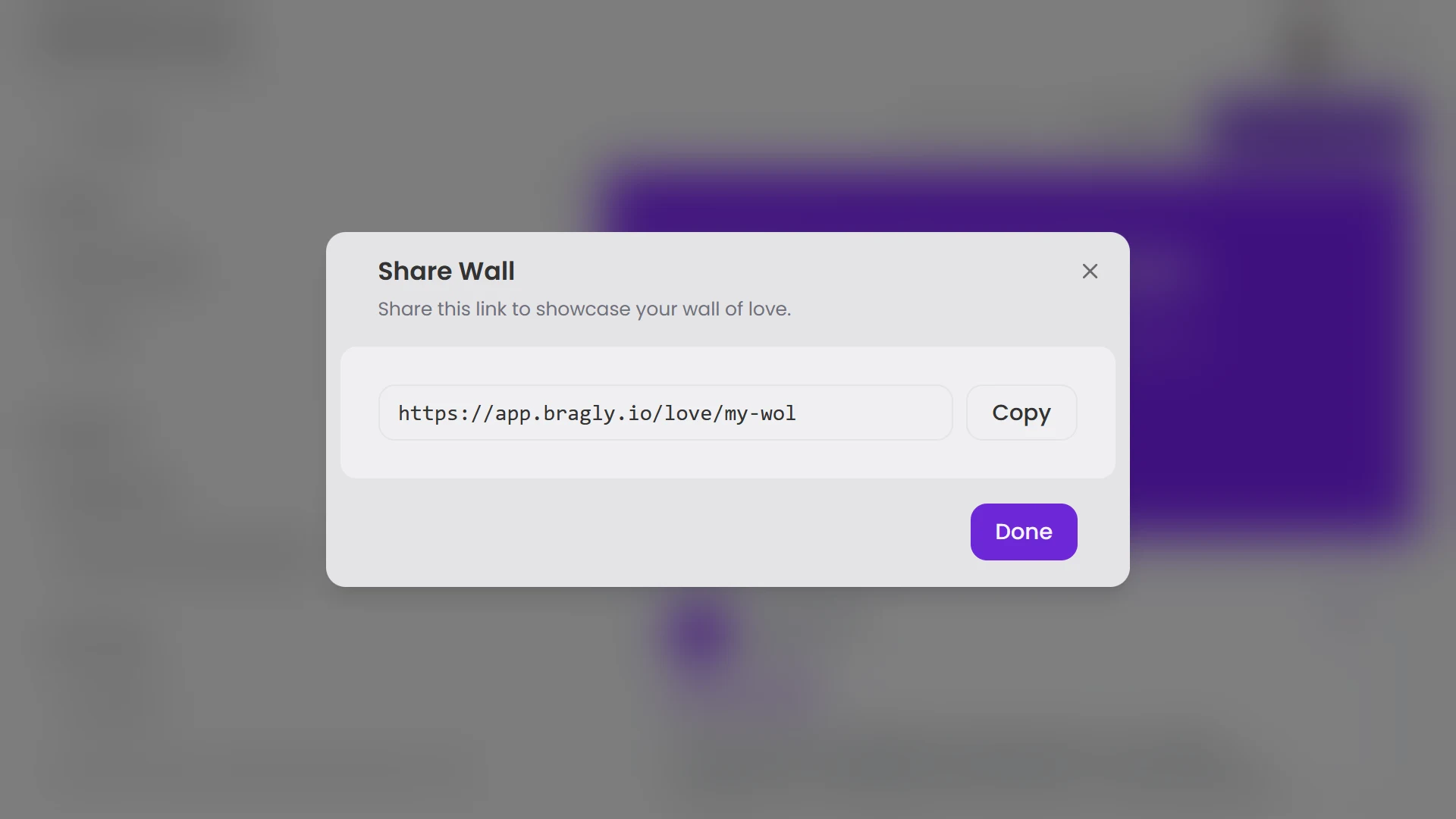
Every wall has its own public URL. Share it via link in your emails, social bios, or proposals. Or embed it directly on your website.
How to Use Your Wall?
Email signature
Add the link so every email shows off your reviews
Social bio
Link to your wall from Twitter, LinkedIn, Instagram
Proposals
Include the link in sales docs and pitches
Website
Embed the wall on a dedicated testimonials page
DMs
Send the link to prospects in conversations
How to Use Your Wall?
Email signature
Add the link so every email shows off your reviews
Social bio
Link to your wall from Twitter, LinkedIn, Instagram
Proposals
Include the link in sales docs and pitches
Website
Embed the wall on a dedicated testimonials page
DMs
Send the link to prospects in conversations
"I put my Wall of Love link in my LinkedIn bio. People click it before they even message me."
~ SaaS Marketing team
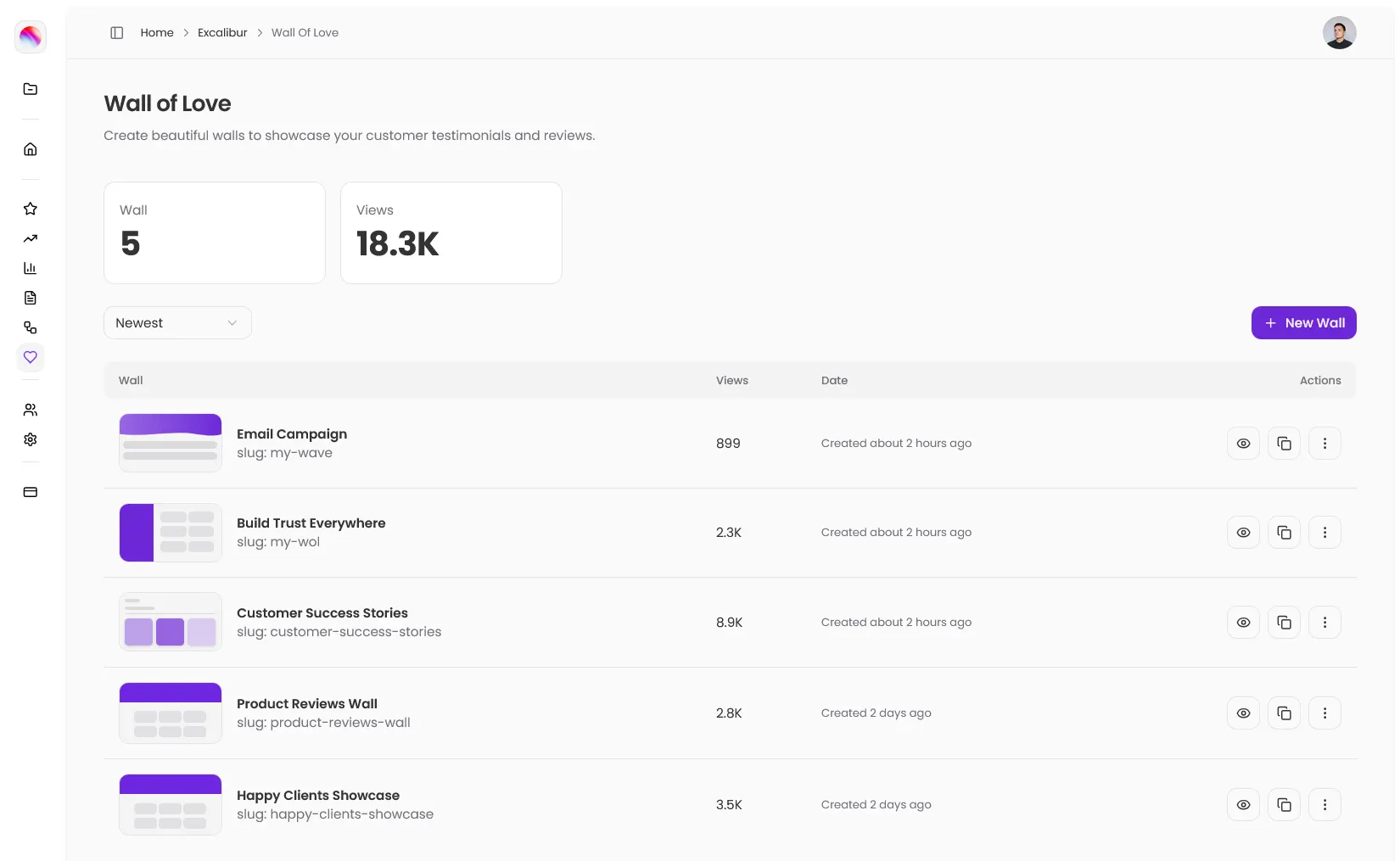
Know how many people visit your wall
Every wall tracks view counts. See which walls are getting attention. Sort your walls by most viewed, newest, or oldest.
"My customer stories wall gets 200+ views a month. Worth every minute I spent setting it up."
~ Business owner
How It Works
Every wall tracks view counts. See which walls are getting attention. Sort your walls by most viewed, newest, or oldest.
Create a wall
Give it a name and a URL slug. Your wall will live at /love/your-slug.
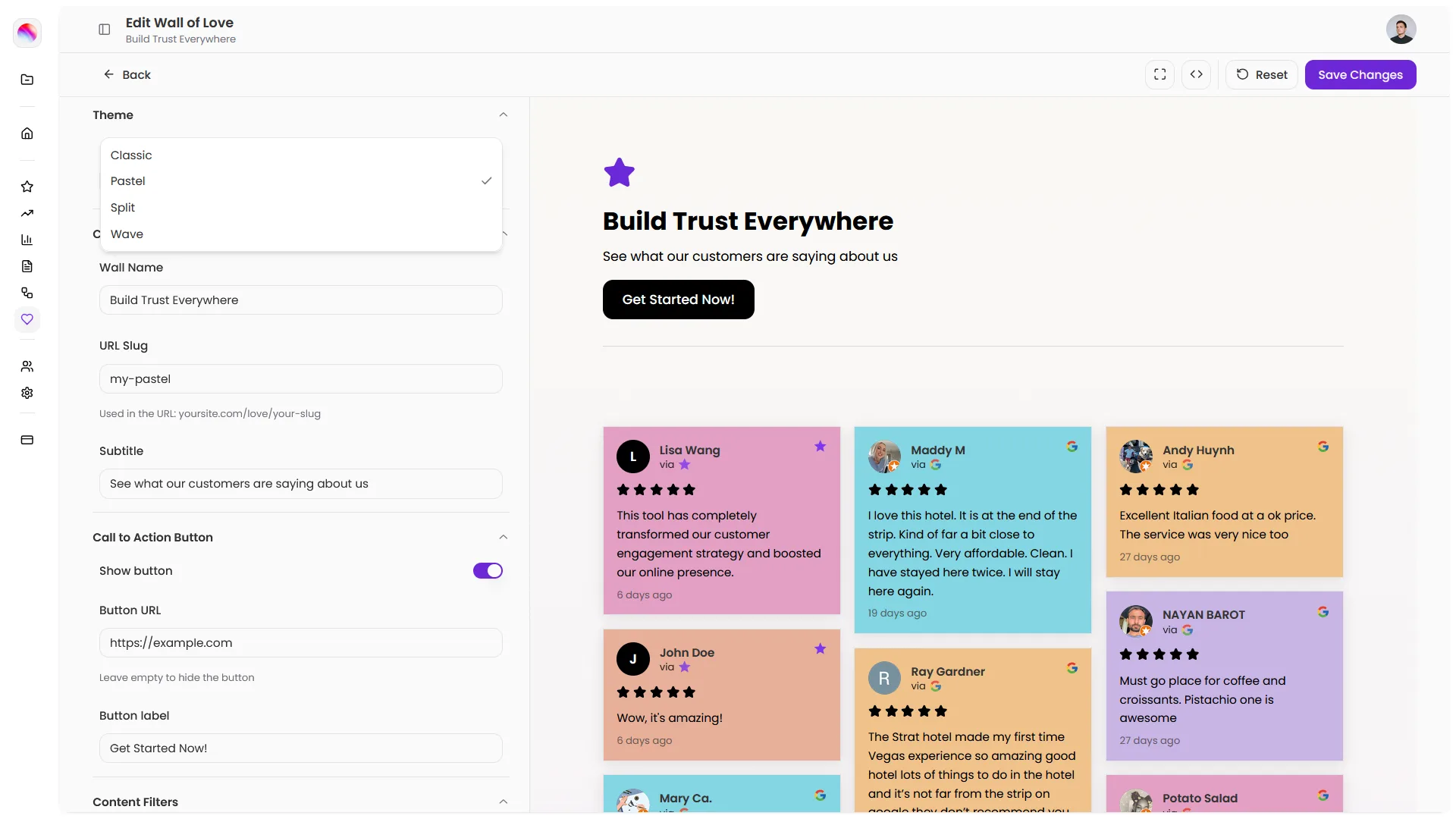
Pick a theme
Choose Classic, Pastel, Split, or Wave. Customize colors, header, and card styles.
Set your filters
Pick a minimum star rating. Cap the number of reviews if you want.
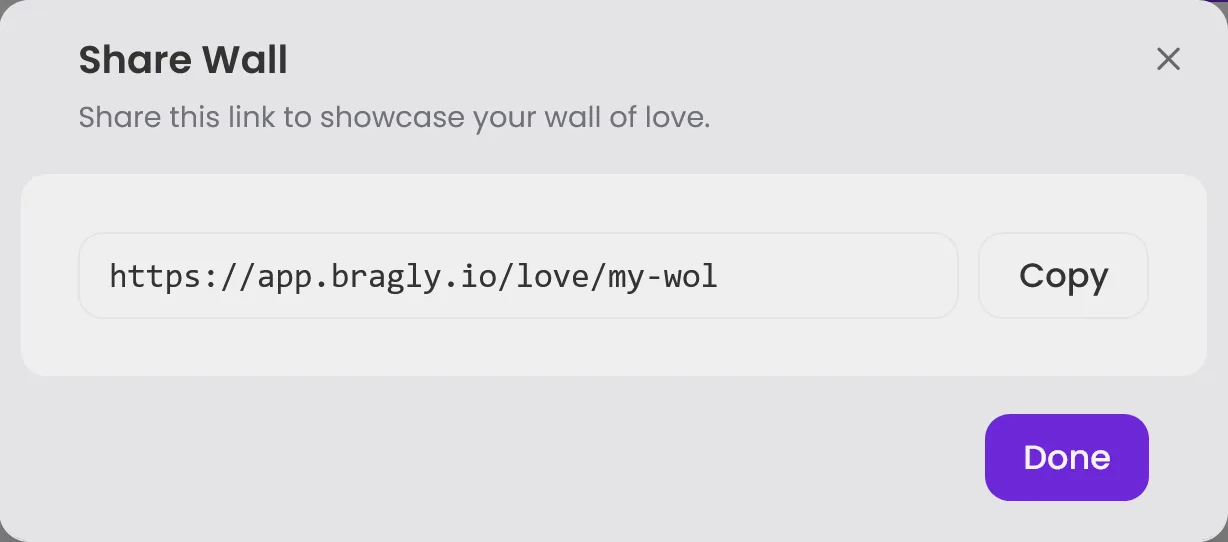
Share it
Copy the link and share anywhere. Or embed it on your website.
What changes with a Wall of Love
Before
- Screenshots scattered everywhere
- Manually paste reviews into docs
- No link to share with prospects
- Generic testimonial page
- No idea if anyone sees your reviews
With Bragly
- One beautiful page with all your best reviews
- Automatically pulls from your sources
- Custom URL you can share anywhere
- Fully branded to match your style
- View tracking shows who's looking
People love their Wall of Love
Marcus T
SaaS Founder
"The Split theme is perfect for my brand. Looks like a custom built page but took me 10 minutes."
Sarah K.
Multi-business Founder
"I created three walls. One for SaaS reviews, one for consulting clients, one for course students. Each with its own vibe."
Emma R
Consultant
"I send my Wall of Love link before every sales call. Prospects show up already trusting me."
Marcus T
SaaS Founder
"The Split theme is perfect for my brand. Looks like a custom built page but took me 10 minutes."
Sarah K.
Multi-business Founder
"I created three walls. One for SaaS reviews, one for consulting clients, one for course students. Each with its own vibe."
Emma R
Consultant
"I send my Wall of Love link before every sales call. Prospects show up already trusting me."
Marcus T
SaaS Founder
"The Split theme is perfect for my brand. Looks like a custom built page but took me 10 minutes."
Sarah K.
Multi-business Founder
"I created three walls. One for SaaS reviews, one for consulting clients, one for course students. Each with its own vibe."
Emma R
Consultant
"I send my Wall of Love link before every sales call. Prospects show up already trusting me."
Marcus T
SaaS Founder
"The Split theme is perfect for my brand. Looks like a custom built page but took me 10 minutes."
Sarah K.
Multi-business Founder
"I created three walls. One for SaaS reviews, one for consulting clients, one for course students. Each with its own vibe."
Emma R
Consultant
"I send my Wall of Love link before every sales call. Prospects show up already trusting me."
Ready to show off the love?
Create a stunning page for your best testimonials. Pick a theme, customize the design, and share it with the world. Your Wall of Love is waiting.
Common Questions
A dedicated public page that displays your best customer testimonials. You create it, customize it, and share the link anywhere.
Yes. Create as many walls as you want. Each has its own name, URL, and design.
From your connected review sources in Bragly. No manual copying required.
Yes. Set a minimum star rating and max number of reviews.
Four themes (and more coming soon): Classic, Pastel, Split, and Wave. Each is fully customizable.
Yes. Background colors, card styles, header gradients, text colors, borders, CTA buttons. Everything is customizable.
Yes. You can embed your wall or share it via link.
Yes. View counts are tracked for each wall.
Your wall lives at /love/your-slug. You choose the slug when you create the wall.