Looking for a Shorter Overview?
AI Summary
Key Moments
Verification Before Parsing
Always verify the raw request body signature before JSON parsing to ensure message integrity.Durable Event Storage
Store events with unique IDs before acknowledging to avoid data loss and duplicate processing.Asynchronous Processing
Acknowledge events quickly and process them asynchronously to prevent handler timeouts.Handling Retries and Duplicates
Use proper HTTP response codes and unique event IDs to manage retries, duplicates, and dead-letter queues effectively.You've wired up a simple POST endpoint, it returned 200 in testing, and now it's live. Then a 1-star review arrives twice, posts two alerts, creates two CRM notes, and a third event disappears while your server was deploying. That gap between a demo and production is where webhooks break. This Webhook API example treats the receiver as a reliability contract, not just a route. You'll verify the raw body, store the event before you respond, and deduplicate by event ID.
Webhook API Example Payloads and Headers
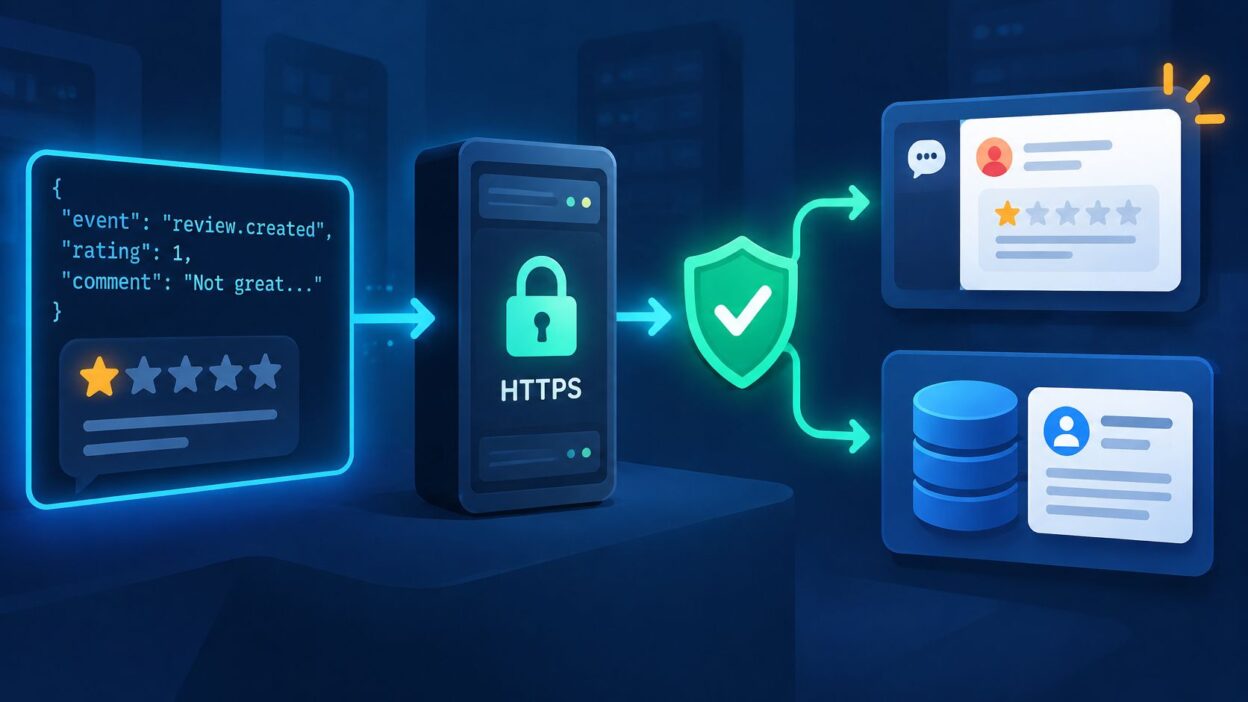
Say a customer leaves a 1-star Google review. You don't want to poll an API every few minutes to find it. Instead, the provider sends an HTTP POST to a URL you control as soon as the event happens.
That push model is the core of the design. As the webhook receiving best practices describe it, a provider sends an HTTP POST request to an endpoint controlled by the receiving application when a specific event occurs, and you expose an HTTPS route, register its URL, validate the signature, and return a successful 2xx response. Delivery is generally at-least-once, so the same review can arrive more than once and you need a stable event ID as an idempotency key.


A review.created Request
The request carries routing, security, and business data in different places. Headers tell you whether you can trust it and whether you've seen it before. The JSON body tells you what happened and which handler should run.
| Part | Example value | What your endpoint does |
|---|---|---|
| Method and path | POST /webhooks/reviews | Accept only POST on a dedicated HTTPS route |
| Content-Type | application/json | Read the raw body as bytes before parsing |
| X-Webhook-Id | evt_9f3k2m7x1a | Store as the idempotency key |
| X-Webhook-Timestamp | 1719849600 | Reject if outside the tolerance window |
| X-Webhook-Signature | v1,hex HMAC-SHA256 | Recompute over the ID, timestamp and raw body, then compare |
| body.event | review.created | Route to the matching handler |
| body.data.review.rating | 1 | Trigger a team alert for ratings of 2 or lower |
| body.data.review.source | Tag and group reviews by platform |
Practical rule: Don't parse first and verify later. The signature covers the exact bytes you received, so capture them untouched before any JSON library reformats them.
Two conditions define success for the sender. Your route accepts POST over HTTPS, and it returns a 2xx response after the event is safely recorded. Everything else in the receiver exists to protect that contract when networks fail, senders retry, or someone forges a request.
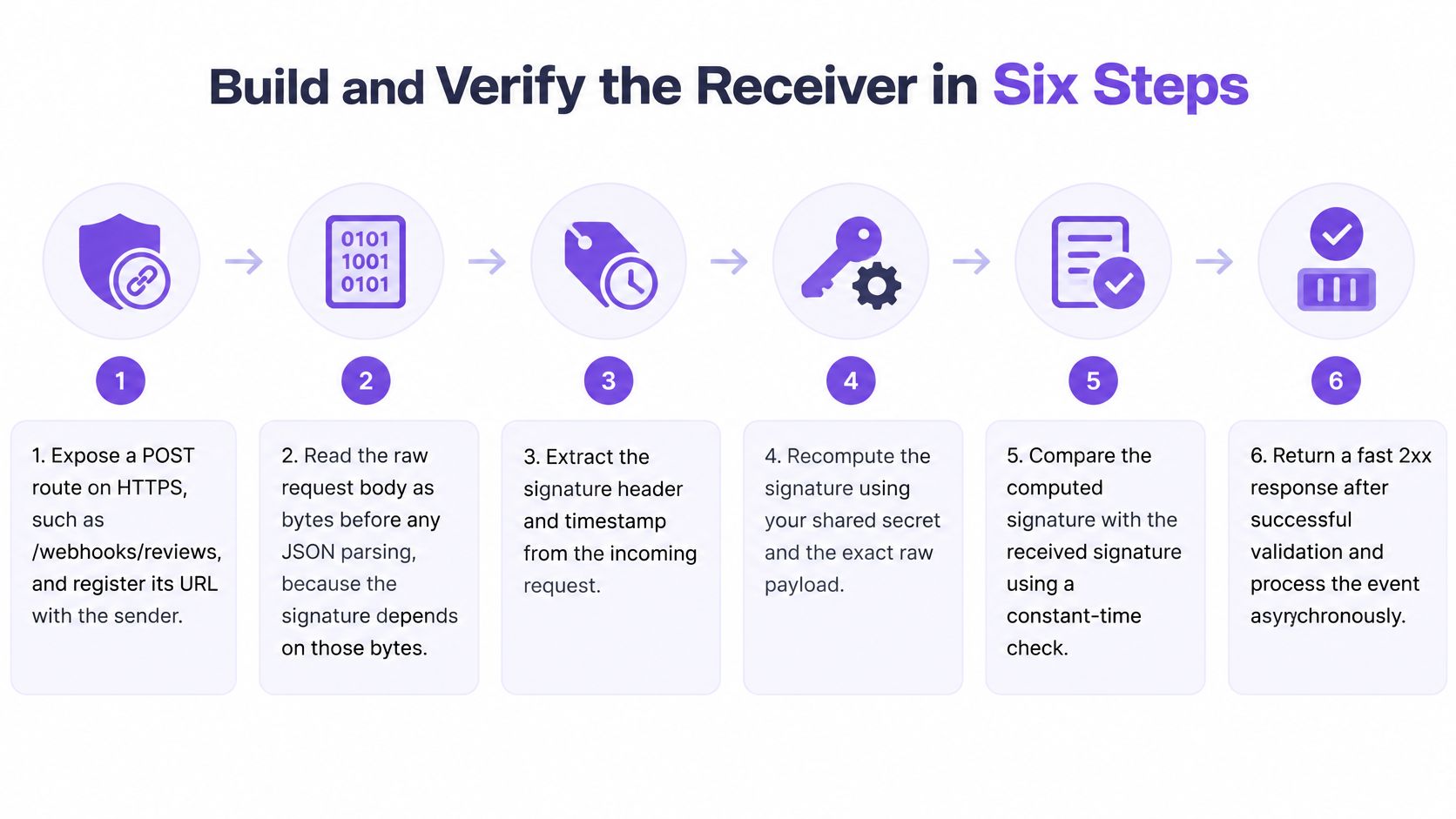
Build and Verify the Receiver in Six Steps
A minimal handler that parses JSON and sends a Slack message inline will pass a demo. It won't survive a slow downstream call or a duplicate delivery. Build the six steps in order, and keep business work out of the request path.
Steps 1 to 3 Expose, Capture, Verify
Expose a POST route on HTTPS. Create a dedicated path such as /webhooks/reviews, register its full URL with the sender, and subscribe only to events you handle. Don't reuse a general API route with browser auth, redirects, or CSRF middleware. The sender isn't a browser session.
Read the raw request body as bytes. Configure your framework to preserve the original payload before JSON parsing. In Express style setups, that usually means a raw body parser for this route or a verify hook that stores the buffer. In other frameworks, read the stream directly and parse a copy afterward.
Verify the signature and timestamp before anything else. Check that the signature header exists, recompute an HMAC-SHA256 digest with your per-endpoint secret over the signed content, and compare it in constant time. Return 401 if the header is missing or the digest doesn't match. Reject timestamps outside a short tolerance window, about five minutes in this example, to block replays of captured requests.
The verification step is where most first implementations fail. GitHub's webhook troubleshooting guidance recommends using a webhook secret together with the X-Hub-Signature-256 header, and it stresses that verification must use the raw request body before JSON parsing or reserialization because changing whitespace, field ordering, or encoding can produce a different cryptographic digest. If your framework parses and stringifies the JSON first, every legitimate signature can fail.
Apply the same discipline you'd apply to any public API surface. DevArmor's REST API protection guide is useful background here because a webhook route is still an internet-facing endpoint, even though authentication runs in the opposite direction. You aren't sending a key. You're proving the caller holds the secret.
Steps 4 to 6 Store, Acknowledge, Process
Write the raw event to durable storage. Insert the payload, headers you need for debugging, received time, and event ID into a queue or table guarded by a unique constraint on that ID. If the insert conflicts, you've already accepted this event. Return success without repeating side effects, which prevents duplicate testimonials and repeated alerts.
Return 2xx quickly, before enrichment. Don't tag the review, call AI analysis, update widgets, post to Slack, or sync a CRM in the handler. GitHub's guidance on handling webhook deliveries requires the receiving server to return a 2xx response within 10 seconds, and if the response takes longer, GitHub terminates the connection and treats the delivery as failed. A handler that waits on a CRM call is the usual cause of that timeout.
Process asynchronously and record status. A worker reads the queued event, routes on body.event, performs the business action, and marks the row processed, failed, or dead-lettered with an error message. That status trail is what lets you replay one event instead of guessing from application logs.
Acknowledging before durable storage creates silent data loss. Processing everything synchronously creates timeouts. The safe order is verify, store, acknowledge, then work.
Rotate secrets without dropping events by accepting both the old and new secret during a short overlap. Try the new secret first, then the old one, log which one matched, and remove the old value once the sender confirms rotation. A hard cutover turns a routine credential change into a stream of 401 responses.
A healthy log line is specific. It should show the event ID, event type, received time, response status 200, and acknowledgment time well under your internal target. If you can't tell from one line whether an event was verified, stored, and queued, add those fields before launch.
Finish with a local signature test. Sign a fixture payload with your test secret, send it once, and confirm 200. Change one character in the body without changing the signature, send it again, and confirm 401. I wouldn't ship a receiver until both results are boringly repeatable.
Handle Retries, Duplicates and Replays
Retries are the delivery model, not an edge case. A sender that gets a 500 at 09:00 will send the identical payload again, and your status code is the only instruction it gets about whether another attempt can succeed. Pick the code on that basis.
| Response or event | Provider behavior | Your action |
|---|---|---|
| 2xx success | No retry | Log the success and stop |
| 3xx redirect | Treated as failed and retried | Point the URL at the final route |
| 408 Request Timeout | Retried | Acknowledge sooner |
| 429 Too Many Requests | Retried with backoff | Reduce load and confirm rate limits |
| 5xx server error | Retried with exponential backoff and jitter | Fix the internal failure before the retry window closes |
| Timeout or connection failure | Retried | Confirm the response leaves within the target |
| Other 4xx | Generally not retried | Fix the signature, route or payload |
| Final failed attempt | Sent to dead-letter queue once the sender's retry schedule is exhausted | Replay manually after the fix |
Most of those rows are transient. Extend's webhook best practices state that 408, 429, 5xx, timeouts, and connection failures are commonly retriable, whereas other 4xx responses generally indicate permanent rejection, and recommend a five-second internal acknowledgment target. Treat a bad signature as permanent: return 401 and stop. Return 5xx only when a transient internal failure prevented durable storage, because a 5xx on a malformed payload buys you nothing except a longer retry tail.
Duplicates, Dead Letters and Replay
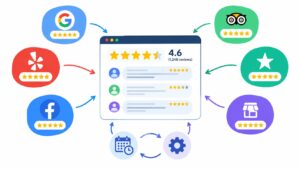
The unique event ID does the work. The first delivery inserts the row and queues processing. A repeat delivery hits the constraint, so you return 2xx without a second Slack alert, testimonial import, or CRM note. The same guard is what keeps integrations like auto-connecting review sources from multiplying one review across downstream tools. Our webhooks send events to Zapier, Make, or any endpoint when a new review arrives, so each destination still needs its own deduplication check.
Don't assume every sender retries the same way. GitHub's documentation on failed webhook deliveries states that failed deliveries are not automatically redelivered, although developers can retrieve delivery records through the REST API and redeliver failed events by hand. Plan for that gap. After an outage, run a reconciliation job that polls the authenticated source API for reviews created during the window and inserts any missing events through the same deduplication path.
Repeated replay of old or failing events isn't only a technical nuisance. It can duplicate customer-facing actions and distort reporting, which is the angle covered in the research on the business impact of replay abuse. Keep event IDs at least as long as the sender's maximum retry period, or a late retry will look new.
When attempts run out, the dead-letter queue should retain the payload, destination, attempt count, last status, and error history. Test the full loop before launch:
- Duplicate test: Send one signed payload twice with the same event ID, then confirm one stored review and one alert.
- Failure test: Force a 500 in a test environment, watch retriable attempts, and confirm the event lands in the dead-letter queue.
- Replay test: Fix the cause first, replay the dead-lettered event, and confirm it processes once.
Connect Events to Slack, a CRM and Zapier
Keep inbound and outbound work separate. Your receiver verifies and queues the review event. A worker then fans it out, so a slow Slack or CRM call never holds the sender's request open and one failing destination doesn't block the others.
| Destination | How the receiver connects | Best first use |
|---|---|---|
| Slack | Post a JSON message to an incoming webhook URL | Alert the team when a 1-star review arrives |
| CRM such as HubSpot or Salesforce | REST API call that upserts a contact or note by email | Log customer feedback on the contact record |
| Zapier | Send the event to a Catch Hook trigger URL | No-code routing to a sheet or email |
| Make | Send the event to a custom webhook module | Branching scenarios with conditional steps |
| Your own database | Insert the raw event with a unique event ID | Analytics and reconciliation after an outage |
Mapping a 1-Star Review
For Slack, build a short message from the rating, platform, reviewer name, and review text, then POST it to the incoming webhook URL with a short client timeout. Record the Slack delivery status against the event ID. If Slack returns an error, retry that outbound delivery from the worker. Don't mark the original review event as lost.
For a CRM, upsert rather than create. Match on the reviewer's email when you have it, attach the review as a note, and store the external event ID on the record or in an idempotency field. A repeat delivery then updates the existing activity instead of creating a duplicate contact or a second note.
Zapier and Make fit when a non-engineering team owns the next step, such as adding a row to a sheet or sending an email. Send the same normalized event to the catch-hook or custom webhook URL as a separate destination, not as a replacement for your database record. You can review the available Bragly integrations to decide which destinations your team needs.
I would start with one destination, usually your database plus a Slack alert for low ratings. Add the CRM, Zapier, or Make only after the duplicate and replay tests pass. Each extra destination multiplies the places where a retry can create visible noise.
Measure Health and Go Live
A receiver can appear healthy because it's returning 200 while dropping work in the worker. Track the request path and the processing path separately, and alert on age, not just error counts. These numbers also make it easier to sync reviews reliably once real traffic starts.
| Metric | What it tells you | Action when it worsens |
|---|---|---|
| Delivery success rate | Share of events accepted and stored | Check signature, route and storage errors |
| Retry rate | How often senders must redeliver | Find timeouts and 5xx causes |
| p95 acknowledgment latency | How slowly you respond at the tail | Move work out of the handler |
| Permanent-failure rate | Events rejected for non-retriable reasons | Fix payload, auth or routing |
| Duplicate-event rate | How often event IDs repeat | Check timeout-induced retries |
| Oldest undelivered event age | How long work sits unprocessed | Scale workers or fix a stuck queue |
Set a five-second internal acknowledgment target so slow networks still leave margin before a sender timeout. Add alerts for endpoint disablement, a growing dead-letter queue, and an oldest-event age that keeps rising. Put a rate limit on the route, but don't use it as a substitute for signature verification.
Go-live gate: If you can't prove what happens on a duplicate, a forced failure, and a replay, you're not ready to receive live reviews.
For local testing, expose your development server through a tunnel so the sender can reach it. Run the signed-payload test for 200, the altered-body test for 401, the duplicate test, the forced-failure test, and the dead-letter replay against that public test address. Confirm logs show event IDs and processing status for every case.
Go live only when all five checks pass. Then watch the six metrics during the first real deliveries, especially acknowledgment latency and duplicate rate. Those two numbers usually reveal the first production problem before customers notice a missing or repeated review.
Connect your review sources once and let Bragly send each new review event to Zapier, Make, or the secure endpoint you just built, so your team can alert, sync, and display fresh social proof without polling. Start with Bragly today and put this receiver pattern to work on live review events.