
Looking for a Shorter Overview?
AI Summary
Key Moments
Choosing Question Format
Use single-select lists with an 'Other' option or separate discovery and influence questions for clarity and ease of analysis.Survey Placement Matters
Ask the question at points like the thank-you page or after review submission to optimize recall and response rates.Tag Campaign Links with UTM Parameters
Align survey answer options with consistent UTM tagging to compare recall with actual campaign data effectively.Interpret Survey Responses Carefully
Understand survey answers as signals of remembered influence instead of definitive proof of channel attribution.A customer finishes checkout, leaves a review, or creates an account. You want to know what brought them in, so you ask, “How did you hear about us?” The answer sounds straightforward. But a customer who says “Google” might have first heard your name from a friend, then checked reviews, searched for your business, and returned later to buy.
A well-designed how did you hear about us survey captures what customers remember and consider influential. It doesn't prove which channel caused a sale. Pairing those answers with tagged campaign data makes them much more useful.
Open Text, Multiple Choice or Both
For a clear discovery signal, use a single-select list with an “Other” text box. It is quick to answer and easy to analyze. Open text gives customers room to describe a source in their own words, but answers like “a guy at work” and “my colleague Dan” may mean the same thing. Someone must group those responses before you can compare them.

A fixed list is easier to count, but it can miss a source you did not anticipate. Add an optional text field for “Other” and retain the customer's original wording. When you review responses, those entries can show which answer options may be missing.
Match the format to what you want to learn
Use single select when each respondent should name one first-discovery source. If respondents can select every source they remember, totals may exceed the number of respondents. That format can reveal several remembered influences, but the results are not mutually exclusive channel shares.
Local-business shoppers may consult several review sources and search engines before choosing a business. A person might first hear about a business from a colleague, find its website through search, then read reviews before deciding. Those answers describe remembered influence and steps in a journey, not proof that one channel caused the purchase.
If you want a clean discovery chart and a broader view of influence, ask two separate questions: “How did you first hear about us?” and “What most influenced your decision?” Keep search distinct from reviews. Combining them can hide the difference between finding a business in search and checking its reviews afterward.
Choose the format based on what each answer should measure. A short single-select survey takes less effort to complete. A two-question design gives you more detail, but asks respondents to spend more time. Keep each question focused, and use the answers alongside UTM-tagged campaign data rather than treating either source as a complete account of the customer journey. For broader customer-experience feedback, choose questions with a clear purpose, such as the ones in this guide to feedback questions to ask.
Question Wording and Answer Options to Copy
Start with “How did you first hear about us?” This wording asks about discovery, not what persuaded someone to buy. If you also want to learn what influenced the decision, ask a separate question: “What most influenced your decision to choose us?” Keeping the questions distinct makes the answers easier to interpret.
| Option | Captures | Example respondent answer |
|---|---|---|
| Friend or family recommendation | Personal referrals in person or by message | “My sister told me about you” |
| Online review or rating site | Google, Trustpilot, G2, Yelp, or similar | “I read your Google reviews” |
| Search engine | Google or Bing searches | “I searched for a dentist near me” |
| Social media | Instagram, Facebook, TikTok, LinkedIn | “I saw your post on Instagram” |
| Email newsletter | Owned email the respondent received | “Your monthly newsletter” |
| Paid advertisement | Search, social, or display ads the respondent clicked | “I saw your ad on YouTube” |
| Podcast or video | Podcasts, YouTube, or webinars | “A podcast host mentioned you” |
| Partner or integration | Marketplace listing or partner referral | “I found you in an app marketplace” |
| Event or conference | In-person or virtual events | “I met your team at a trade show” |
| AI assistant or chatbot | ChatGPT, Gemini, or AI search answers | “An AI assistant recommended you” |
| Community group | Slack, Discord, WhatsApp, or forum | “A founder group recommended you” |
| Other (please specify) | Anything not listed, with a text box | “A local newspaper article” |
| I don't remember | Honest uncertainty instead of a guess | “It was a while ago” |
Keep personal referrals and online reviews separate. Research on consumer trust has consistently found that people often rely more on personal recommendations than on advertising, while online opinions carry weight of their own. A customer may encounter both before buying, so “A friend recommended you” and “I read your reviews” should not be combined into one “word of mouth” category.
Separate search from reviews for the same practical reason. A search engine helps someone find information; a review site presents customer opinions. Paid advertisements also need their own option, distinct from organic search and social posts. If customers may not recognize whether a post was paid, use plain wording such as “I saw your ad,” rather than marketing terms.
Keep labels familiar and include both “Other (please specify)” and “I don't remember.” The first gives respondents a way to name an unlisted source; the second prevents them from guessing when their memory is unclear. These answers describe remembered influence, not verified channel credit. Use channel names that correspond as closely as possible to your campaign tags, then compare survey responses with UTM-tagged data rather than treating either as a complete account of the journey. For more guidance on asking clear, focused questions, see this guide to feedback questions to ask.
Where and When to Ask the Question
A thank-you page after purchase usually gives the best balance of fresh recall and a clear customer context. Ask after payment, not in the middle of checkout. The answer then comes from someone who completed the purchase, although it won't represent visitors who left without buying.
| Placement | Best timing | Strength | Risk |
|---|---|---|---|
| Thank-you page after purchase | Immediately after payment | Fresh memory and high response | Reaches only people who completed checkout |
| Confirmation after review submission | Right after the review is posted | Respondents are motivated and engaged | Skews toward review-site discovery |
| Email follow-up | One to three days after first purchase | Captures longer research journeys | Lower response, and recall fades after about a week |
| Signup or onboarding screen | First session after account creation | Ties the answer to a specific account | Early users may not represent typical customers |
| Pricing or checkout exit pop-up | Exit intent | High answer volume | Visitors, not customers, and it interrupts the decision, so avoid it |
A confirmation after review submission is convenient, especially when the question is part of a review collection flow. Put it after the star rating and before the written review box so it doesn't interrupt the connection between the rating and the customer's comments. But remember that people who submit reviews are a selected group, not a neutral sample of all buyers.
An email follow-up can reach customers after they've had time to think about how they found you. Keep it short, and send it while the experience is still recent. A signup screen also links the response to an account, but a person answering before using the product may not represent established customers.
Avoid exit pop-ups on pricing and checkout pages. They interrupt a decision and can collect responses from people who never become customers. For more on asking for feedback at an appropriate moment, see this practical guide to how to ask feedback from a client.
Each placement reaches a different group. Compare results from at least two placements before treating a channel mix as representative of your customer base.
How to Build and Launch the Survey
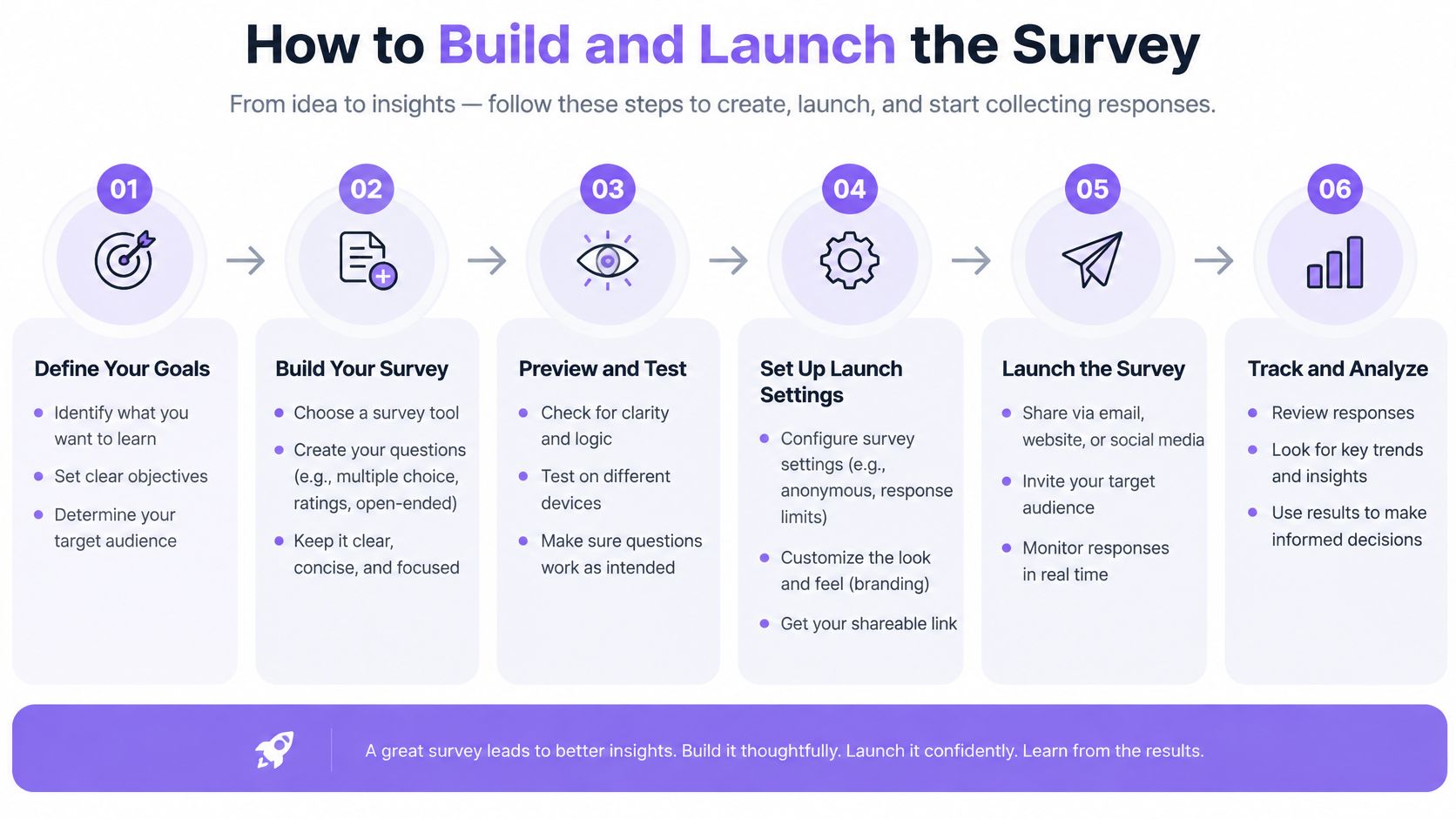
Build the form to capture what customers remember, then keep enough context to compare their answers with tagged visits. The response is a signal of influence, not proof that a channel caused a purchase.
Name the decision. Decide how you will use the results, such as choosing which channel to investigate for a campaign. That narrows the answer list to options relevant to your business.
Trim the options. Include discovery sources your customers can recognize. Remove choices that do not apply, but keep "Other" and "I don't remember" so respondents can answer accurately rather than guess.
Choose the placement. Configure the form for each location, such as post-purchase or review confirmation. Record the placement with each response. This lets you see whether one location is reaching a particular part of the customer journey.
Set the choice order. Randomize the main options if your survey builder allows it, while keeping “Other” and “I don't remember” at the bottom. If choices must stay fixed, test two orders. Options near the top may be selected more often, so do not assume order has no effect.
Tag campaign links. Add UTM parameters to referral links and advertising URLs. Google's campaign parameter guidance explains that
utm_sourceidentifies the referrer,utm_mediumthe marketing medium,utm_campaignthe campaign,utm_contentthe creative or placement, andutm_terma paid-search keyword. Use consistent values. For example, if the survey option is “Email newsletter,” align it with tags such asutm_source=newsletter&utm_medium=email.Save response context. Store the survey version, placement, device, and page as hidden metadata. These fields let you compare responses across form locations and wording versions without asking customers for extra details.
Publish and freeze the wording. Check the form on desktop and mobile, test each answer option, and confirm that “Other” accepts text. Once responses arrive, avoid casual edits. A changed question or answer list can make results from different versions difficult to compare.
UTM values record tagged visits; survey answers record what customers recall. Compare the two as separate signals rather than expecting them to match. Teams looking to organize feedback across customer touchpoints can also explore automating customer feedback with RecensioAI.
Reading Responses Without Overclaiming
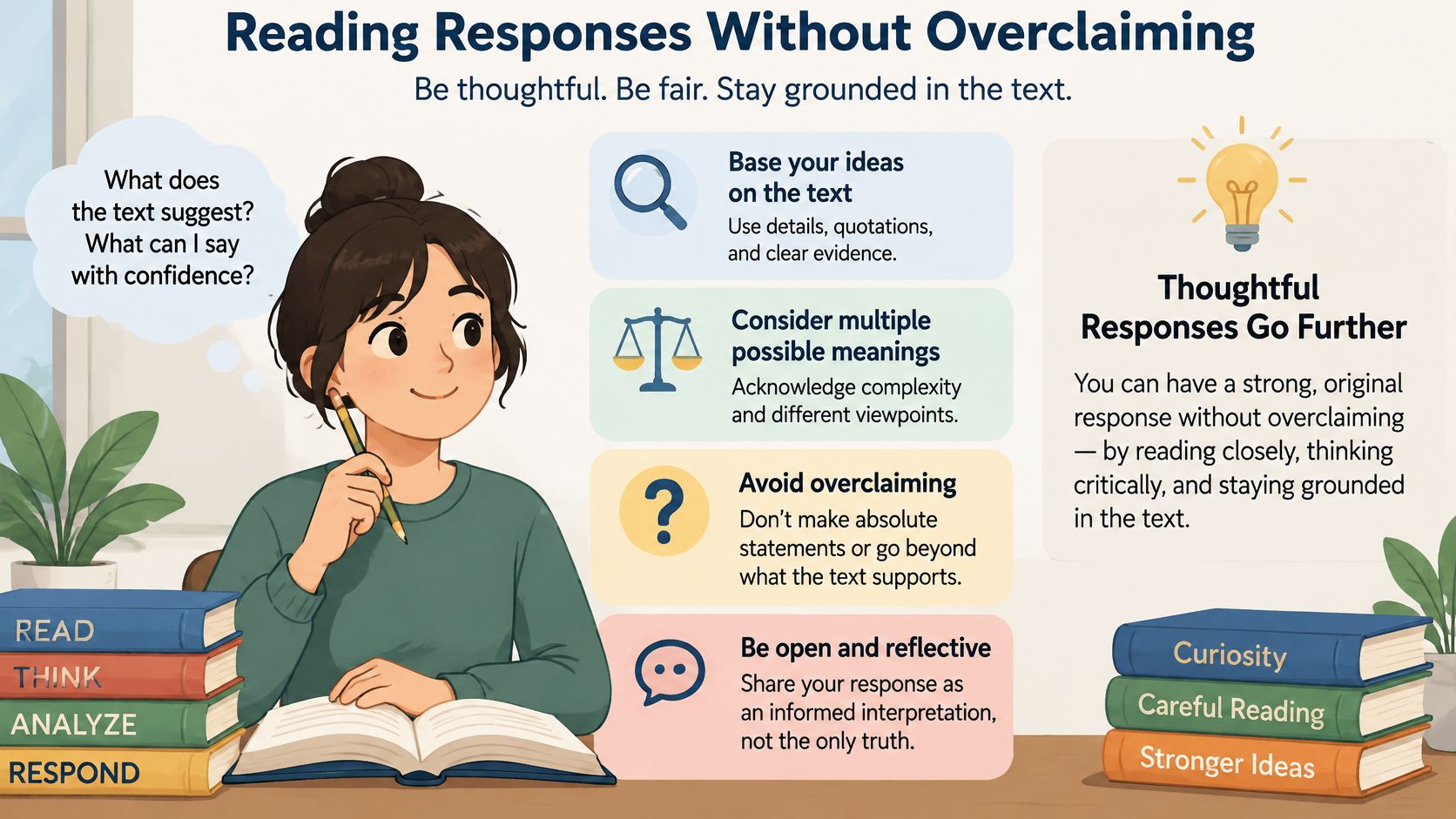
Survey answers measure remembered influence, not the cause of a sale. A customer may remember a Google search and forget an earlier recommendation, or cite a review because it was the last memorable step before buying. Read the answer as the customer's account of discovery, then compare it with observed campaign data instead of treating it as definitive channel credit.
Google Analytics processes tagged destination URLs as custom campaigns and maps their UTM values into campaign dimensions. That gives you a way to compare a respondent's stated source with the tagged link that generated a visit, as described in Google's documentation on campaign data in Analytics. They're different records: the survey reflects a person's recall, while analytics records a tagged session.
Calculate each measure with the right denominator
| Measure | How to calculate | Report it with |
|---|---|---|
| Completion rate | Completed responses divided by survey starts | Starts and completions |
| Participation rate | Completed responses divided by visitors or customers shown the survey | Denominator and placement |
| Channel share | Answers naming a channel divided by valid answers | Valid answer count and date range |
| Other share after coding | Coded “Other” answers divided by valid answers | Coding rules and a sample of raw text |
| I don't remember share | “I don't remember” answers divided by valid answers | Labeled as uncertainty, not as a channel |
| Nonresponse gap | Respondent share minus non-respondent share on device or landing page | The fields compared and the sample sizes |
For channel share, exclude blanks and duplicate submissions from the valid-answer denominator. Show the sample size beside every percentage, along with the date range and survey placement. Keep skips separate from “I don't remember”: one means the respondent didn't answer; the other is an explicit statement of uncertainty.
Code "Other" responses in a separate column, and keep the original text beside the assigned category. If a respondent writes "a coworker sent me your name," you might code the response as a personal referral, but retaining the raw wording lets someone review that decision later. Don't discard answers that don't fit your categories without recording them.
Participation needs a clearly stated denominator. For a survey shown to website visitors, report how many eligible visitors saw the question if you can identify them. For a customer email, report how many customers received the invitation. AAPOR cautions that a response rate alone doesn't establish whether results are biased; compare respondents and nonrespondents on observable characteristics such as device or landing page, and label the measure according to how you recruited respondents. The AAPOR report on survey methods provides guidance on response rates and nonresponse.
The UTM report can help explain a mismatch, but it won't settle it automatically. If many respondents name a friend while analytics records a search session, the customer might be describing an earlier offline introduction. Use survey answers to identify what customers recall; use tracked sources to analyze visits and conversions. Keep survey reporting transparent, using the practices in these reports on surveys.
Mistakes That Quietly Skew the Data
The most expensive labeling mistake is merging paid and organic search. If both answers appear under “Search,” you can't tell whether the customer remembers an unpaid result or an advertisement. Split the choices, and make the wording clear enough for a customer to recognize.
- Surveying only reviewers: Review submitters may be unusually pleased or dissatisfied, and their discovery paths can differ from those of other buyers. Place the question on a purchase confirmation page as well.
- Overlapping choices: “Social media” and “Instagram” can describe the same source. Use one parent option, and add a named sub-option only when you need to track a specific campaign or platform.
- Mismatched labels and tags: “Email newsletter” in the form and
utm_source=emailin analytics can divide one channel into separate reporting categories. Agree on a naming convention before launch. - Treating “Other” as a finished category: Leaving free-text answers unreviewed hides recurring sources. Code the answers consistently while preserving the original wording.
Each fix belongs in the form or its metadata. Make these checks before collecting responses, when a label is easiest to change.
Run a Two-Week Pilot Before You Trust the Numbers
Untested wording can steer answers toward the choices you listed first. Pilot two versions at the same time, and change one design detail between them, such as option order or whether the “Other” box appears. Run the versions for about two weeks, split traffic evenly, and record the version with each response.
Aim for a few hundred completed answers per version before drawing strong conclusions; smaller samples can swing by several points. Compare channel shares with a chi-square test or two-proportion tests. If the versions differ significantly, wording or order is affecting responses. Choose the version that gives a stable spread, not the one that makes a preferred channel look strongest.
Check completion rates, too. A noticeable gap between versions may mean one design takes more effort or leaves respondents unsure how to answer. Once you select a version, freeze its wording and record the date you locked it.
Then compare the pilot's survey results with UTM reports covering the same period. If both sources point to similar leading channels, the survey is a useful signal to investigate. If they disagree, use campaign tracking for spend decisions and treat the survey as evidence of remembered influence, not proof of attribution.
Go-live rule: Keep the question and options stable until you've reviewed the pilot, checked completion and answer quality, and documented which version you'll use.
Bragly helps businesses collect, manage, and display customer reviews and testimonials from platforms such as Google, Trustpilot, and G2, with review collection forms, analytics, and no-code website widgets. If customer reviews are part of how buyers discover and evaluate your business, visit Bragly to explore ways to bring that social proof together.