Looking for a Shorter Overview?
AI Summary
Key Moments
Time Savings with AI
AI reduces response time from 5-10 minutes to about 30 seconds per review.Training AI on Brand Voice
Providing 5-10 past responses enables AI to match your tone and style accurately.Handling Negative Reviews Carefully
AI drafts professional replies to negative reviews but requires human review before publishing.Centralized Multi-Platform Management
AI tools integrate multiple review platforms into one dashboard for streamlined responses.AI review response tools can generate personalized replies to customer reviews in seconds, cutting response time from hours to minutes. By setting your brand voice, tone, and response templates upfront, you can use AI to draft replies to positive, negative, and neutral reviews while maintaining authenticity. Most businesses save 10-20 hours per week using AI-powered review management.
Key Takeaways
- AI cuts response time dramatically: From hours to seconds per review
- Personalization matters: AI works best when trained on your brand voice and past responses
- Negative reviews need care: AI can draft professional responses, but always review before publishing
- Consistency across platforms: AI helps maintain the same tone across Google, Trustpilot, Yelp, and Facebook
- Not a replacement for strategy: AI handles the writing, but you still need a review response strategy
- Free tools exist: Many platforms offer free AI response generators to test before upgrading
- Integration is key: Best results come from AI tools that connect directly to your review platforms
Why Responding to Reviews Matters
Customer reviews are no longer optional. They’re how people decide whether to buy from you.
Businesses that respond to reviews see 15-20% higher conversion rates. Customers expect answers within a week. Most businesses don’t respond, which is your competitive advantage if you do.
Google also notices. When you respond to reviews, Google sees you as active and engaged. That improves your local search ranking and visibility.
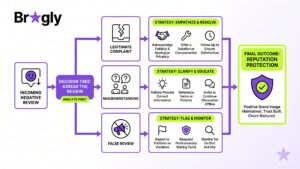
Negative reviews are particularly important. A negative review with no response signals that you don’t care. A professional response, on the other hand, actually builds trust. It shows you take feedback seriously.
The real problem is volume. If you’re getting 50+ reviews monthly across Google, Trustpilot, Yelp, and Facebook, responding manually is unsustainable. That’s where AI comes in.
The Challenge: Why Businesses Struggle to Respond
Most businesses want to respond to reviews. They just can’t keep up.
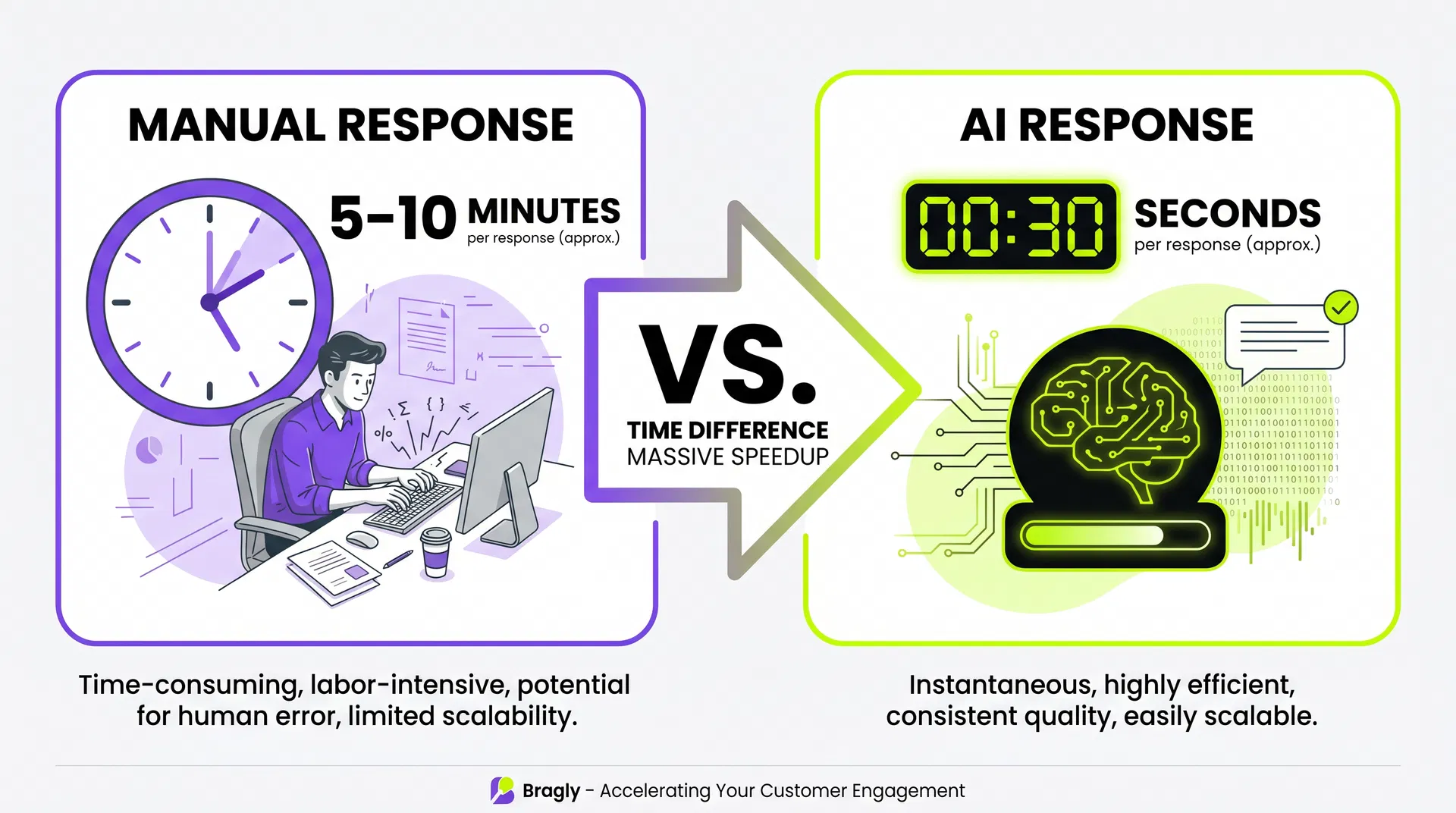
Time is the first barrier. Writing personalized responses takes 5-10 minutes per review. With 50 reviews a month, that’s 4-8 hours of work. Most teams don’t have that.
Consistency is the second. When multiple people respond, your voice changes. One person sounds formal, another casual. Customers notice.
Then there’s the emotional toll. A 1-star review triggers a defensive response. Writing something professional and helpful requires discipline. Many businesses just skip it.
Platform juggling makes it worse. Your reviews are scattered across Google, Trustpilot, Yelp, Facebook, and maybe others. Logging into each one separately is tedious.
And there’s the tone problem. Generic, templated responses feel robotic. But writing custom responses for 100+ reviews monthly is impossible. The middle ground doesn’t exist.
AI solves this.
How AI Review Response Tools Work
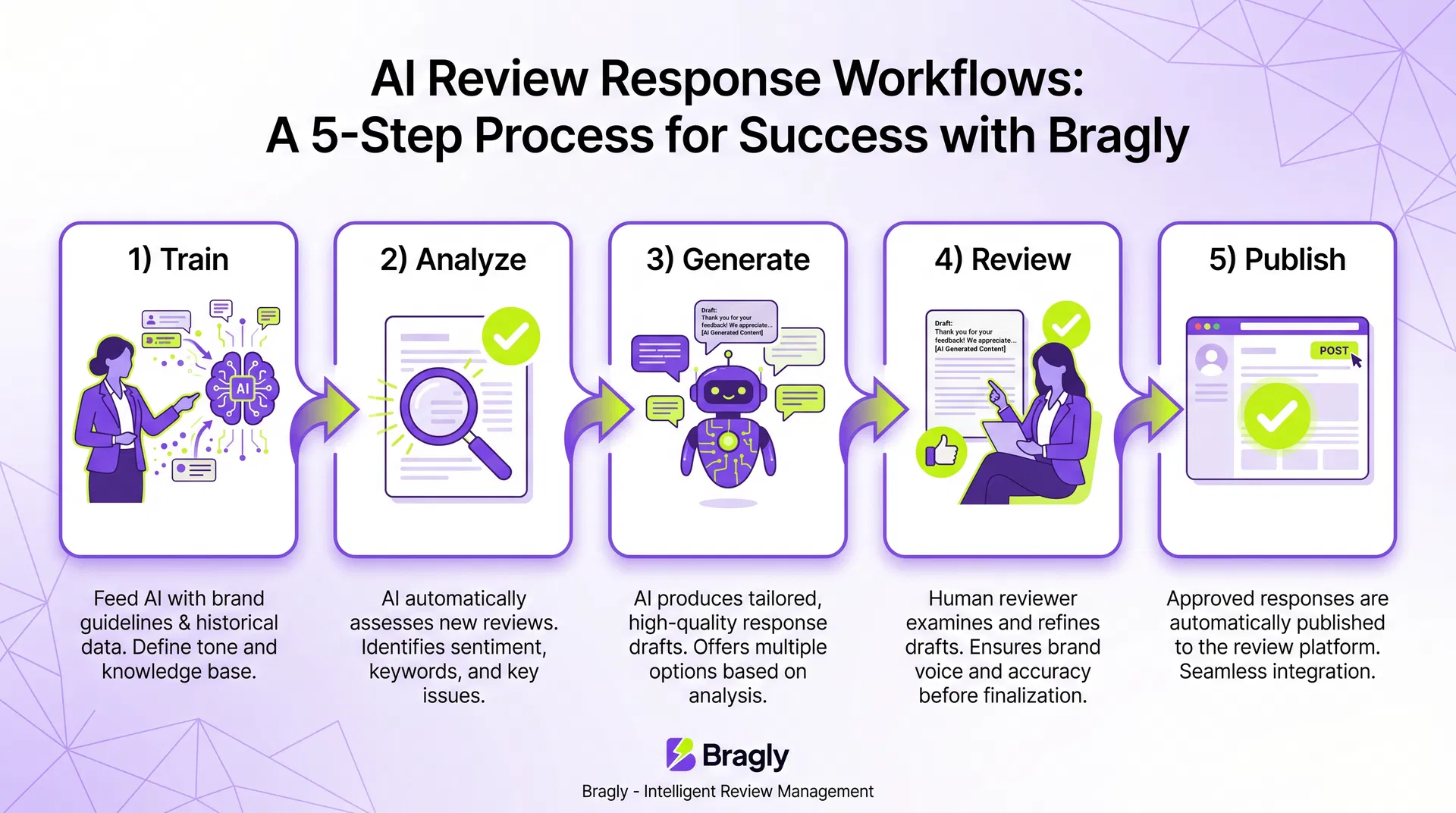
The workflow is straightforward.
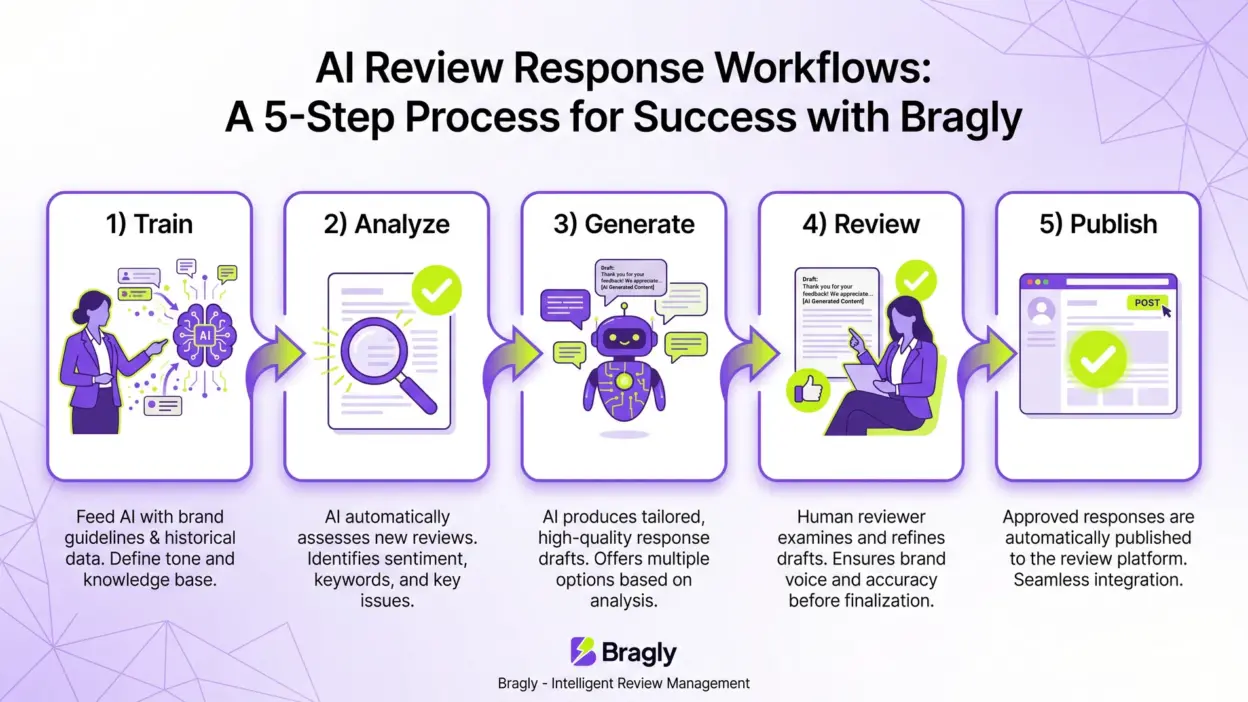
First, you train the AI on your brand voice. You show it 5-10 past responses you’ve written. It learns whether you’re formal or casual, professional or friendly, serious or playful.
Next, the AI reads the incoming review. It detects whether it’s positive, negative, or neutral. It identifies the main complaint or compliment.
Then it generates a draft response in your voice. This takes seconds.
You read the draft, make edits if needed, and publish. One click and it’s live.
If your AI tool is integrated with your review platform, the response automatically appears on Google, Trustpilot, Yelp, wherever the original review came from.
The key: AI writes the draft, you stay in control. Nothing goes out without your review.
Types of Reviews AI Can Handle
AI works best on certain review types.
Positive reviews: AI excels here. It generates warm thank-yous that feel personal. Example: “Thanks so much for taking the time to share this! We’re thrilled you had such a great experience with [specific detail]. We can’t wait to see you again!” Most of these can go out as-is.
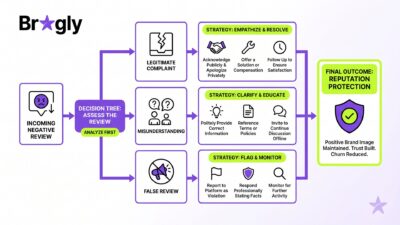
Negative reviews: AI can draft professional, non-defensive responses quickly. It won’t get emotional or sarcastic. Example: “We’re sorry to hear this didn’t meet your expectations. We’d love to make it right. Please call us at [phone] so we can resolve this.” Always review these before publishing. Negative reviews need a human touch.
Neutral/mixed reviews: These are trickier. AI can balance both sides without sounding defensive, but it sometimes misses nuance. Review and edit before publishing.
Comparison: Manual vs. AI-Powered Review Responses
| Factor | Manual Responses | AI-Powered Responses |
|---|---|---|
| Time per response | 5-10 minutes | 30 seconds |
| Consistency | Varies by person | Consistent (trained on your voice) |
| Emotional burden | High (especially for negative reviews) | Low (AI handles the draft) |
| Scalability | Breaks down at 50+ reviews/month | Handles 500+ reviews/month easily |
| Personalization | High (custom for each review) | Medium-High (AI learns your style) |
| Cost | High (labor-intensive) | Low ($50-500/month for most tools) |
| Platform coverage | One platform at a time | All platforms from one dashboard |
| Quality control | Depends on who’s writing | Consistent, but needs human review |
Step-by-Step: How to Set Up AI Review Responses
Step 1: Choose Your AI Review Response Tool
Popular options:
- REVIEWS.io AI Reply Generator – Free, simple, good for testing
- RightResponse AI – Free tier, strong for Google reviews
- Podium – Integrated review management with AI
- Gatherup – Built for agencies and multi-location businesses
- Yotpo – E-commerce focused
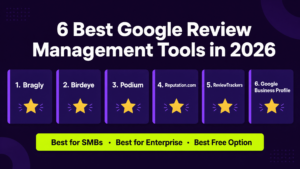
- Bragly – Centralized review management with AI-powered response suggestions
Start with a free tier to test before committing.
Step 2: Train the AI on Your Brand Voice
Provide 5-10 examples of responses you’ve written. The AI learns your tone, vocabulary, and style.
Include different scenarios: a positive review response, a negative one, and a neutral one. This gives the AI a fuller picture of your voice.
Step 3: Set Response Templates (Optional)
Some tools let you create templates for common scenarios:
- Positive: “Thanks for the kind words about [detail]. We appreciate your business!”
- Negative: “We’re sorry this didn’t go as planned. Please reach out at [contact] so we can make it right.”
Templates give the AI guardrails.
Step 4: Connect Your Review Platforms
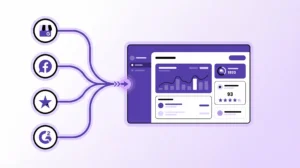
Link Google Business Profile, Trustpilot, Yelp, Facebook, and any other platforms. The AI tool pulls all your reviews into one dashboard.
Step 5: Start Generating Responses
The AI generates a draft for each review. You review, edit if needed, and publish. Most tools let you publish directly from the dashboard.
Step 6: Monitor and Adjust
After a week, review the AI responses. Are they hitting your brand voice? Are they addressing concerns? If not, provide more training examples or adjust templates.
Best Practices for AI Review Responses
Always review before publishing. Never auto-publish. Read the draft first. Negative reviews especially need a human eye.
Maintain your brand voice. Better training examples = better responses. If you want warm and casual, show the AI warm and casual examples.
Address specific details. “Thanks for mentioning our fast delivery!” feels personal. “Thanks for the review!” feels generic. Good AI tools pick up on this.
Offer real solutions. Don’t let negative review responses be empty apologies. If someone complains about slow service, offer a specific fix.
Keep it short. Aim for 2-3 sentences for positive reviews, 3-4 for negative ones. AI tends to be verbose—edit it down.
Use AI to scale, not replace strategy. You still need a review response strategy: which reviews get priority, what tone you want, what your escalation process is. AI just makes execution faster.
FAQ: AI Review Responses
Q: Will AI responses feel robotic?
A: Not if you train it properly. AI learns from your examples, so if you give it natural, human-sounding responses to learn from, it will generate natural responses. The first few might feel off, but after 10-20 reviews, most people say they can’t tell the difference.
Q: Can AI respond to negative reviews?
A: Yes, but with caution. AI can draft professional, non-defensive responses to negative reviews. However, always review these before publishing. Negative reviews sometimes need a human touch—empathy, specific problem-solving, or escalation to a manager.
Q: What if the AI gets the tone wrong?
A: Provide more training examples. If the AI is too formal when you want casual, give it more casual examples. The AI learns from what you show it.
Q: Can AI handle multiple languages?
A: Most modern AI review tools support multiple languages. If you serve customers in different regions, check whether your tool supports the languages you need.
Q: Does AI work for all review platforms?
A: Most AI tools work with Google, Trustpilot, Yelp, and Facebook. Some also support industry-specific platforms like Capterra, G2, or Glassdoor. Check your tool’s integrations before committing.
Q: How much time will I actually save?
A: Most businesses report saving 10-20 hours per month. If you have 50+ reviews monthly, the savings are significant. If you have 5-10 reviews monthly, the time savings are smaller, but the consistency improvement is still valuable.
Q: Is AI response generation ethical?
A: Yes, as long as you’re transparent. You’re not pretending a robot wrote the response—you’re using AI to speed up the writing process while maintaining your brand voice. Most customers don’t care whether you used AI as long as the response is helpful and genuine.
Q: What if a review is spam or fake?
A: Flag it instead of responding. Most review platforms let you report spam or fake reviews. AI response tools usually have a “skip” or “flag” option for these cases.
Actionable Review Response Checklist
Setup (Week 1)
- Choose your AI review response tool
- Gather 5-10 examples of your past responses
- Train the AI on your brand voice
- Connect your review platforms (Google, Trustpilot, Yelp, Facebook)
- Set up response templates if your tool supports them
Implementation (Week 2-3)
- Generate AI responses for your last 20 reviews
- Review each one and note patterns (is the tone right? Is it addressing concerns?)
- Publish the responses you’re happy with
- Provide feedback to the AI tool if responses aren’t hitting the mark
- Set up a daily or weekly review routine
Ongoing (Weekly)
- Generate AI responses for new reviews as they come in
- Review and edit each response (takes 1-2 minutes)
- Publish responses to all platforms
- Monitor response quality and adjust training if needed
- Track how many reviews you’re responding to (aim for 90%+)
Final Thoughts
Responding to customer reviews is one of the highest-ROI activities you can do. It builds trust, improves search rankings, and shows customers you care.
AI review response tools solve the time problem. They let you respond to more reviews, faster, while keeping your brand voice. You stay in control—AI writes the draft, you review and publish.
If you’re currently responding manually, switching to AI will free up 10-20 hours per month. Use that time to actually fix the problems customers are reporting.
If you’re not responding at all, AI removes the biggest barrier: time. Start this week. Pick one tool, train it on your voice, and generate responses for your last 50 reviews.
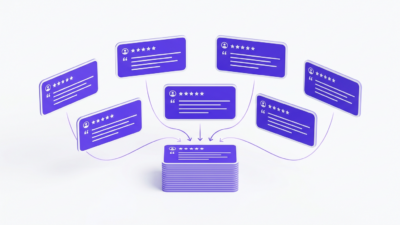
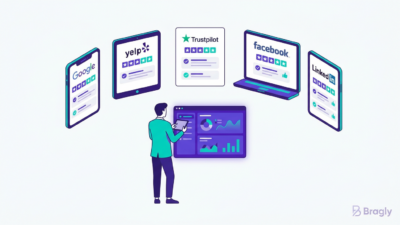
For businesses managing reviews across multiple platforms, a centralized review management platform consolidates everything into one dashboard. Instead of logging into Google, Trustpilot, Yelp, and Facebook separately, you manage all your reviews in one place.
The businesses winning right now aren’t just collecting reviews. They’re responding to them, learning from them, and building real customer relationships. AI makes that possible at scale.