Looking for a Shorter Overview?
AI Summary
Key Moments
Multi-Platform Integration is Essential
Effective review management requires monitoring and responding across multiple platforms, not just Google.Pricing Varies by Business Size and Needs
Enterprise tools offer comprehensive features but at high costs; SMBs benefit from affordable flat-rate options.AI-Powered Response Enhances Efficiency
AI suggestions help craft brand-consistent replies faster without sacrificing quality.Displaying Reviews Boosts Trust and SEO
Embedding reviews with schema markup on websites improves conversions and search rankings.Your Google Business Profile is usually the first thing a potential customer sees. Not your homepage. Not your ads. The reviews.
Managing Google reviews manually doesn’t scale. Checking your profile every day, writing individual responses, trying to remember which platform has a new review waiting, most businesses start strong and then quietly stop.
A good review management tool handles the tedious parts automatically, helps you respond faster, and gives you a clear picture of what customers are actually saying.

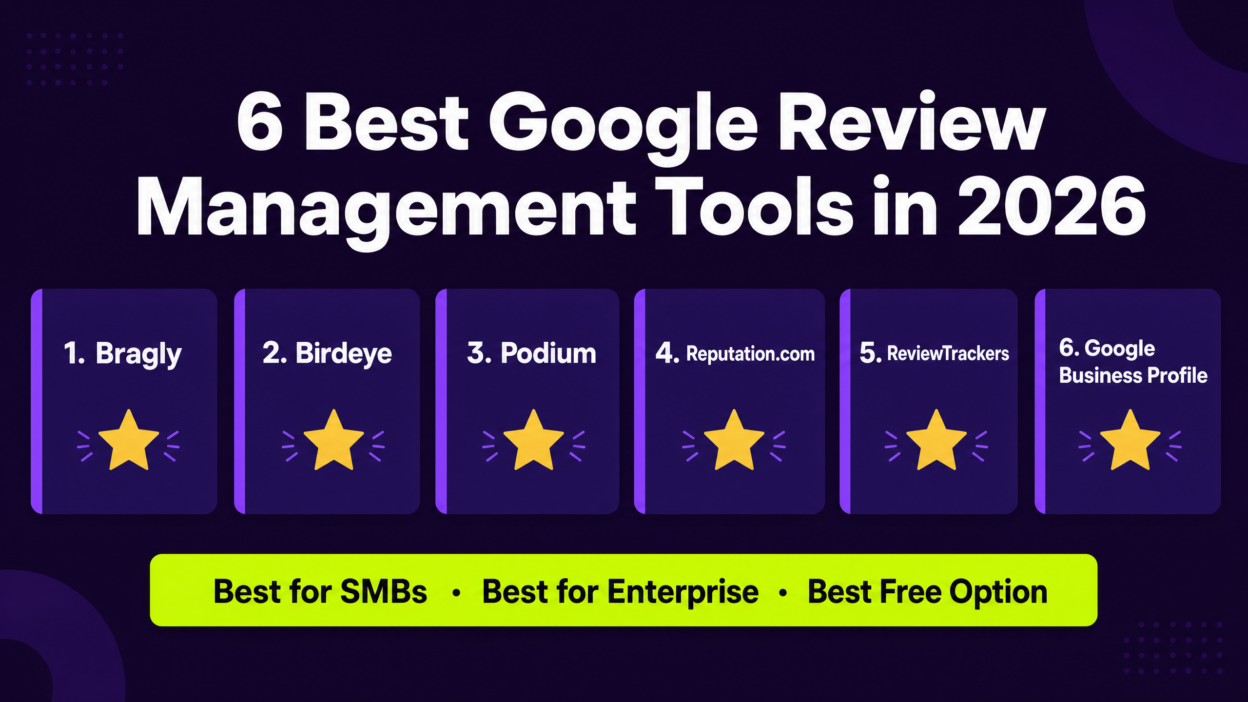
Here are the 6 best options in 2026, with honest notes on who each tool suits – and who it doesn’t.
Key Takeaways
- The best Google review management tools handle collection, monitoring, response, and display – not just one of those things.
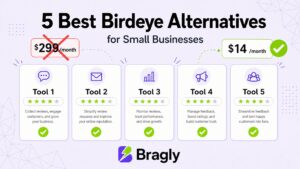
- Enterprise tools like Birdeye and Podium are powerful but expensive ($299–$800/month). Most SMBs don’t need that level of complexity.
- Bragly connects to 33+ review sources including Google, making it one of the most versatile options for businesses that get reviews across multiple platforms.
- AI-powered response suggestions are now standard in the better tools — look for ones that let you customize the tone to match your brand.
- If you display reviews on your website, choose a tool with embeddable widgets that support schema markup for SEO.
What to Look for in a Google Review Management Tool
Before the list, here’s what actually separates a useful tool from one that looks good in a demo.
| Feature | Why It Matters |
|---|---|
| Multi-platform monitoring | Google isn’t the only place customers leave reviews. You need visibility across Yelp, Facebook, Trustpilot, and others from one place. |
| AI response suggestions | Speeds up response time without sacrificing quality. Look for tools that let you customize tone. |
| Review collection | Proactively asking for reviews is how you grow your rating. Email, SMS, and QR code triggers matter. |
| Display widgets | Embedding reviews on your website builds trust and improves conversion rates. |
| Analytics and reporting | You need to know your average rating, response rate, and sentiment trends over time. |
| Pricing transparency | Some tools hide their pricing. If you can’t find a number on their website, expect a sales call. |
The 6 Best Google Review Management Tools in 2026
1. Bragly: Best for SMBs and Multi-Source Review Management
Bragly is built for businesses that want to manage reviews across every platform — not just Google — without paying enterprise prices or hiring a dedicated reputation manager.
The main differentiator is integrations. Bragly connects to 33+ review sources — Google Business Profile, Trustpilot, Yelp, Facebook, Capterra, G2, and more. You’re not stitching together multiple tools to get a complete picture.
The centralized review dashboard pulls all incoming reviews into one place, so you’re not logging into five different platforms every morning. From there, you can respond directly, flag reviews for follow-up, or let the AI handle the first draft.
Bragly’s AI-powered response suggestions generate replies that match your brand voice. You review and edit before sending — responses feel human without the time investment of writing from scratch.
For businesses that want to show reviews on their website, Bragly has 10 different testimonial widget styles — carousels, grids, badges, marquees, and more — all embeddable without touching a developer.
The review analytics dashboard shows rating trends, sentiment breakdowns, and response rate tracking. Not enterprise-grade BI — but it covers what most SMBs actually need.
Best for
Small to mid-sized businesses, e-commerce brands, SaaS companies, and agencies managing multiple clients who want multi-platform review management without enterprise pricing.
Pricing
Free plan available. Pro starts at $14/month. Business plan at $67/month. No per-location pricing.
What it does well
- 33+ review source integrations (broadest in its price range)
- AI response suggestions with brand voice customization
- 10 embeddable widget styles with schema markup support
- Affordable flat-rate pricing (not per location)
- Video testimonial collection
Where it’s limited
- Not designed for franchise-level complexity with hundreds of locations
- No built-in SMS review request campaigns (email and link-based collection)
2. Birdeye: Best for Multi-Location Businesses
Birdeye is one of the most established names in this space. It’s built for multi-location businesses — dental groups, franchise chains, regional service businesses — where you’re managing reviews across dozens or hundreds of profiles.
It covers review generation, monitoring, response, listings management, messaging, and social. Comprehensive. The AI features have improved a lot in recent years.
The trade-off is price. $299/month per location. For a single-location business, that’s a lot. For a 10-location chain, the math gets steep fast.
Best for
Multi-location businesses, franchise groups, and healthcare or dental practices that need centralized review management across many profiles.
Pricing
Starts at $299/month per location. Enterprise pricing available.
What it does well
- Strong multi-location management
- Broad platform coverage (200+ review sites)
- Solid AI response tools
- Listings management included
Where it’s limited
- Expensive for single-location or small businesses
- Per-location pricing adds up quickly
- Can feel complex for teams that just want simple review management
3. Podium: Best for SMS-Driven Review Collection
Podium’s real strength is SMS. If your business has high customer interaction volume — auto dealerships, home services, medical practices — and you want to collect reviews via text, Podium does this better than anyone else on this list.
It combines review management with messaging, payments, and lead management. More of a customer communication hub than a pure review tool.
The downside is cost. Podium starts at $399/month, and most businesses end up at $500–$800/month with add-ons. Hard to justify if review management is all you need.
Best for
Local service businesses with high transaction volume that want to combine review collection with SMS customer communication.
Pricing
Starts at $399/month. Most businesses pay $500–$800/month with add-ons.
What it does well
- Best-in-class SMS review request campaigns
- Unified inbox for all customer messages
- Strong local service business integrations
Where it’s limited
- Expensive for businesses that only need review management
- Overkill for e-commerce or SaaS companies
- Pricing not transparent — requires a sales call for exact numbers
4. Reputation.com: Best for Enterprise Reputation Intelligence
Reputation (formerly Reputation.com) is the enterprise option here. It goes well beyond review management — competitive benchmarking, location scoring, customer surveys, advanced analytics.
If you’re a large brand managing hundreds of locations and need to benchmark against competitors, Reputation has the depth for it. For everyone else, it’s probably more than you need.
Best for
Enterprise brands, large retail chains, and automotive groups that need reputation intelligence beyond basic review management.
Pricing
Core plan starts at $80/month. Enterprise pricing available on request.
What it does well
- Deep analytics and competitive benchmarking
- Location scoring and performance comparison
- Survey and NPS integration
Where it’s limited
- Complex setup and learning curve
- Pricing scales significantly for large deployments
- Overkill for businesses under 50 locations
5. ReviewTrackers: Best for Review Monitoring and Alerts
ReviewTrackers is focused on monitoring. It tracks reviews across 100+ sites, sends real-time alerts when new reviews come in, and gives you a clean dashboard for sentiment trends.
It’s not the strongest for collection or display. But if staying on top of what’s being said is your main need, it does that well.
Best for
Businesses that prioritize monitoring and alerting over collection and display, and agencies managing reputation for multiple clients.
Pricing
Starts at $49/month. Enterprise pricing available.
What it does well
- Real-time review alerts across 100+ sites
- Clean sentiment trend reporting
- Good for agencies managing multiple brands
Where it’s limited
- Limited review collection features
- No embeddable display widgets
- Less AI-powered than newer competitors
6. Google Business Profile (Native): Best for Zero Budget
Worth including because for very small businesses just getting started, the native Google Business Profile dashboard covers the basics.
You can read reviews, respond, and get email notifications — all free. What you can’t do: manage other platforms, automate responses, collect reviews proactively, or display them on your website.
It’s a starting point. Not a strategy.
Best for
Businesses with minimal review volume that just need basic response capability and aren’t ready to invest in a dedicated tool.
Pricing
Free.
What it does well
- Free and always available
- Direct integration with Google Maps and Search
- Simple interface for responding to reviews
Where it’s limited
- Google reviews only — no other platforms
- No automation, AI responses, or collection tools
- No analytics beyond basic star rating
- No way to display reviews on your website
Side-by-Side Comparison
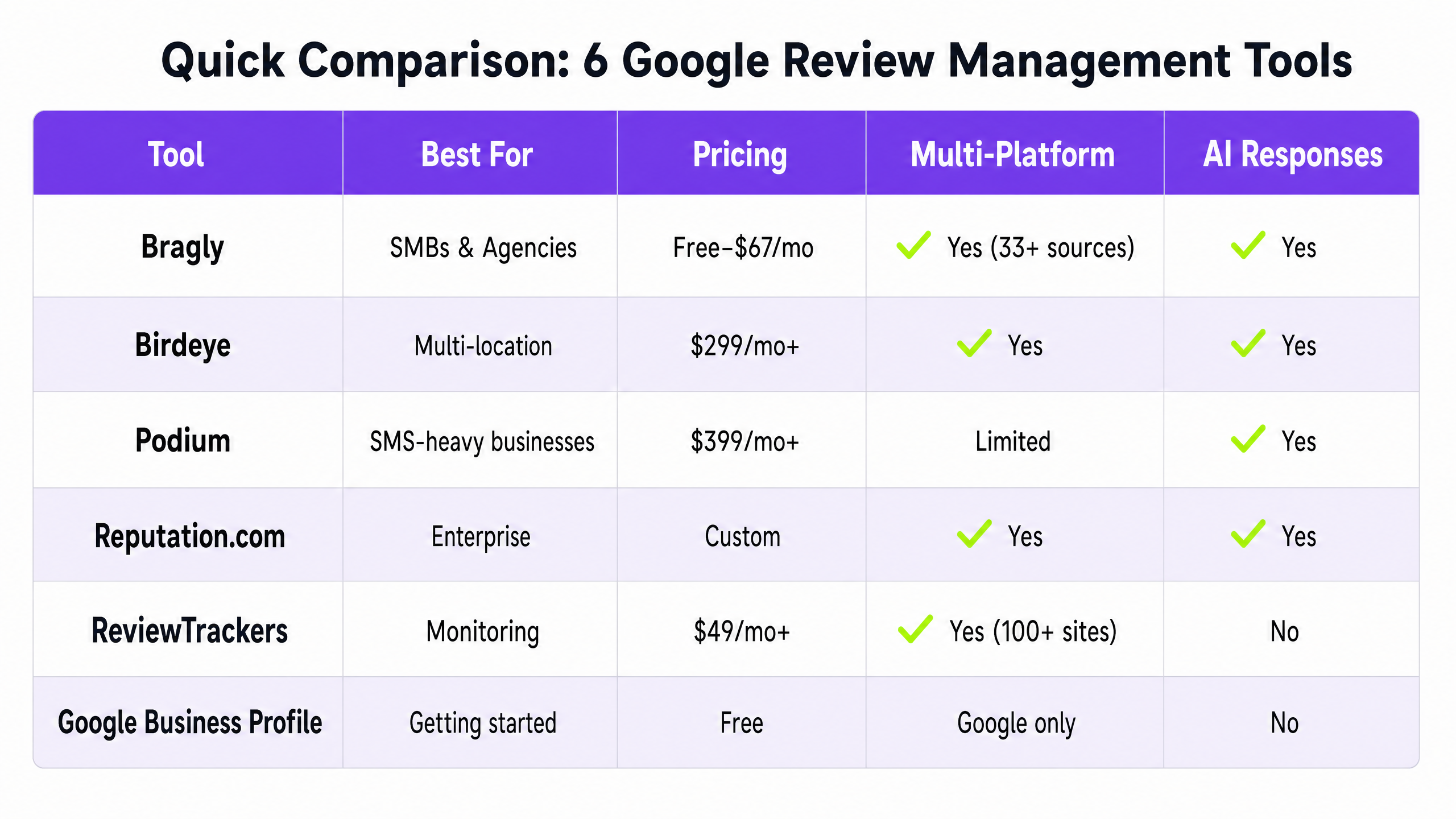
| Tool | Best For | Starting Price | Review Sources | AI Responses | Display Widgets |
|---|---|---|---|---|---|
| Bragly | SMBs, multi-source | Free / $14/mo | 33+ | Yes | Yes (10 styles) |
| Birdeye | Multi-location | $299/mo/location | 200+ | Yes | Yes |
| Podium | SMS-driven collection | $399/mo | Limited | Yes | Limited |
| Reputation.com | Enterprise | $80/mo+ | Wide | Yes | Limited |
| ReviewTrackers | Monitoring & alerts | $49/mo | 100+ | Limited | No |
| Google (native) | Zero budget | Free | Google only | No | No |
How to Choose the Right Tool for Your Business
The right tool depends on your situation, not on which platform has the longest feature list.
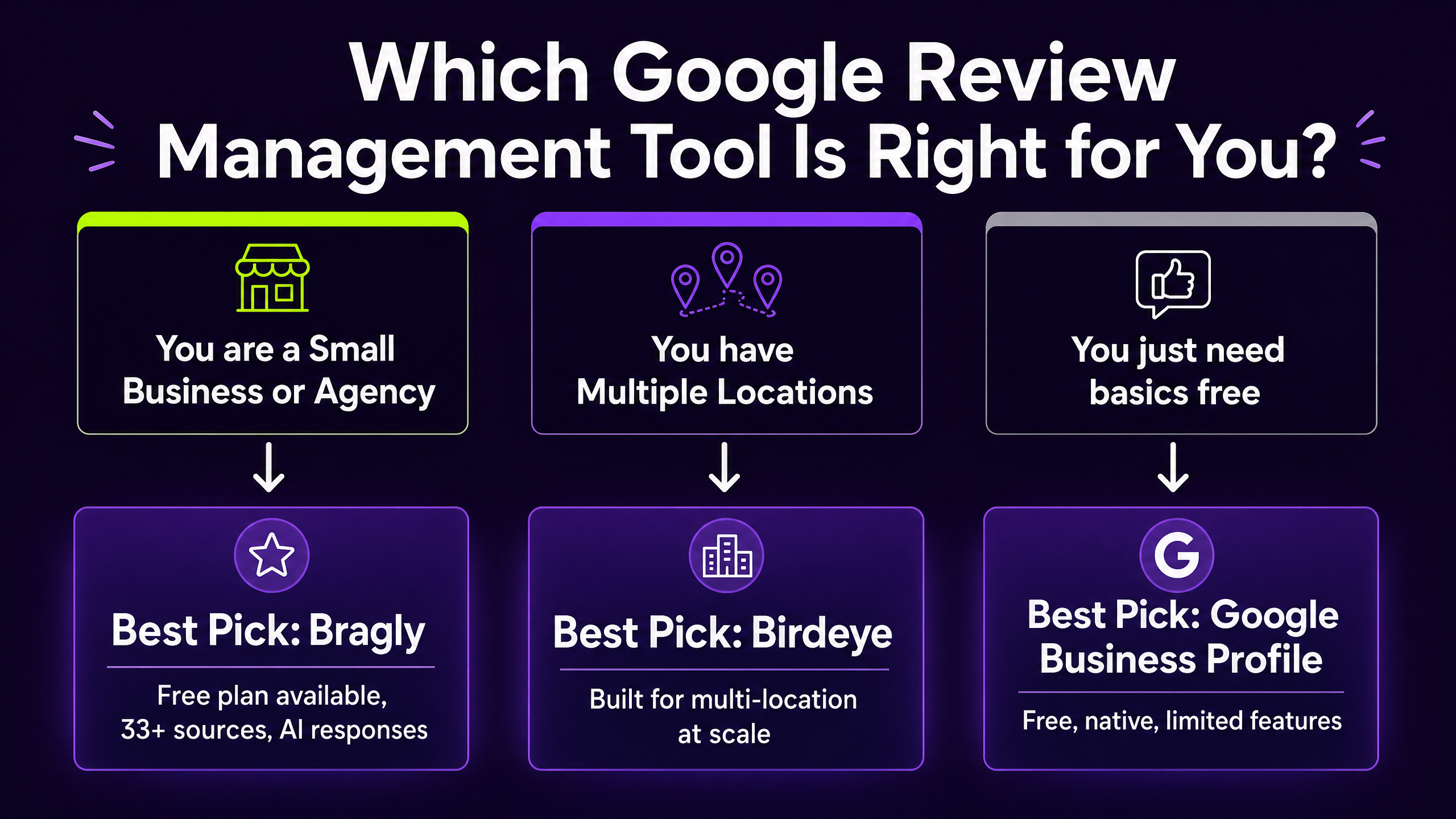
If you’re a small business or e-commerce brand that gets reviews across multiple platforms and wants to manage everything from one dashboard without paying enterprise prices, Bragly is the most practical option. The flat-rate pricing and 33+ integrations make it hard to beat at this level.
If you run a multi-location business — a franchise, a dental group, a regional chain – Birdeye’s per-location model and deep feature set make more sense, even at the higher price point.
If SMS is central to your customer communication — auto dealers, home services, medical – Podium’s messaging-first approach is worth the premium.
If you’re primarily focused on monitoring and want real-time alerts without the full review management suite, ReviewTrackers is a lean option worth considering.
If you’re just starting out and have minimal review volume, Google’s native tools are fine for now. But once you’re getting more than a handful of reviews per month, a dedicated tool will save you more time than it costs.
Frequently Asked Questions
What is a Google review management tool?
A Google review management tool helps businesses monitor, respond to, and collect Google reviews from a centralized dashboard. Better tools also connect to other review platforms like Yelp, Trustpilot, and Facebook, and include features like AI-powered response suggestions, review collection campaigns, and embeddable display widgets.
Do I need a paid tool to manage Google reviews?
Not necessarily. Google Business Profile’s native dashboard is free and lets you read and respond to reviews. But if you want to proactively collect more reviews, manage reviews from multiple platforms, automate responses, or display reviews on your website, you’ll need a dedicated tool.
Can these tools help me get more Google reviews?
Yes. Most tools on this list include review collection features — email or SMS campaigns, QR codes, or shareable review links — that make it easier to ask customers for reviews at the right moment. Businesses that actively request reviews consistently outperform those that don’t.
Is it against Google’s policy to use review management software?
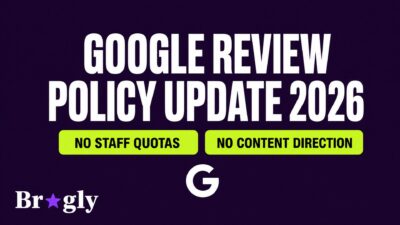
Using software to monitor, respond to, and request reviews is completely fine. What Google prohibits is incentivizing reviews (offering discounts or gifts in exchange for reviews) or generating fake reviews. Legitimate review management tools operate within Google’s guidelines.
How many review platforms should I be managing?
At minimum, Google and one or two industry-specific platforms relevant to your business. For most SMBs, that means Google, Facebook, and either Yelp, Trustpilot, Capterra, or G2 depending on your industry. A tool like Bragly that connects to 33+ sources means you don’t have to choose — you can monitor everything from one place.
Final Thoughts
Google reviews aren’t going away. If you’re also looking to grow your review volume, our guide on how to collect more Google reviews covers the collection side in detail. Businesses that manage them consistently — responding quickly, collecting new ones, displaying them where customers can see — have a real edge over those that don’t.
The tools on this list cover the full range from free to enterprise. Most SMBs will find the best balance of features and price somewhere in the middle. If you want to start with something that handles Google plus 32 other review sources without locking you into per-location pricing, Bragly’s free plan is a reasonable place to start.