

Looking for a Shorter Overview?
AI Summary
Key Moments
Select the Right Format for Specific Buyer Hesitations
Match voice of customer examples to the hesitation beside booking, signup, or purchase actions for improved conversion.Preserve Context and Permissions
Always show review provenance, maintain context, and secure publication consent to keep authenticity.Repurpose Customer Feedback Strategically
Use approved customer quotes effectively across various touchpoints like emails, landing pages, or campaigns without distortion.Combine Voice of Customer with Operational Improvements
Distinguish messaging issues from product or service problems by comparing testimonials with cancellation and support data.A perfect rating isn't necessarily your most persuasive sales asset. The Spiegel Research Center found that purchase likelihood generally peaked at ratings between 4.0 and 4.7, rather than a perfect 5.0. Buyers don't just need praise. They need believable accounts of what happened, who benefited, and what limitations they should expect.
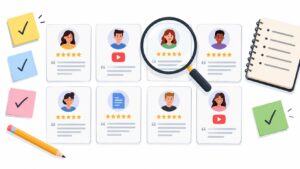
That's where voice of customer becomes useful. A review, survey response, or short video can answer a question that polished marketing copy leaves unresolved. A prospective plumbing customer wants reassurance about emergency response. A software buyer wants to know whether someone in a similar role managed to get started without extensive help.
The strongest voice of customer examples connect a collection channel, a relevant placement, and a deliberate repurposing move. A customer's sentence about easy setup might support a pricing page, an onboarding email, and a campaign landing page, provided you preserve its meaning and have permission to publish it.

Use customer language to sharpen your message, not replace the work of writing clearly. You can find copywriting examples that convert to understand persuasive structure, then add customer evidence where your claims need support.
The practical choice isn't which format looks most impressive. It's which customer experience answers the hesitation beside your next booking, purchase, or signup button.
1. Google Business Profile Reviews on Local Business Websites (Local Services / Homepage Proof)
A plumbing company's emergency-service page needs different proof from its bathroom-renovation page. Reviews about arriving promptly and explaining repair options belong beside the emergency call button. Reviews about workmanship and keeping the house tidy fit the renovation enquiry form.
The channel is Google Business Profile. The placement is your own website. Importing those reviews lets visitors check customer experiences without leaving the page where they're deciding whether to contact you.

Match the review to the service
For a dental clinic, place a compact rating badge near the booking button and detailed patient feedback on the relevant service page. A restaurant can put recent dining reviews beside its reservation link, rather than burying them beneath the full menu.
- Preserve provenance. Show the review's source and date, with a route to the original where available.
- Tag by relevance. Separate reviews by service and neighborhood before assigning them to landing pages.
- Maintain the display. Check synced content monthly for outdated services, formatting problems, or sensitive details.
A Google review widget for your website can reduce manual copying, but automatic updates still need editorial oversight. Your approach to building local trust through customer feedback should include replies as well as displays.
The 2025 BrightLocal survey found that 63% of consumers expected a business to respond to a review within two to seven days. Assign someone to handle those replies, especially when a complaint needs follow-up.
The trade-off: a live feed stays fresh, but a curated display offers tighter relevance. Use both without presenting a selected collection as the complete record.
2. Post-Purchase Email Survey Turned into Product Testimonials (E-commerce / DTC)
A post-purchase email reaches customers who may never leave a public review. Ask about actual use, not general satisfaction, and their answers can become useful product-page evidence.
Say a coffee subscription shop asks subscribers which blend they reorder and why. A response about enjoying a darker roast without a bitter finish belongs beside that blend's description. With permission, the same customer sentence can support a replenishment email or a cart-page widget.

Ask after use, not merely delivery
Send the request after the customer has had a realistic opportunity to try the product. Coffee, furniture, and skincare require different evaluation windows, so don't apply the same automation delay across your catalog.
Ask what problem the product solved, what surprised the buyer, or what nearly stopped the purchase. These feedback questions to ask help you collect specific descriptions rather than interchangeable praise.
Permission matters: submitting private product feedback shouldn't automatically mean agreeing to appear in advertising.
Keep publication consent separate and clear. Record the approved wording, attribution, product, and any customer photo permissions alongside the response.
The 2024 1WorldSync report found that 49% of shoppers surveyed said they leave product pages with too few ratings and reviews. Prioritize products with weak coverage instead of collecting more praise for your bestseller.
The trade-off: first-party surveys offer control over questions and permissions, but not independent verification. Label testimonials accurately, invite feedback neutrally, and retain critical responses for product improvement even when they aren't suitable promotional assets.
3. Onboarding-Stage Testimonials from SaaS Product Users (SaaS Startups)
Signup is too early to ask for an outcome testimonial. Request feedback after a user completes a meaningful task, such as launching a campaign, publishing a report, or closing a project.
For a project-management startup, completing the first client project is a useful trigger. Ask what changed compared with the previous workflow, which part required help, and what the user could accomplish independently.

Put early outcomes beside early commitments
Place a setup-focused testimonial near the free-trial button. Reserve broader business-result stories for pricing and sales pages, where visitors need evidence that continued use is worth the investment.
A marketing analytics tool can tag responses by agency, in-house team, and company size. Agency visitors should see how another agency handled client reporting, not a generic statement from an unrelated enterprise department.
- Capture context. Ask for the customer's role, company, relevant workflow, and permission to use their identity.
- Verify measurements. If someone reports time saved or revenue influenced, clarify how they calculated it before publishing.
- Keep qualifications. Don't remove a sentence explaining that setup required an integration specialist.
The repurposing move is straightforward: use the approved outcome statement beside the trial button, turn recurring customer language into headline candidates, and expand the fuller account into a case study.
The trade-off is survivorship bias. Successful users are available to describe onboarding, while people who abandoned it aren't represented. Send a separate, non-promotional question to stalled users and compare their obstacles with the success stories.
AI highlights can help locate repeated benefits, but treat them as pointers to original comments. Never publish a generated sentence as though a customer wrote it.
4. Facebook Recommendations and Social Mentions for Local Brands (Social Proof for Local Businesses)
Neighborhood recommendations often contain details a brand wouldn't think to emphasize. A yoga studio may promote instructor qualifications while members talk about feeling comfortable as beginners. That difference should influence both the testimonial selection and the class-page copy.
The channel is a Facebook recommendation or public social comment. The best website placement is usually the page for the experience described, not an unrelated homepage carousel.
For example, put beginner-focused recommendations beside an introductory class booking button. A landscaping company can display comments about cleanup and communication beside its quote form, while a bakery can use recent recommendations near ordering information.
Carry the context across channels
A short ribbon works for quick reassurance. Use a readable card or grid when the customer's explanation matters, especially if the original endorsement includes a qualification.
- Request neutrally. Invite customers to recommend the business after a completed visit or service without prescribing what they should say.
- Check publication rights. Don't assume a public comment grants unrestricted permission for advertising reuse.
- Retain attribution. Preserve the source, approved identity, and relevant context instead of turning every mention into anonymous praise.
The 2024 BrightLocal survey found that 75% of U.S. consumers surveyed always or regularly read online reviews. Make your selected recommendations easy to inspect, not merely decorative.
The trade-off: community context can be persuasive locally but unclear to outsiders. A familiar neighborhood reference may need a factual service or location label beside it, without rewriting the customer's words.
Repurpose the same approved recommendation into a service-page card and a local campaign creative. Check the feed regularly for comments that need a response, and don't confuse a changing recommendation count with evidence about a particular service.
5. B2B Software Reviews on Review Platforms Used on Demand-Generation Landing Pages (B2B Marketing)
A B2B landing page should answer the objection behind the form abandonment. If buyers worry about implementation, a review about dashboard appearance won't help, however enthusiastic it sounds.
Reviews from G2, Capterra, and Product Hunt offer different kinds of context. Preserve the distinction between a detailed software review and a launch-page endorsement rather than presenting them as equivalent evaluations.
Build the proof around the campaign
Say a marketing automation vendor runs a campaign for mid-market marketing managers. Choose reviews from people with comparable responsibilities, then place an implementation-focused excerpt near the demo form.
A cybersecurity company could use feedback from IT directors about deployment and support on its demo page. A project-management vendor could place a relevant integration comment beside the corresponding comparison-page claim.
- Match the segment. Tag by role, company size, use case, and deployment context.
- Lead with the objection. Pair a short relevant excerpt with source attribution instead of stacking unrelated rating badges.
- Review quarterly. Replace statements about retired features, old packaging, or implementation processes that have changed.
A review is independent of your copywriting team, but your selection of that review is still editorial.
That distinction matters. Don't crop away limitations, imply a reviewer's employer endorses you without permission, or present launch enthusiasm as evidence of long-term adoption.
The repurposing move: take an approved implementation sentence from a longer review, use it beside the demo form, and retain a route to the fuller account. Sales can use the same evidence in follow-up material when the prospect raises that objection.
The trade-off: tighter segmentation improves relevance but narrows the available review pool. If you lack a close peer match, use an accurately labeled adjacent example rather than stretching the reviewer's job title or company profile.
6. Video Testimonials Embedded on Product and Service Pages (Website Builders and Agencies)
Video gives buyers information that text can't convey in the same way: the customer's delivery, emphasis, and explanation of the experience. It can also be manipulated, so don't treat a visible face as automatic proof of authenticity.
For a web design agency, a client clip on a portfolio page should explain what the new website helped the client do. A consultant's services page needs a similarly concrete account of the problem, the engagement, and the resulting change.
Record answers, not advertising lines
Give customers questions rather than a script of claims. Ask what they needed, why they chose the service, what changed, and what another buyer should know before starting.
Good lighting and a clear microphone matter more than an elaborate backdrop. Keep the edited clip brief and focused, then provide captions, a transcript, and a visible play control.
The process for how to collect client testimonials should include approval of the final edit, not just permission to record. Removing a qualification can alter meaning even when every remaining word is genuine.
Editing boundary: shorten pauses and repetition, not the conditions that make the customer's account accurate.
For placement, put the video near the relevant service claim and include a written summary for visitors who won't press play. Avoid forcing autoplay audio or making the page's main explanation dependent on playback.
The repurposing move is to extract an approved verbatim sentence for a nearby text card, then use a captioned excerpt in a campaign. Keep the full recording and consent record so later edits remain traceable.
The trade-off: video takes more customer effort and more production review than text. Use it when the customer's explanation adds meaningful context, not because a page has space for a player.
7. Net Promoter Score Verbatims and Feedback Themes for Product Teams (Customer Experience Research)
An NPS score tells you how respondents answered the recommendation question. The accompanying comments help you understand what to investigate.
A software team might find repeated complaints about importing existing projects. That should trigger an examination of the import workflow, not merely a search for positive comments to balance the presentation.

Separate improvement work from publication
Keep the full feedback record for internal analysis. Create a separate publishing collection containing only comments with appropriate approval.
A VoC strategy case study from Andrew Reise describes a major health plan consolidating fragmented feedback into an enterprise platform and a prioritized roadmap of 18 initiatives, with reported cost savings of $2 million. The useful operating principle is to connect themes to owners and decisions, rather than stopping at a dashboard.
- Map themes to owners. Route onboarding comments to the product team and service complaints to the support lead, using webhooks where appropriate.
- Check automated analysis. Compare AI summaries with original comments, including contradictory and neutral responses.
- Track changes. Review theme frequency monthly while checking whether respondent mix or survey timing changed.
Research on sentiment analysis in Multidisciplinary Reviews identifies challenges involving sarcasm, multilingual processing, contextual nuance, privacy, and consent. Escalate ambiguous or sensitive comments to a human rather than accepting the assigned sentiment.
The repurposing move: after addressing an issue, invite willing customers to describe the updated experience. A detailed response can become a client testimonial video, while approved praise about shipping or support can inform relevant page copy.
The trade-off: survey respondents don't represent everyone. Compare their themes with cancellations, support tickets, and usage patterns before treating the loudest category as the highest-priority problem.
8. App Store and Google Play Reviews for Mobile App Marketing (Mobile Product Teams)
A review about an old app version can be authentic and still be misleading today. Mobile teams need to check platform, release context, and feature availability before moving marketplace feedback onto a website.
Consider a budgeting app whose customers praise automatic categorization. Place relevant App Store or Google Play reviews beside that feature's explanation, with the platform clearly identified. Don't use an iOS-specific experience to imply identical functionality on Android.
Organize around the feature and platform
A fitness app can place workout-planning feedback beside its download button. A language-learning app can build a mosaic of comments about speaking practice, provided those comments describe the experience currently available.
- Keep platform tags. Record whether feedback concerns iOS or Android and note release context where available.
- Select useful detail. Prefer descriptions of a feature and its outcome over brief expressions of enthusiasm.
- Recheck after releases. Remove or contextualize highlighted reviews that no longer describe the product accurately.
Respond to negative reviews in the marketplace itself. A polished website display doesn't replace troubleshooting, and a public reply shouldn't expose account details or other sensitive information.
The repurposing move is to turn an approved feature-specific review into a landing-page card, a feature-section excerpt, or an in-app promotion. For in-app use, show it where it explains an unfamiliar capability rather than interrupting a task the user already understands.
The trade-off: live marketplace feeds offer freshness, while curated excerpts offer control over relevance. Automatic syncing doesn't eliminate the need to check whether a review still describes the current product.
Keep store ratings distinct rather than combining them into an unexplained average. If a customer sentence needs extensive rewriting to match your campaign claim, choose another sentence or write the claim in your own voice with suitable evidence.
How the Eight Voice of Customer Formats Compare
| Item | Best For | Main Source | Key Limitation |
|---|---|---|---|
| Google Business Profile Reviews on Local Business Websites | Local businesses building trust and driving calls or bookings | Google Business Profile reviews | New businesses may have few reviews to display |
| Post-Purchase Email Survey Testimonials | E-commerce brands collecting product-specific customer feedback | Post-purchase email surveys | Low response rates can limit testimonial volume |
| Onboarding-Stage SaaS Testimonials | SaaS teams showcasing early customer outcomes | Users who reach an onboarding milestone | Early users may not represent the broader customer base |
| Facebook Recommendations and Social Mentions | Local brands highlighting community trust | Facebook recommendations and comments | Facebook reviews may be less visible to newer audiences |
| B2B Software Reviews on Demand-Generation Landing Pages | B2B marketers addressing buyer objections | G2, Capterra, Product Hunt, and similar platforms | Reviews may be sparse or vary across platforms |
| Video Testimonials on Product and Service Pages | Agencies and businesses showcasing customer stories | Customer-recorded video clips | Recording and editing take time and customer cooperation |
| NPS Verbatims and Feedback Themes | Product teams understanding customer sentiment and prioritizing improvements | Open-text NPS or satisfaction survey responses | AI summaries may miss nuance, and survey responses can be biased |
| App Store and Google Play Reviews | Mobile teams promoting apps and highlighting user feedback | Apple App Store and Google Play reviews | Reviews may reference issues that have since been fixed |
Turning Customer Words Into Your Next Proof Asset
Start with a page where buyers hesitate, not a blank testimonial gallery. A pricing page may need evidence about value or setup effort. A service page may need reassurance about communication, while a demo form may need proof that a similar team handled implementation successfully.
Choose the format that answers that hesitation with the least distortion. A short written review can be enough when the customer describes the relevant experience clearly. Use video when the explanation adds context, and use survey analysis when you still need to understand the problem before promoting a solution.
Build a traceable publishing record
Keep the original response, collection channel, consent, approved attribution, and published excerpt together. Tag the asset by product, audience, use case, and intended page so someone else can maintain it without reconstructing your decisions.
- Check the claim. Confirm that any stated outcome belongs to that customer's experience and hasn't become an unsupported general promise.
- Check the context. Preserve material qualifications, platform differences, and implementation requirements.
- Check the placement. Put the evidence beside the decision it supports, with readable text and a clear source.
Don't let your public testimonial collection become your entire understanding of customers. The 2025 consumer-trends report presented by HL found that 53% of customers said they would reduce spending after a poor experience rather than provide feedback. Compare published praise with cancellation reasons, unresolved tickets, and customers who stopped using the product.
That comparison helps separate a messaging problem from an operating problem. If customers repeatedly struggle with setup, a stronger testimonial isn't the primary fix. Improve setup, follow up with affected users, and collect fresh feedback about the changed experience.
Publish, measure, and maintain
Collect a specific, consented quote this month, tag it by segment, and place it beside the relevant call to action. Review the page's conversion results after 30 days, treating that period as an initial review window rather than proof that the testimonial caused any change.
Record other changes to traffic, offers, pricing, and page design. If traffic is limited, keep observing rather than declaring success from a handful of visits.
Then repeat with the next format that serves a genuine buyer question. The most useful voice of customer examples aren't necessarily the loudest endorsements. They're accurate, current accounts that help the right buyer understand what to expect, while giving your team clear reasons to improve what happens next.
Bragly brings customer reviews and testimonials into one place and provides no-code widgets for displaying them across your website. Visit Bragly to collect feedback, organize it with tags, and publish relevant customer proof beside your next booking, purchase, or signup action.