
Looking for a Shorter Overview?
AI Summary
Key Moments
Importance of Provenance
Preserve source, date, and platform verification to maintain trustworthiness of third party reviews.Impact on Buyer Decisions
Displaying even a few verified reviews significantly increases purchase likelihood, especially for higher-priced products.Detecting Fake Reviews
Use patterns like review spikes, generic praise, and reviewer history to spot possible manipulation.Honest Aggregation Practices
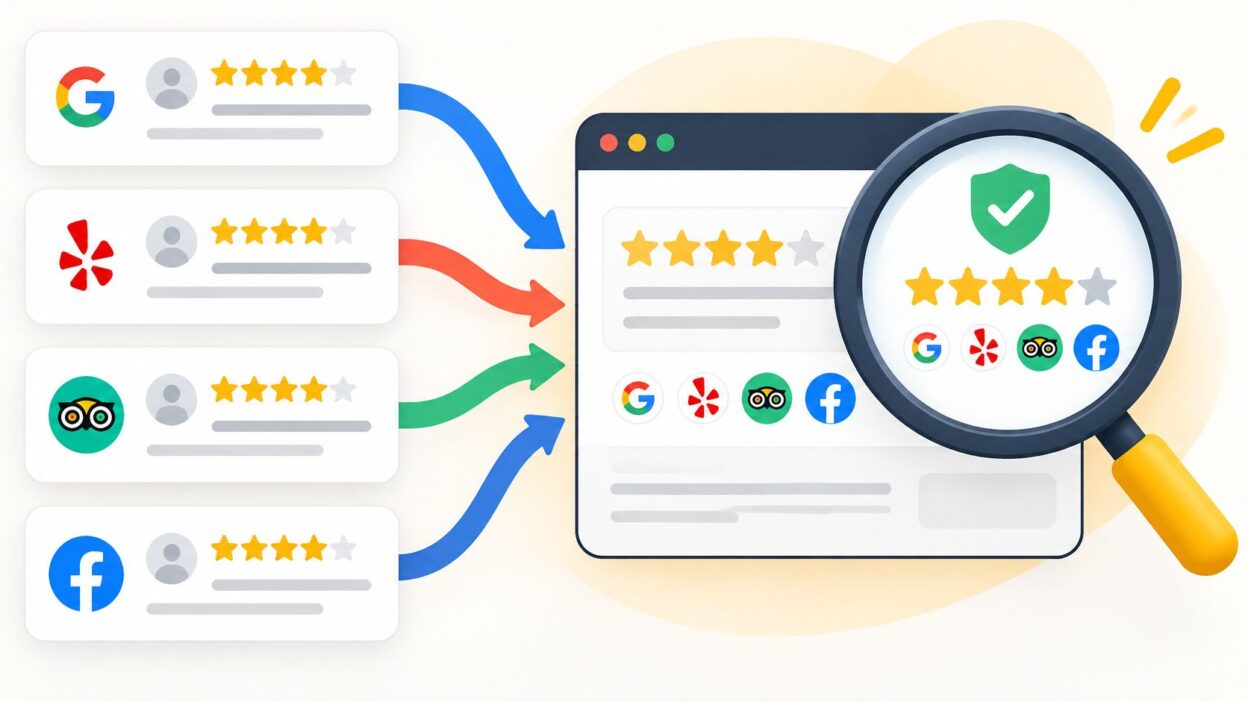
Keep separate averages per platform with clear volume and recency information; avoid blending scores.You've got 4.8 stars on Google, a handful of glowing quotes on your homepage, and a competitor showing a neat 5.0 badge from another site. A visitor lands on your pricing page, looks for proof, and can't tell which numbers came from real customers, which you selected yourself, or how old any of it is. That's the problem a good third party review setup solves. It doesn't just collect praise. It preserves evidence, with the source, date, and mixed ratings still visible.
Where Third Party Reviews Come From and What They Prove
A third party review is feedback a customer writes on a platform you don't control, such as Google, Amazon, Trustpilot, or G2, which you then display or refer to. The platform holds the original. You can't rewrite it, fix its rating, or remove a sentence you dislike.
That lack of control is the point. A first-party testimonial is like a reference letter a candidate chose and handed to you. A third party review is a reference you could check independently, and the candidate couldn't edit. Readers trust it more because you had less power over it.

Independence Only Works When Provenance Stays Visible
Independence disappears if you strip away the platform name, date, and link back to the original. A bare quote on your site, even if copied accurately from Google, reads exactly like copy you wrote yourself. Keep the source and date beside every review, and readers can judge the evidence for themselves.
Verification also needs context. Verified means different things on different platforms. Amazon's verified purchase label, Google's account-based system, and invitation-based platforms don't run identical checks. A badge doesn't carry the same proof everywhere, so don't present every imported review as if it passed one common verification standard.
Common review sources and what they verify
| Source | Verification signal | Best used for | Watch for |
|---|---|---|---|
| Google Business Profile | Google account, no purchase check | Local businesses and service visits | Incentivized or selectively solicited reviews are banned |
| Amazon | Verified purchase label on eligible reviews | Physical products | Ratings can reflect sampling and category norms |
| Trustpilot | Invitation link or order reference where businesses use it | Brand and service reputation | Check the platform's own invitation and moderation rules |
| G2 or Capterra | Reviewer account and identity checks before publication | Software products | Reviewer identity checks vary by platform |
| Yelp | Automated filtering of reviews | Local restaurants and services | Filtered reviews may not appear in averages |
| App Store or Google Play | Account-based reviews | Mobile apps | No service visit or purchase check beyond the store account |
Read each platform's current help pages before you publish claims about its checks. Rules for invitations, filtering, and labels change, and yesterday's verification process may not be today's.
Start with a simple audit. List the platforms your customers use, not every platform you could connect. If you're in a trust-heavy niche, for example, you can compare longevity clinic reviews to see how provenance and detail affect confidence. Then keep first-party testimonials separate from imported third party reviews, with a label that tells readers which is which.
Why Third Party Reviews Influence Buying Decisions
A shopper comparing two similar products can find a review-free listing difficult to judge. Research from Northwestern University's Spiegel Research Center found that a product with five reviews had a purchase likelihood 270% greater than a comparable product with no reviews. Much of the incremental benefit came from the first several reviews.
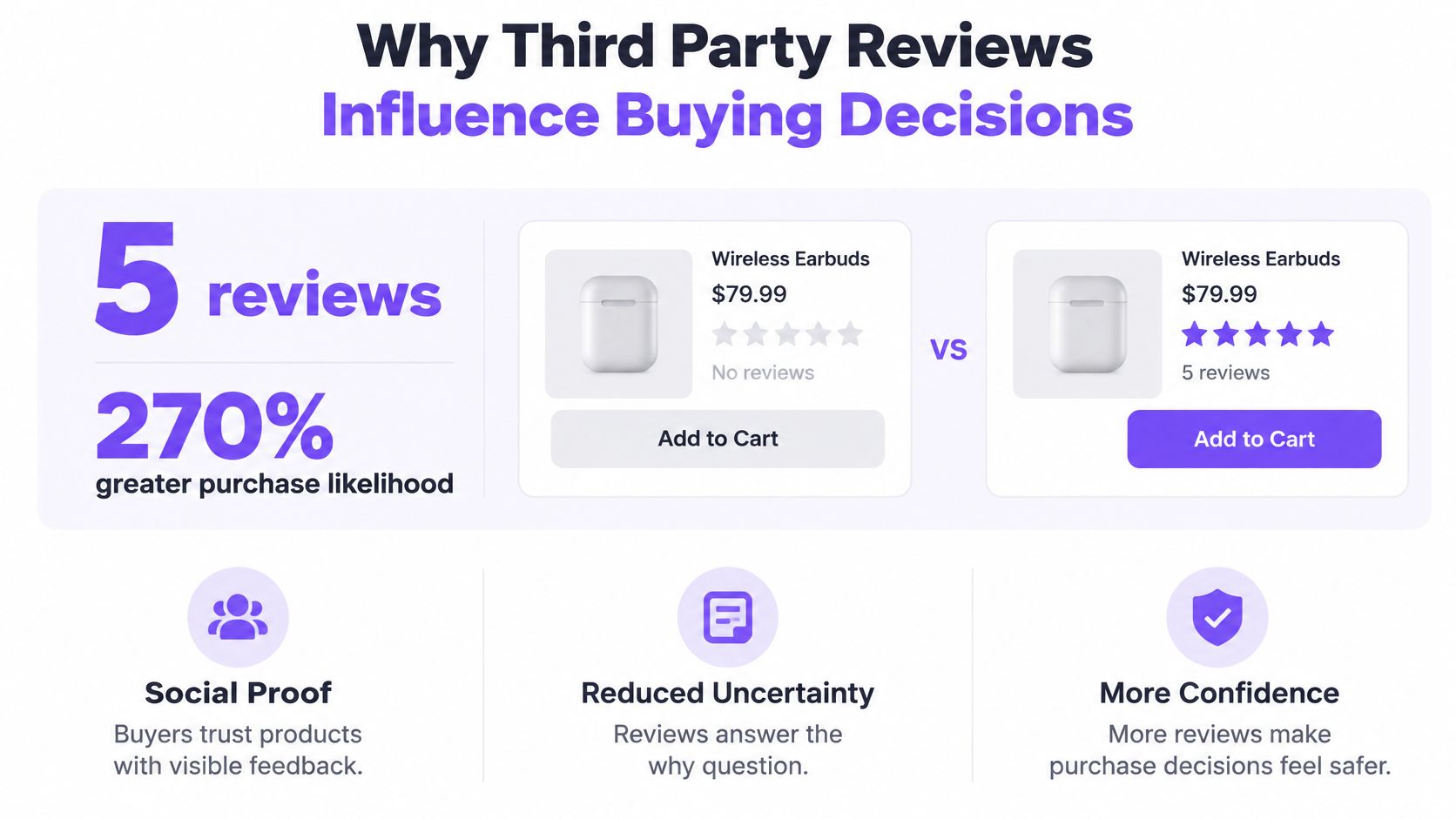
For a new listing, prioritize a small set of genuine, detailed reviews over a large volume of thin feedback. Buyers need enough evidence to assess what a product is like and whether it fits their needs.
Price Raises the Stakes
The Spiegel research found that displaying reviews increased conversion by approximately 190% for lower-priced products and 380% for higher-priced products. The larger increase for higher-priced products points to the role reviews play in helping buyers judge a bigger financial risk.
For a high-ticket service, place relevant reviews near the price, consultation form, or checkout button. A separate testimonials page makes buyers work harder to find evidence at the moment they are deciding.
A Perfect Score Can Work Against You
In the same research, ratings performed best in the 4.0 to 4.7 range. Purchase likelihood began declining as ratings approached a perfect 5.0. A flawless score can look filtered, bought, or too small a sample to judge.
Reviewer identity also affected results. Exposure to reviews from verified buyers increased purchase likelihood by 15% compared with exposure to anonymous reviews. Keep the platform's verification label visible; removing it strips away useful context.
A 2024 survey of U.S. consumers found that 54% named online reviews as their first source of trust when making purchasing decisions, compared with 24% for friends and family. Trust still depends on credibility: a 2023 Bazaarvoice study by Savanta found 75% of consumers were concerned about fake reviews.
Volume can attract attention, but it does not establish credibility on its own. Preserve each platform's name, review dates, and rating distribution so buyers can judge the evidence rather than rely on one blended score.
Why Third Party Reviews Matter for Search Visibility
Reviews add fresh, customer-written language about real products, services, and locations. Search engines read that language alongside your own pages, and customers often describe outcomes in words you'd never use in your copy.
For local businesses, the direct effect starts on your Google Business Profile. Review volume, recency, and average shape how your listing appears beside the map, and they feed local search visibility. A profile with current, detailed reviews gives searchers a reason to click you instead of the next listing.
What Search Engines Can Read on Your Site
Be careful with markup. Google's review snippet guidance is aimed at reviews of your business collected on your own pages, so imported third party reviews shouldn't be marked up as your own review snippets. Our guide to review schema markup and eligible review types walks through that boundary.
A widget showing the platform name, date, and the reviewer's own words gives crawlers readable text. A bare star image gives them almost nothing. For background on what structured results can and can't do, see LLMrefs on rich snippets and SEO.
Keep displayed reviews current, then measure what changes. Track local impressions, Business Profile clicks, and direction requests before and after adding a widget. Treat reviews as one visibility signal among many, not a ranking guarantee.
How to Verify Reviews and Spot Manipulation
Your instinct isn't a reliable fake detector. Experimental research reported by the University of South Florida found a strong truth bias. Even when told half of a sample was fabricated, participants still classified an average of 11.38 out of 20 reviews as authentic.
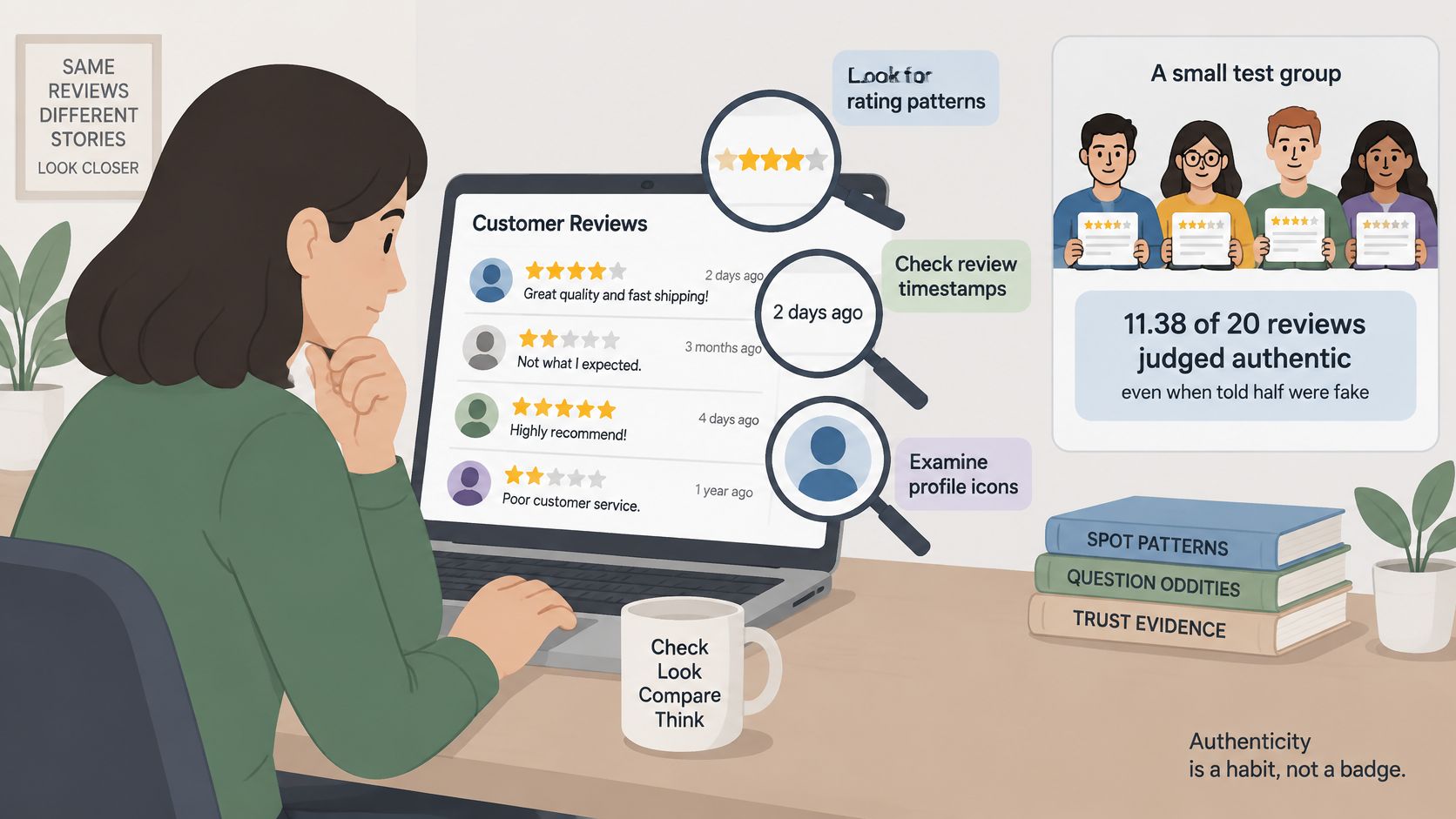
The same research found negative reviews may be more likely to be fake than positive reviews, while consumers are more inclined to trust negative reviews. That breaks a common shortcut. A critical review isn't automatically honest, and a positive one isn't automatically bought.
Practical rule: Authenticity is a checking habit, not a badge. Record what you checked, when you checked it, and what you still don't know.
Red Flags and the Checks That Matter
Red flags in a review set and the check to run
| Red flag | What it can indicate | Check to run |
|---|---|---|
| Spike of reviews within a few days | Campaign or coordinated activity | Compare review dates against promotions and staffing changes |
| Generic praise with no product detail | Template or fabricated text | Look for a specific use, outcome or comparison |
| Same wording across different reviewers | Shared script | Compare phrasing across profiles and sources |
| Reviewer with only one review | Possible throwaway account | Check reviewer history where the platform shows it |
| Negative cluster from one source | Targeted attack or real grievance | Compare timing, specifics and whether complaints match your records |
| Unverified review shown as verified | Mislabelled evidence | Display only the platform's own verification label |
None of these flags proves manipulation on its own. A spike can follow a genuine launch. A first-time reviewer can be a real customer who finally got angry enough to write. The pattern, timing, and specifics together tell you whether to escalate.
How to Escalate Without Overclaiming
When a cluster looks coordinated, document it before you argue about it:
- Capture the evidence: Save dates, reviewer names shown publicly, URLs, and screenshots in one log.
- Compare against your records: Check order dates, appointment books, support tickets, and campaign calendars for a match.
- Flag it on the platform: Use the platform's reporting route and record the case reference and date submitted.
- Review the next batch: Run suspicious imports through a fake review checker for repeat patterns before they reach your site.
Don't accuse a reviewer publicly on suspicion alone. If you're unsure, hold the review out of your own display while the platform investigates, and note the reason internally.
On the page itself, state only what you can support. Label the source, date, and the platform's own verification status. Don't claim every review is verified when some platforms in your feed do no purchase check at all.
How to Aggregate Reviews Without Distorting the Score
A blended star average from Google, Amazon, and Trustpilot looks precise. It isn't. A 2025 comparative study of Amazon and Google reviews reported that respondents viewed Amazon reviews as more trustworthy than Google reviews, associating Amazon with verified purchases and detailed feedback. Platforms differ in reviewer identity, verification, sampling, and moderation, so their scores aren't interchangeable units.
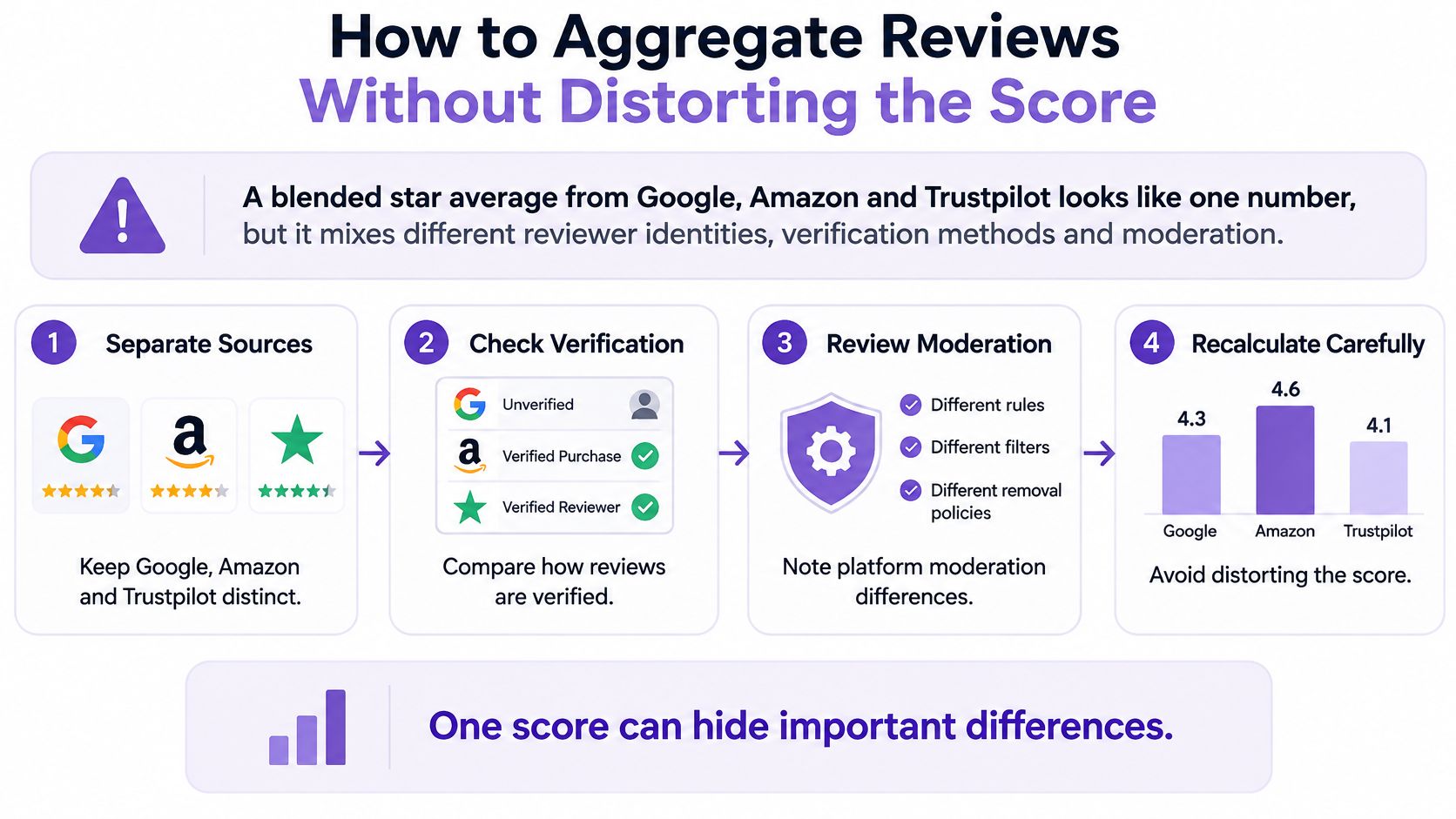
Treat aggregation as an evidence problem. Your job is to bring reviews together without pretending they were all collected the same way.
Six Steps for an Honest Aggregate
- Collect provenance with every review. Store the platform name, original URL or identifier, date, and star rating. Without that chain, you can't audit a review later or prove where it came from.
- Keep one average per platform. Show Google's average as Google's, and Trustpilot's as Trustpilot's. You can place them side by side, but don't melt them into a single blended score.
- Show volume and recency beside every average. A 4.9 from this month and a 4.9 from three years ago aren't equivalent. Put the review count and most recent review date where readers can't miss them.
- Separate what the rating is about. Keep product, service, and location sentiment in different groups. A delivery complaint shouldn't drag down a product-quality signal, and one weak location shouldn't hide inside a strong brand average.
- Flag wide gaps and explain them. When two platforms diverge by a full star or more, say why that might be. Different customer mixes, invitation methods, or category norms often explain the gap better than quality does.
- Filter for relevance, duplication, and authenticity, never negativity. Removing a duplicate is housekeeping. Removing a two-star review because it's two stars is distortion.
What the Numbers Hide
Say one source gives you 12 reviews averaging 4.9, while two other sources together give you 400 reviews averaging 4.3, as a worked example. A blended display that leads with 4.9 flatters you and misleads the visitor. The larger, lower set is usually the more honest picture of typical experience, and it deserves equal or greater prominence.
Tools that sync reviews from connected sources help keep counts and dates current, but syncing doesn't fix a bad scoring model. Automation should preserve each platform's numbers, not average them away.
One combined score can hide disagreement between platforms. Side-by-side scores let the visitor see the disagreement and decide what it means.
A healthy aggregated view answers three questions at a glance. Where did these reviews come from? How many are there, and how recent? Do the sources broadly agree? If a first-time visitor can answer all three in ten seconds, your aggregation is working.
Responding to Negative Reviews the Right Way
Can you hide a bad review? On the platform where it was written, generally no. You don't control that page. You can respond publicly, flag a policy violation, request action during a coordinated attack with evidence, and control what's imported to your own website under a fair, consistent policy.
That's less control than most owners want, and more than enough if you use it well. A calm public reply often persuades the next reader more than the original reviewer.
Response options by review situation
| Situation | Acceptable response | Avoid |
|---|---|---|
| Real but unhappy customer | Public reply that acknowledges the issue and offers a fix | Deleting the review or hiding it from your widget |
| Review breaks platform content rules | Flag it through the platform and keep evidence | Pressuring the reviewer to change it |
| Suspected fake review | Document it, flag it and request review where policy allows | Offering rewards to change the rating |
| Coordinated attack | Report it and request suspension with proof | Threatening legal action to suppress reviews |
What Is Off Limits
Google Business Profile policy bans paid or incentivized reviews when the incentive is offered in exchange for posting a review, revising or removing a negative review, or producing a specific type of content. It also prohibits discouraging negative reviews or selectively soliciting only positive reviews.
In practice, keep these out of your process:
- Sentiment-based incentives: No discount, freebie, or reward that depends on a positive or negative review.
- Rating changes for compensation: Don't offer anything in return for editing or removing a review.
- On-premises pressure: Don't hand customers a tablet at the till, require particular wording, or watch them write.
- Selective display: Don't drop negative reviews from your widget only because they're negative.
- Legal threats as a tool: Don't use intimidation to suppress genuine feedback.
Each of these creates platform risk, and several create legal risk too. They also tend to leak. One screenshot of a "five stars for a free dessert" card undoes years of genuine reviews.
A Reply Pattern That Works
Use four moves and keep the whole reply under 80 words. Thank the reviewer. Acknowledge the specific problem they named, not a generic apology. State the fix you've made or will make. Invite them to continue offline with a named contact route.
Write for the hundred silent readers, not to win the argument. Then apply the same display policy to every review you import, positive or negative, so your curation can't be mistaken for cherry-picking.
Displaying Third Party Reviews on Your Website
Placement beats volume. Put reviews near decision points, such as pricing, product pages, and checkout, not only on a separate testimonials page that few buyers visit. A review earns its keep where hesitation happens.
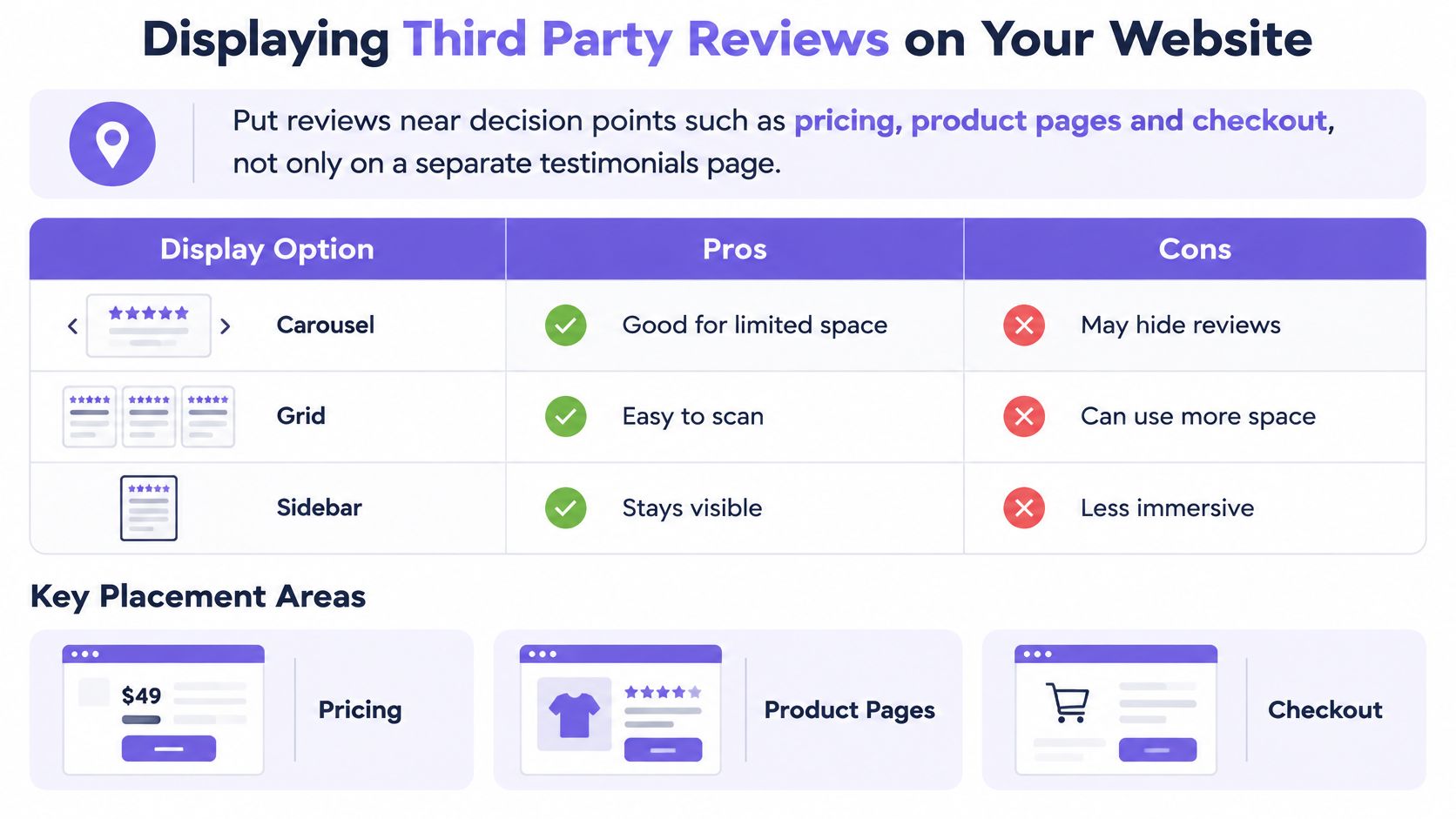
Pick the format for the page, not for the design trend. Each layout trades context against space.
Display formats by placement and trade-off
| Display format | Best placement | Trade-off |
|---|---|---|
| Carousel | Homepage hero section | Most reviews stay hidden until visitors click through |
| Grid | Product or service pages | Needs enough reviews to fill the layout |
| Badge | Footer, checkout or pricing | Shows the score with little context |
| Ribbon | Top of a landing page | Can crowd the layout on small screens |
| Video highlight | Landing pages for high-ticket offers | Needs collected video testimonials to work |
Weighing the Trade-Offs
Badges are quick and low-effort, but they show a score with almost no evidence behind it. They're fine at checkout, where the decision is nearly made. They're weak as your only proof on a product page.
Grids show breadth. A visitor can scan eight reviews, notice a three-star among the fives, and read the detailed one that matches their situation. The cost is supply. A half-empty grid looks worse than no grid, so don't launch one until you have enough relevant reviews to fill it without padding.
Carousels save space and hide most of your proof at the same time. Most visitors won't click through, so treat the first slide as the whole display and choose it deliberately.
Keeping the Display Honest and Current
Auto-sync from connected sources stops outdated reviews lingering for months, but freshness isn't enough. Keep the source name and date visible on every review the sync delivers. A current review with no provenance is still weak evidence.
No-code widgets remove the technical excuse. You can paste an embed into Webflow, WordPress, Wix, or a custom site and control layout without a developer. Bragly is one option in this category. It aggregates reviews from 50 or more sources, offers layouts including carousel, grid, slider, mosaic, ribbons, badges, and video highlight, uses tagging to group reviews by topic, and provides basic analytics.
Tagging matters more than it sounds. Grouping reviews by topic, such as delivery, support, or results, lets you match proof to the objection on each page instead of showing the same five quotes everywhere.
Pricing for Bragly is listed as Free, Pro at $14 per month with a trial, and Business at $67 per month. Check current pricing and limits before committing, since plan details change.
Whatever you choose, test one placement first. Add the widget to your highest-intent page, keep the source labels on, and watch whether visitors read, click, and convert differently.
Confirm Your Review Setup Before You Publish
Run this checklist before a new widget goes live, and again whenever you connect a new source.
- Trace every review: Confirm each displayed review links back to its platform through a URL or identifier you can produce on request.
- Check labels: Confirm every widget shows the source name and review date, not just stars and a quote.
- Audit incentives: Confirm no discount, reward, or entry depends on the sentiment of a review, anywhere in your process.
- Write your negative review rule: One policy, applied to every page, covering replies, flagging, and what gets imported.
- Schedule a monthly check: Look for suspicious spikes, stale widgets, and sources that stopped syncing.
- Label first-party proof: Decide which testimonials you collected yourself and mark them clearly beside third party reviews.
Then start small. Pick one source and one widget on the page where buyers decide, measure engagement, and expand from evidence rather than enthusiasm.
Bragly's free tier can test a setup with starter limits. The Business plan allows up to 100 collection forms and Pro allows 20, which suits teams that also collect their own testimonials alongside imported reviews.
Start with one source, one page, and reviews that still show where they came from. Bragly aggregates reviews from more than 50 third-party platforms, keeps them synced in no-code widgets for sites including Webflow, WordPress, and Wix, and lets you tag proof by topic for each page. Set up your first widget today and publish social proof your visitors can verify.