Looking for a Shorter Overview?
AI Summary
Key Moments
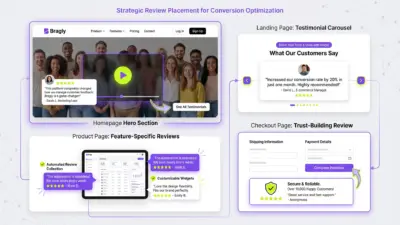
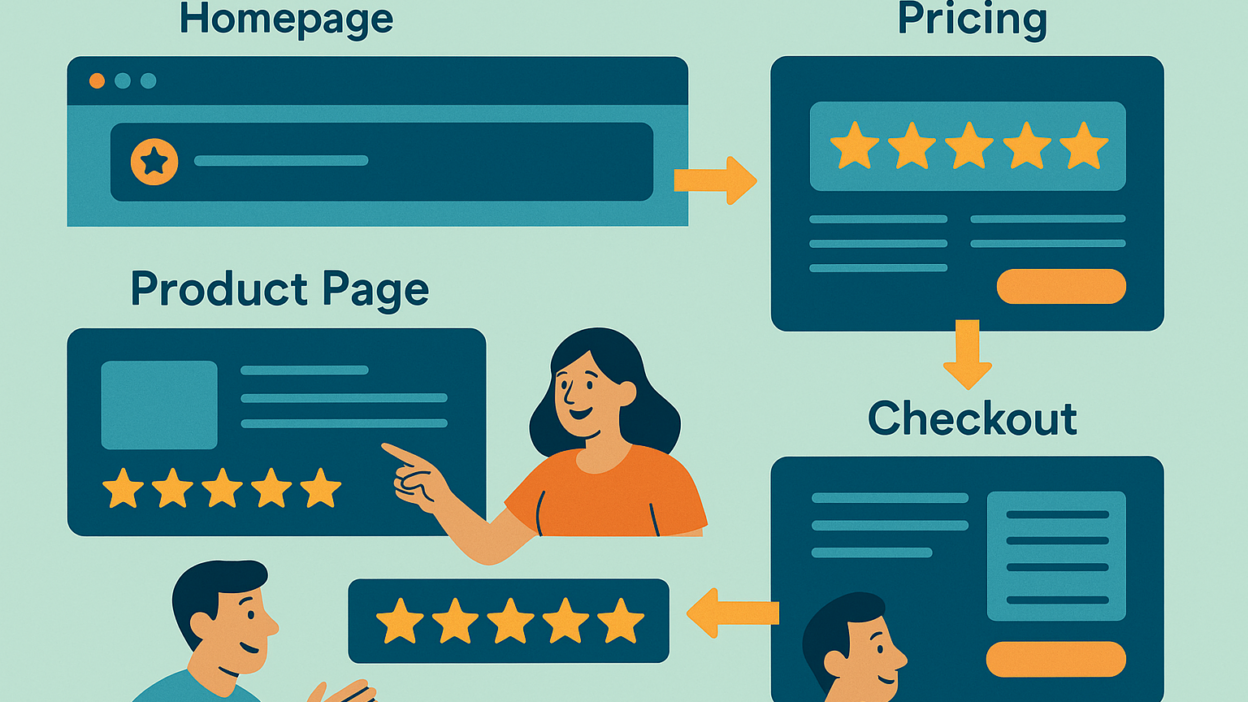
Homepage Trust Boost
Adding a star rating and testimonials 'above the fold' on your homepage lifts conversions by 34 percent.Product Page Impact
Showing user-generated reviews relevant to product features increases sales three-and-a-half times.Pricing Page Objection Removal
Integrating social proof on pricing pages reduces hesitation and doubles checkout intent.Checkout Confidence
Micro-reviews and trust cues in checkout flow raise conversions by over 35 percent, reducing cart abandonment.Why placement matters
A customer usually decides whether to trust you within the first ten seconds on-site. Adding reviews anywhere helps, but where you place them can change your bottom line:
- Landing pages that feature testimonials see an average 34 percent lift in conversions.(Invesp)
- When reviews are shown on high-value product journeys, conversions can climb as high as 380 percent.(Investopedia)
- Simply displaying reviews can boost overall purchase rates up to 67 percent.(WooCommerce)
Use the guidance below to make every star count.
1. Homepage – build instant trust
| Quick Wins | Why It Works |
|---|---|
| Hero bar: add a slim, full-width strip with your average star rating and total review count. | Eye-tracking studies show visitors scan this area first, so trust lands early. |
| Featured quote carousel above the fold. | Keeps social proof visible without crowding the design. |
| Sticky trust ribbon that remains visible as users scroll. | Reminds visitors of peer approval at every scroll depth. |
Stat spotlight
Websites that place reviews in the hero section convert 34 percent better than those that hide them below the fold.(Invesp)
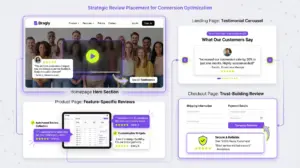

Bragly tip: Use Bragly’s lightweight trust bar widget; it autoupdates when a new Google review rolls in, so the number always looks fresh.
2. Product or Service Pages – close the consideration gap
- Aggregate rating block just below the product title
- Filterable review feed: let shoppers sort by rating, photo, or keywords
- Mini-widgets beside each major feature bullet (for services)
Stat spotlight
Showing user-generated content on a product page lifts conversions by 28 percent on average(Website) and can generate three-and-a-half times more sales when the shopper sees reviews that match their use case.(Tuff)
Bragly tip: Turn on Bragly’s “keyword badge” so reviews mentioning size, fit, or use case appear alongside the spec they validate.
3. Pricing Pages – remove the final objection
| Placement Idea | Effect |
|---|---|
| Star summary above the pricing table | Prevents sticker shock by framing price inside proven value. |
| Quote bubbles near each plan’s CTA | Adds reassurance at the precise click moment. |
| Award or media logos directly under the monthly price | Leverages third-party authority. |
Stat spotlight
Pricing pages are the second most visited page on SaaS sites, and adding social proof here reduces hesitation, lifting sign-ups measurably; in A/B tests, social proof blocks increased checkout intent by double digits.(Userpilot)
Bragly tip: Use the “inline quote” variant to inject a short testimonial right beside your best-value plan without pushing content below the fold.
4. Checkout Flow and Primary CTAs – calm last-minute nerves
- Micro-reviews beside form fields (“Over ten thousand customers checked out smoothly last month”)
- Sticky reassurance banner with star rating on mobile checkout
- Review flash prompts at upsell or add-on moments
Stat spotlight
Streamlined checkouts that surface trust cues convert 35.6 percent higher and help combat the 75.6 percent average cart-abandonment rate seen across e-commerce.(drip.com, Mouseflow)
Bragly tip: Toggle on Bragly’s “micro” layout – a one-line star snippet that fits inside even the tightest mobile checkout.
5. Mobile App Onboarding – build trust from the first screen
- Star rating on the welcome screen below the app’s main value proposition
- Short customer review between onboarding steps
- Relevant testimonial before asking users to create an account, start a trial, or choose a subscription
- Compact review card beside an important feature or benefit
Keep the review short enough to read at a glance. One relevant testimonial is more effective than overwhelming new users with a complete review feed.
Track onboarding completion, retention and other mobile app engagement metrics to understand whether the reviews encourage users to continue beyond their first session.
Stat spotlight
A randomised field experiment involving 475,495 users found that displaying social proof during onboarding had a positive effect on user registrations. (Decision Support Systems)
Bragly tip: Embed Bragly’s compact review widget into your mobile app onboarding. Display an average rating and one strong customer review to build trust without distracting users from completing the next step.
Implementation roadmap
- Audit each key template: homepage, product, pricing, checkout.
- Drop in Bragly widgets where your audit shows missing trust moments.
- A/B test placement order — hero bar vs sidebar — for ninety days.
- Iterate based on click-through and revenue lift.
FAQ – review placement basics
How many reviews should I show at once?
Three to five is a sweet spot for scannability; Bragly rotates them so fresh voices appear automatically.
Is it OK to repeat the same review in multiple places?
Yes. Re-surfacing a high-impact quote reinforces recall without fatiguing users, provided the context matches.
Will too many reviews slow my site?
Bragly’s lazy-load scripts keep your Core Web Vitals green, even on image-heavy galleries.
Takeaway
Strategic placement turns existing social proof into a revenue engine. Drop a star bar on your homepage, weave detailed feedback into product pages, reassure buyers on pricing, and keep confidence high through checkout.
With Bragly, implementation is as easy as copy, paste, trust.