

Looking for a Shorter Overview?
AI Summary
Key Moments
Platform Selection Based on Needs
Choose a widget platform that fits your primary goal, whether deep review aggregation or diverse website functions.Match Widget Format to Page Intent
Use compact badges near decision points and grids or Walls of Love for deeper browsing and reassurance.Operational Controls and Maintenance
Effective social proof requires tagging, moderation, auto-sync, and integration capabilities for ease of maintenance.Performance and User Experience Considerations
Keep testimonial widgets lightweight, avoid overloading above the fold, and maintain content freshness to enhance trust.Adding any review widget to a website doesn't automatically create trust. A crowded carousel below the fold can be less persuasive than one relevant rating beside a pricing decision. The strongest website with widgets examples match the testimonial format to page intent: a compact rating near a decision point, a carousel for focused proof, a grid for comparison and depth, or a dedicated Wall of Love for visitors who want more evidence.
This list compares seven platforms through the details that affect real pages: placement, layout selection, source coverage, content freshness, moderation, customization, integration effort, and maintenance. Bragly is the featured review-first option, while the other tools range from broad widget suites to platforms combining reviews with social content and conversion popups. Competitor links aren't included in the published article. The practical question is simple: which tool helps you show the right proof, in the right place, without creating a new performance or maintenance problem?
1. Bragly
Bragly is the stronger fit when reviews are the main job, not one widget among many. It consolidates feedback from 50+ sources, including Google, Trustpilot, G2, Facebook, Yelp, app stores, Shopify, Airbnb, Zillow, and other review platforms, then turns that material into embeddable, branded displays.


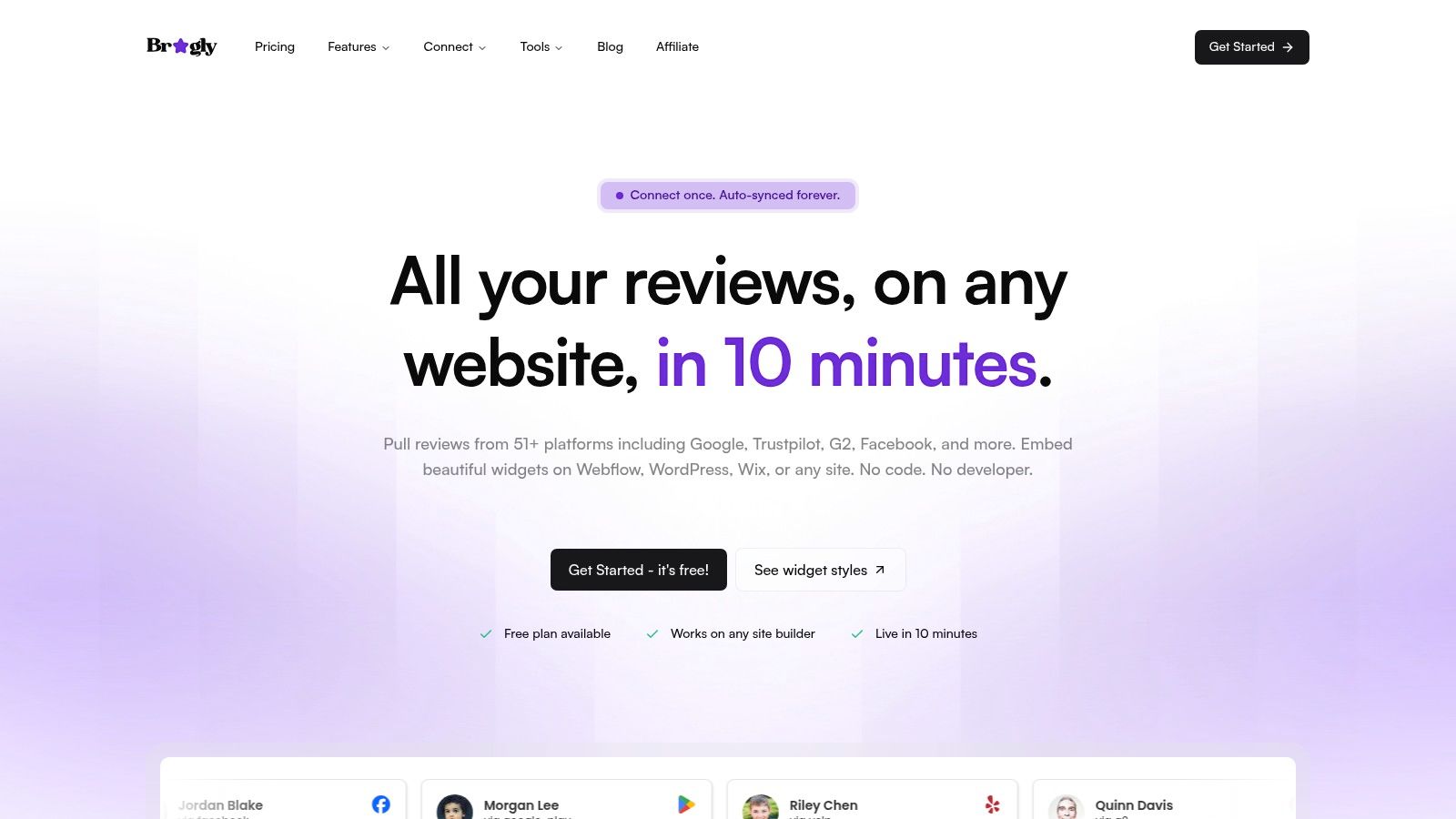
The advantage is source coverage. A SaaS company can combine G2 and Trustpilot feedback, an ecommerce brand can pull together Shopify and product reviews, and a local business can connect Google, Yelp, and other location-specific sources. Auto-sync also reduces the risk of publishing an old screenshot or manually replacing testimonials every time a customer leaves feedback.
Bragly's layout range supports different page jobs.
- Compact badges and rating bars work near pricing, product summaries, and primary calls to action.
- Carousels and sliders suit landing pages where space is limited and the proof set is tightly curated.
- Grids, lists, and mosaics help visitors scan several reviews and compare recurring themes.
- Video highlights and Wall of Love pages give visitors a deeper destination when they need more reassurance.
Where Bragly earns its place
The platform also supports first-party collection forms, manual text and video uploads, tagging, filtering, basic analytics, sentiment and theme detection, summaries, highlight generation, AI reply drafts, webhooks, and moderation workflows. That makes it more than a display layer. Your team can collect new proof, organize it by audience or objection, and route review activity into tools such as Slack, Zapier, or a CRM.
The embed is built for no-code use. A div and script can be added to Webflow, WordPress, Wix, Shopify, Squarespace, or a custom HTML site. The initial setup is positioned as taking about 10 minutes, with the practical workflow being to paste the div and script into Webflow or WordPress, connect Google and one secondary source, then tag 5-10 reviews by objection before publishing the first badge near pricing.
Practical rule: Use Bragly to build a proof system, not one decorative carousel. Tag reviews by audience, product, outcome, or objection, then display the most relevant group beside the related claim.
The trade-off is that advanced limits are tied to the plan. Larger teams may need Business or custom pricing, and the site emphasizes customer ratings and testimonials rather than formal industry awards or certifications. Free, Pro, and Business tiers cover different needs, so the decision comes down to how much source coverage, moderation control, and collection volume you need. For small businesses, SaaS teams, ecommerce brands, agencies, and founders who want broad aggregation plus no-code control, that is a reasonable exchange.
2. Elfsight
Elfsight is a broad no-code widget suite for teams that need reviews alongside many other website functions. Its catalog includes 90+ widget apps, covering social feeds, forms, maps, galleries, chat, and other common website components. The All-in-One Reviews widget aggregates content from 70+ review platforms, making it useful when source breadth matters but review operations aren't the primary requirement.

The setup experience is built around templates and visual configuration. That works well for a marketing team that wants to add a Google review strip, Instagram feed, map, form, and chat element without sourcing separate vendors or asking a developer to build each component.
Best use on real pages
Use the review widget close to the decision it supports. A rating summary belongs near a product or service introduction. A smaller selection of quotes fits beneath a benefit claim. A full review display belongs lower on the page, where visitors can inspect more evidence without interrupting the first conversion path.
Elfsight's breadth is its main advantage, but it also creates a governance issue. Each app has view limits, and a widget can be temporarily deactivated if the relevant limit is exceeded. That matters on high-traffic pricing pages, campaign landing pages, and homepage components that appear site-wide.
- Choose Elfsight for: A single vendor covering reviews and several unrelated widget needs.
- Watch closely: View limits, source freshness, and whether the review analytics answer your actual conversion questions.
- Avoid: Installing several visually heavy apps above the fold because the catalog makes them easy to add.
Review governance is more basic than in a review-first platform. If your team needs extensive tagging, sentiment analysis, collection workflows, or structured moderation, compare the operational depth rather than just the number of templates. Elfsight is a convenient widget layer. It isn't necessarily the best review intelligence system.
3. Common Ninja
Common Ninja takes a marketplace approach, with 170+ widget types for tables, charts, FAQs, counters, menus, reviews, testimonials, and other page elements. It supports copy-paste embedding across 200+ platforms, which makes it attractive for agencies and teams managing different builders or client environments.
The review and testimonial widgets are most useful when social proof sits inside a wider information architecture. A comparison table can explain plan differences, a chart can summarize results, and a testimonial block can address the objection raised beside it. That combination can be more useful than forcing every page to use the same review layout.
A good fit for multi-site deployment
Common Ninja's plan model focuses on the number of widget instances required, with options ranging from 1 to 1000 instances. That structure is clear for teams that know how many embeds they need across multiple pages or websites. It also makes the platform practical when you're deploying repeated utility components rather than building one centralized review library.
The compromise is cost control at scale. Per-widget pricing can rise as you add instances, so agencies should map the actual deployment before choosing a plan. A review widget used on one landing page is a different purchase decision from a testimonial component repeated across many client sites.
The best widget is the one your team can keep accurate after launch. Count maintenance actions, source connections, and page instances, not just templates.
Common Ninja's documentation explains plan mechanics, billing, and upgrades clearly, which reduces onboarding friction. Its analytics are more limited than those of a review-first product, so teams should pair widget interaction data with their own page-level conversion reporting. Use it when breadth and deployment flexibility matter most. Choose another category when review collection, sentiment analysis, or deep testimonial governance is the core workflow.
4. POWR
POWR is designed for businesses that need a large collection of website apps under one subscription. Its library includes 60+ apps, with forms, popups, galleries, countdowns, social feeds, and reviews. The Business plan provides access to all apps, while pricing is connected to monthly pageviews.
That makes POWR a sensible option for an agency, ecommerce operator, or marketing team that needs more than review displays. You might use a testimonial section on a service page, a form for lead capture, a popup for an offer, a gallery for user content, and a countdown for a campaign. One vendor can reduce the number of separate scripts and dashboards your team manages.
Page intent still determines the review format
POWR works best when the review widget supports a broader conversion flow. Put a short rating or quote near a form when visitors need reassurance before submitting details. Use a fuller review section lower on a landing page when the visitor needs evidence after reading the offer. Don't let popups compete with proof on the same screen, especially when the testimonial is meant to reduce hesitation rather than create another interruption.
The platform offers per-app upgrades as well as an all-app Business route. It also offers HIPAA-compliant forms as a separate product, which may matter to regulated organizations that need forms and widgets in the same stack.
- Review the pricing basis: Confirm pageview assumptions and app-specific limits before publishing site-wide widgets.
- Model the stack: Estimate how many apps you'll operate, not how many are available.
- Check the page experience: Test every enabled app together on mobile and slower connections.
POWR's flexibility is also its complexity. Pricing can vary by app and usage, so teams should confirm the exact limits rather than assume the all-app plan is automatically the most economical choice. It's a broad widget suite, not a specialist review research environment.
5. GetSiteControl
GetSiteControl is built for onsite engagement, not review collection first. That matters if your page needs a widget to support lead capture, promotions, or lifecycle messaging, while reviews stay a secondary proof layer rather than the main content system.
The trade-off is control over presentation versus depth of social proof. You get templates, targeting rules, behavior triggers, scheduling, and A/B testing. You can also create unlimited widgets on the Free plan, with view limits tied to usage. Integrations cover Klaviyo, Mailchimp, HubSpot, Google Analytics, Zapier, and other common tools, and the platform includes email broadcasts and automations, with email sends billed separately.
A practical way to use it is to keep proof close to action. A short customer quote in a popup can reduce hesitation before a form submit. A targeted banner can reinforce a benefit on a pricing page or offer page. A full review wall is the wrong fit here, because the product is designed to drive a decision, not to host a large library of testimonials.
Match the widget to the page task, not the other way around.
For the conversion side of that choice, the social proof conversion guide is a useful reference. The same logic applies on real pages. Keep the proof compact, test timing and placement, and avoid assuming that a larger widget will always perform better.
GetSiteControl works best when you need experimentation. You can test audience rules, trigger behavior, and placement without rebuilding the page. The limitation is content depth. If freshness, source attribution, moderation, tagging, and review-specific analytics matter, use a dedicated review platform and feed its output into the engagement flow.
6. EmbedSocial
EmbedSocial brings review widgets and user-generated content into one system. It supports feeds from Instagram, TikTok, YouTube, LinkedIn, and Threads, alongside reviews from Google, Facebook, Trustpilot, Yelp, and other sources. That combination suits ecommerce and lifestyle pages where written opinions and visual product context need to work together.
Choose the format according to the visitor's question. Place a rating summary or short review beside purchase details when reassurance is the immediate need. Use a visual UGC gallery when shoppers need to see how customers use the product. Reserve a Wall of Love for a broader trust page, where visitors can browse more evidence without distracting from the primary conversion.
One platform can host several proof formats, but each page still needs one clear job.
Plan source coverage before building the layout. EmbedSocial's paid plans offer unlimited widgets, while limits can still apply to sources, monthly views, and media volume per source. Pricing is displayed in EUR by default, which may complicate comparisons for teams budgeting in another currency. Some connections, including Trustpilot, may depend on higher-tier API access. Confirm permissions and refresh behavior before committing to a page architecture.
Freshness also depends on those connections. Set a fallback for an empty feed, expired permission, or delayed update so a revenue page never shows a blank module. Teams comparing review aggregation workflows can consult how to auto-connect reviews before deciding whether one tool should manage both social content and reviews.
EmbedSocial fits teams that need reviews and UGC together, with moderate integration effort and several placement options. A review-first platform may provide cleaner control when testimonial collection, moderation, first-party ownership, and review analysis drive daily operations.
7. Taggbox
Taggbox sits between review aggregation and visual UGC publishing, but the decision is page use. On a checkout-adjacent page, its review widgets can carry proof from Google, Facebook, Yelp, Airbnb, Amazon, and TripAdvisor. On a broader trust page, the same source mix can sit beside social feeds, shoppable galleries, and a Wall of Love without forcing one format to do all the work.
That separation matters. Review-first pages need fast scanning, clear source coverage, and low friction. Visual pages need more layout control and a lighter moderation burden.
How to place Taggbox on real pages
Use a compact review strip near the claim that needs support, then move richer UGC lower on the page or to a secondary trust section. If you need examples of how testimonial carousels change attention flow, the website carousel examples page is a useful reference point.
Taggbox also gives teams practical controls for operations. Automatic and AI moderation reduce manual sorting, builder compatibility helps with common site stacks, and WordPress plugin support lowers setup effort. Refresh timing depends on plan tier, and higher plans can update content as often as every 15 minutes. That helps when freshness matters more than a static showcase.
Source coverage and moderation still decide whether the widget works in production. A broad feed can look busy if it is not filtered by product, location, audience, or use case. The safest setup is the one that answers one visitor question per page.
- Moderate before publishing. Automation helps, but relevance, rights, and brand safety still need rules.
- Match refresh to the page job. Frequent updates only matter when permissions and content quality stay stable.
- Plan for larger deployments. Advanced rights management and API access sit on enterprise plans.
For agencies and growing brands, Taggbox can be cost-effective at entry level, but performance and effort still depend on configuration, source count, media volume, and traffic. A dense visual feed asks more from the page than a narrow review strip, so choose layout with care, not just source count.
Top 7 Website Widget Tools Comparison
| Product | Implementation complexity | Resource requirements | Expected outcomes | Ideal use cases | Key advantages |
|---|---|---|---|---|---|
| Bragly | Very low, no-code, one div + script, ~10 min setup | Minimal dev time; paid tiers for higher quotas and AI limits | Consolidated, always-fresh reviews in brandable widgets; better site trust/conversion | SMBs, e‑commerce, SaaS teams, agencies needing focused review aggregation | Aggregates 50+ sources, brandable widget library, auto-sync, AI insights & reply drafts |
| Elfsight | Low, plug-and-play per-app installation | Low dev effort; be mindful of per-app view limits on plans | Fast deployment of many widget types across site builders | Sites wanting a single vendor for diverse, ready-made widgets | 90+ apps, broad cross-platform compatibility, mature docs |
| Common Ninja | Low, copy-paste embeds for many platforms | Resource needs scale with number of widget instances; per-widget pricing | Wide set of utility widgets deployed at scale across sites | Projects requiring many utility widgets (tables, charts, FAQs) across sites | 170+ widget types, 200+ embed targets, scalable instance counts |
| POWR | Low–medium, per-app setup, requires traffic planning | Usage-based pricing tied to pageviews; Business plan unlocks all apps | Flexible multi-widget coverage with billing matched to traffic | Agencies/teams needing many widget categories and traffic-aligned pricing | All-app Business tier, HIPAA forms option, flexible per-app upgrades |
| GetSiteControl | Low, visual editor, templates, targeting and A/B testing | Minimal dev; email sends billed separately; free tier with view limits | Higher onsite conversions via popups, forms and integrated email automations | Conversion-focused marketers wanting popups + built-in email workflows | Strong targeting/A-B testing, built-in email automations, unlimited widgets on free plan |
| EmbedSocial | Low, widget setup and official API integrations | Paid plans with limits by sources/views; pricing shown in EUR by default | Unified UGC + review displays, shoppable UGC, unlimited widgets on paid plans | Brands combining social feeds and reviews, shoppable UGC needs | Combines social UGC and reviews, official APIs, unlimited widgets on paid plans |
| Taggbox | Low–medium, setup with moderation and configurable update cadence | Competitive entry pricing; enterprise rights/API behind higher tiers | Review collection, shoppable UGC and frequent automatic updates | Brands wanting shoppable UGC, frequent update cadence, WordPress support | AI/auto moderation, shoppable galleries, Wall of Love, frequent update options |
Turn Social Proof Into a Page System
Selecting a widget platform is only the first decision. The more important choice is how each proof format supports a page's job. A compact badge or rating bar belongs near a high-intent decision point, such as a price, product summary, booking form, or primary CTA. It should confirm trust without pushing the action below the fold.
Use a carousel when space is limited and the proof set is focused. Keep the content easy to scan, provide usable controls, and don't hide every important review behind an autoplay sequence. A grid works better when visitors need to compare several reviews, identify recurring themes, or inspect different customer types. Grids also make freshness and moderation more visible because visitors can evaluate the collection as a whole.
A Wall of Love or video-focused display belongs further down the funnel. It gives skeptical visitors a place to gather more evidence, but it can distract from the main action if placed too early. The right format depends on the hesitation you're addressing:
- Decision confidence: Show a rating, short quote, or compact badge beside the action.
- Objection handling: Place a feature-specific testimonial beside the claim it supports.
- Value justification: Use ROI-focused proof near pricing or plan comparisons.
- Exploration: Use a curated grid, Wall of Love, or UGC display for deeper browsing.
Review demand is not theoretical. The OECD report on online consumer ratings and reviews describes ratings and reviews as trust mechanisms in online purchasing, while a 2025 Euroconsumers report says 6 out of 10 consumers check reviews before buying online and 78% report that reviews play an important role in their buying decision. Those figures support displaying proof where decisions happen, not treating testimonials as a decorative footer.
Before publishing, check source coverage, usage or view limits, moderation controls, update frequency, builder compatibility, analytics, and maintenance ownership. Also check the technical budget. A 2026 comparison recommends keeping a testimonial widget under 50KB, loading it asynchronously, and lazy-loading media, as described in this performance-focused widget comparison. A lighter badge can beat a rich carousel if the carousel slows the page or creates accessibility problems.
Roll out the system in a controlled sequence. Audit existing reviews first. Group them by audience, product, theme, and objection. Place the most relevant proof beside the related claim, then test layout and placement using page conversion rate, scroll depth, interaction, and page-speed signals. Review freshness and performance regularly, and remove stale or generic material.
Bragly is a relevant option for teams that want broad review aggregation, no-code embeds, auto-sync, multiple layouts, first-party collection, tagging, AI analysis, basic analytics, and webhooks in one workflow. It keeps the operational work close to the publishing work, which makes it easier to maintain a consistent website with widgets across pricing, product, landing, and trust pages.
Bragly helps you collect and centralize reviews from 50+ sources, organize them with tagging and AI analysis, and publish fast no-code widgets in layouts suited to each page. Visit Bragly to turn scattered testimonials into a current, structured social-proof system for your website.