

Looking for a Shorter Overview?
AI Summary
Key Moments
Start with Bottleneck Identification
Selecting software based on your current operational bottleneck leads to better fit and efficiency.ERP-Style Solutions for Cross-Department Data
ERP platforms fit businesses needing integrated finance, inventory, and operations data across departments.Clientflow Platforms Streamline Proposal to Payment
Tools focusing on client workflows help service businesses move smoothly from initial contact to invoicing.Automation and Agency Tools for Lead Follow-Up
Automation-heavy platforms support businesses needing systematic follow-up and multi-account management.The biggest mistake in small business manager software shopping is assuming the broadest all-in-one suite automatically wins. A platform that covers everything can still slow a small team down if the setup is heavy, the integrations are awkward, or the pricing becomes unclear once you add users, messages, and add-ons. The better question is simpler, which workflow do you need to centralize first, finance and operations, scheduling and payments, client delivery, or marketing follow-up.
This roundup compares 10 options through that lens, focusing on operational breadth, client-facing workflows, automation, pricing structure, integrations, and implementation effort. Small business software has become a durable market rather than a niche add-on, with forecasts projecting continued growth and regional adoption across mature and fast-growing markets Mordor Intelligence's SMB software outlook. In practice, that means the right choice is less about features on a homepage and more about how well the tool fits your actual day-to-day process. Current pricing and plan details should still be confirmed before purchase.
1. Zoho One
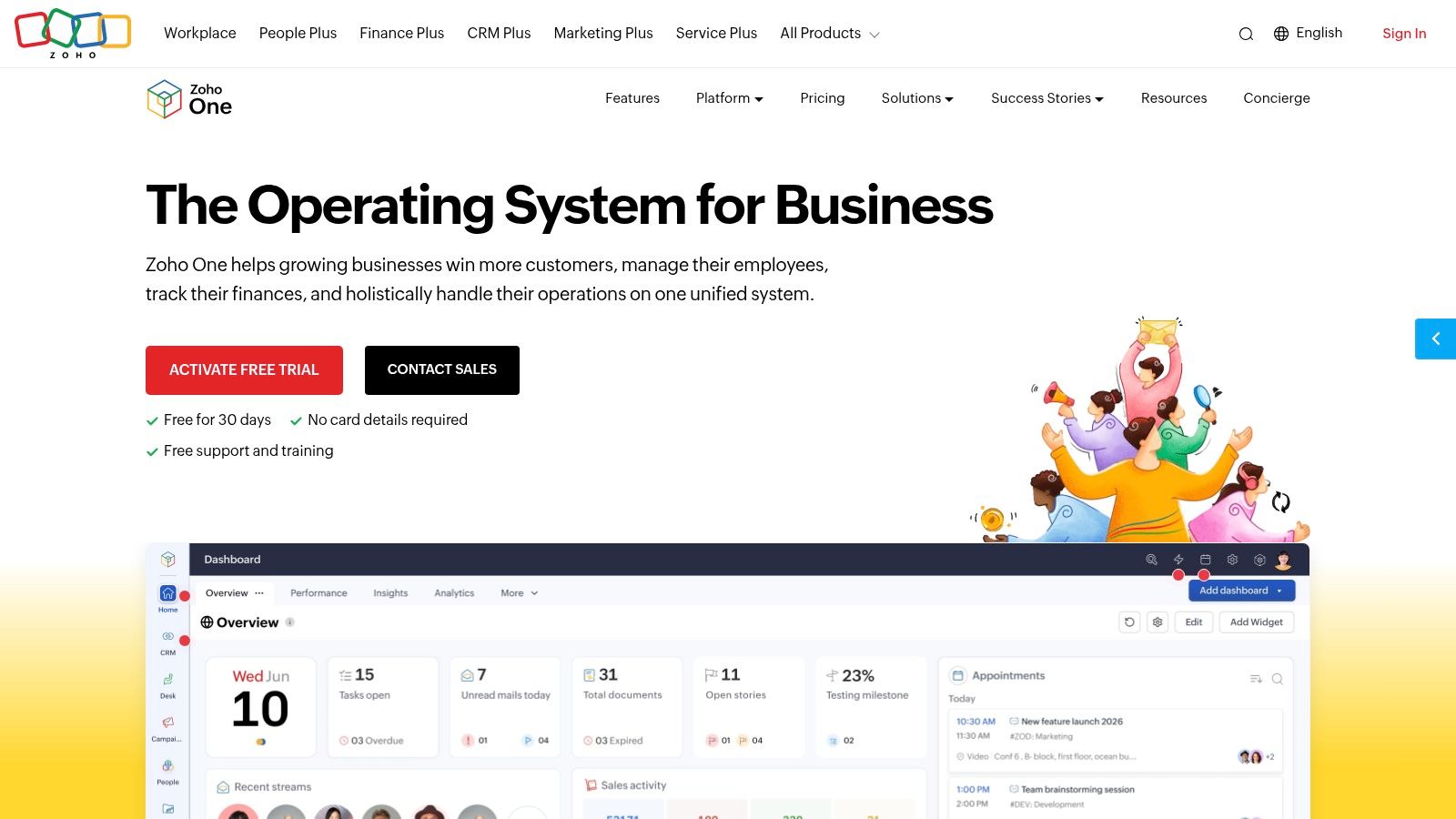


Zoho One makes sense when you want one vendor to cover a lot of ground without immediately jumping into enterprise ERP. It pulls together CRM, finance, HR, service, analytics, and low-code customization under one login, which is useful when a business has outgrown scattered point tools but still needs to stay lean. The trade-off is that broad coverage comes with real admin work, because you still have to shape the suite around your internal process rather than hoping the defaults match on day one.
Where it centralizes work well
Zoho One is strongest when the owner or operations lead wants to control data flow across sales, billing, support, and internal operations. The single-vendor setup simplifies SSO and billing, and the platform's app breadth can reduce the number of separate logins a team juggles. If you're trying to standardize reporting across departments, that connected structure is the main reason to look here.
Practical rule: choose Zoho One when your bottleneck is tool sprawl, not when your team wants the lightest possible setup.
The deeper strength is extensibility. The low-code layer and organization-wide analytics let a small team build around its own process instead of forcing every task into one rigid path. That said, the custom work is not free, even if the license looks attractive at first glance. For a team that wants a broad operating layer and can tolerate some configuration, Zoho One stays compelling.
The cleanest next step is to verify how your tools will connect before buying. The integration planning approach at Bragly integrations is a good reminder that software only helps if the data can move without manual cleanup.
2. Odoo
Odoo works best for businesses that are moving from “a few tools” into “we need an actual system.” Its modular approach means you can start with what you need, then add sales, accounting, inventory, manufacturing, HR, and service modules as the business grows. That flexibility is the appeal, but it also means the platform rewards firms that are willing to define their process carefully before rollout.
Modular growth with real trade-offs
The open-source Community edition and the cloud or enterprise options give Odoo a lot of deployment flexibility. That matters for companies that care about self-hosting, vendor control, or custom deployments through Odoo.sh. It also means implementation can stop being a simple purchase decision and turn into a systems project.
If you run a product-based business, Odoo's value usually shows up in how it ties inventory, sales, accounting, and manufacturing into one data model. Service businesses can benefit too, especially if they need a more structured operational core. The downside is that pricing, hosting, and partner services can become difficult to compare cleanly across regions.
What to expect in practice
The best Odoo rollouts usually have one thing in common, someone owns the process design. Without that, modules get added piecemeal, and the result can feel more complex than the stack you were trying to replace.
- Use it for breadth: strong fit when you need sales, accounting, inventory, and operations in one place.
- Plan for implementation: expert help often pays for itself because misconfiguration is expensive to unwind.
- Watch the deployment model: cloud, self-hosted, and partner-led setups can change both cost and effort.
For companies that want ERP-style depth without buying a giant enterprise suite, Odoo is one of the most serious options on the list.
3. Striven
Striven is the kind of platform a small business buys when it is tired of stitching together a CRM, an accounting tool, a project system, and a portal layer. It combines those pieces in a way that feels closer to SMB ERP than to a lightweight productivity app. That makes it especially relevant for firms that need visibility across sales, operations, and finance without jumping to an enterprise stack.
Best fit for operational consolidation
The main draw is native accounting paired with CRM, projects, inventory, purchasing, and portals. That is a useful combination for businesses that need one system to reflect the entire order-to-cash path. Customer, vendor, and career portals also make it easier to reduce back-and-forth email when different stakeholders need access to status or documents.
Striven's pricing is more transparent than many broader suites, which helps when you're comparing it against tools that hide costs behind custom quotes. The per-user structure is easier to model than organization-wide bundles if you're growing in stages. Still, the system only pays off if you are ready to define your workflows clearly.
Where teams get stuck
The platform asks for process discipline. Teams that jump in without deciding how approvals, handoffs, and permissions work can end up underusing the system.
A platform like Striven is most useful when leadership is ready to standardize how the business actually runs.
The ecosystem is smaller than the biggest suites, so integration strategy matters. If you already rely on niche tools, check connector depth before committing. For small firms that want a practical middle ground between simple apps and complex ERP, Striven is worth serious attention.
4. Bitrix24
Bitrix24 is attractive to teams that want a lot of functionality without a per-seat pricing model dominating the bill. It combines CRM, tasks, projects, telephony, automation, websites, e-commerce, HR, and collaboration in one environment, which makes it useful for service teams that want sales and operations under the same roof. The flat organization-level pricing can be a real advantage if headcount is growing but you don't want every new user to trigger a direct cost jump.
Broad feature set, uneven depth
The platform's biggest strength is how much it includes out of the box. CRM, booking, marketing tools, telephony, and website building sit alongside internal collaboration, so smaller teams can centralize a surprising amount of work. The on-premise edition also gives businesses more control if they need self-hosting.
The limitation is consistency. Different modules can feel like they were built with different priorities, so adoption coaching often matters more than the feature list suggests. Telephony and marketplace add-ons can also add costs beyond the base plan, which weakens the appeal of the “flat” model if your workflow depends heavily on extras.
Best use case
Bitrix24 fits service businesses that need broad coverage and don't want to pay per user every time the team expands. It is less compelling for teams that want the cleanest possible user experience from day one.
- Good for: agencies, service firms, and teams adding users quickly.
- Less ideal for: businesses that want a polished, minimal interface.
- Check early: telephony, hosting, and add-on pricing before rollout.
If you need a lot of operational capability and can accept a little friction in the setup phase, Bitrix24 gives you a wide footprint without a narrow function ceiling.
5. Thryv
Thryv is built for local service businesses that live on appointments, reminders, messaging, and payments. That focus matters because a lot of small businesses don't need another generic workspace, they need fewer missed calls, smoother booking, and a better way to keep clients moving from inquiry to payment. Thryv's client portal, reputation tools, social publishing, and payment options all support that workflow.
Designed around the client relationship
The platform is strongest when the business runs on recurring client communication. Scheduling, centralized messaging, reputation management, listings, and payments sit close together, which reduces the number of places a customer interaction can get lost. ThryvPay adds another layer of convenience if you want a first-party payment option inside the same system.
That same breadth can make onboarding slower than a single-purpose booking tool. Pricing is customized rather than fully transparent online, and add-on fees for texts or voice can affect the actual cost of ownership. For small teams that are sensitive to monthly software creep, that's an important caveat.
Where it fits best
Thryv makes the most sense for appointment-driven SMBs, especially local operators that need one place for scheduling, payments, and client communications. The ecosystem is broad enough to centralize a lot of front-office work, but it still takes time to configure cleanly.
Watch this closely: if your revenue depends on booked appointments and follow-up speed, the workflow matters more than a long feature checklist.
For businesses that live or die by client response time, Thryv's structure is more relevant than generic all-in-one positioning.
6. vcita
vcita is a practical choice for solo practitioners and small service teams that want scheduling, payments, and client management to work without a long implementation cycle. It focuses on the front-office workflow, online scheduling, reminders, invoicing, recurring payments, and a client portal. That makes it a good fit for coaches, consultants, and local service providers who need speed more than ERP depth.
Fast deployment for appointment workflows
The biggest advantage is how quickly you can turn it into a usable client system. Multi-staff calendars, invoicing, estimates, email and SMS campaigns, and BizAI automations all support the same basic use case, which is moving a client from inquiry to booked session to paid invoice. For smaller firms, that kind of consolidation can replace multiple lightweight tools.
The downside is scope. vcita is not trying to be a deep accounting system or inventory platform, so businesses with more complex financial or operational needs will outgrow it. SMS, voice, and some integrations can also introduce extra fees, which means the visible plan cost isn't always the full cost.
A good fit when simplicity matters
If your business revolves around appointments and paid sessions, vcita is hard to dismiss. The platform is easier to deploy than heavier suites, and it covers the customer flow that matters most for service professionals.
See how form-based workflows support client intake
The best way to judge it is simple, map one real client path, from booking to payment, and see whether vcita reduces steps or just relocates them.
7. HoneyBook
HoneyBook is built for people who sell services, not inventory. It ties together lead capture, proposals, contracts, invoices, payments, scheduling, messaging, and automations in a way that feels aligned with creative businesses, agencies, and event professionals. The value is less about raw software breadth and more about how smoothly it moves a client from first contact to signed project and paid invoice.
Lead-to-paid workflow without stitched tools
The platform's strength is its unified client file. Proposals, contracts, invoices, and payments all live in the same flow, which cuts down on the usual handoff problems between sales and delivery. For service businesses that care about a professional client experience, that's a meaningful operational advantage.
HoneyBook also has native payment rails and transparent payment processing fee documentation, which helps when owners want to understand the money flow instead of guessing at hidden charges. The limitation is that it is not built for complex accounting or product-heavy operations.
Best for creative and service teams
HoneyBook suits businesses where every job starts with a conversation and ends with a contract and payment. It's less attractive if you need inventory, deep reporting, or a finance system that can stand on its own.
The platform wins when the client journey is the business model.
Plan pricing and tiers can evolve by region, so current rates should be checked before committing. If your real pain point is keeping proposals, contracts, and payments in one line of sight, HoneyBook is one of the more natural fits.
8. Plutio
Plutio is a good example of software that earns its keep by tightening the client-service workflow. It pulls together CRM, projects, time tracking, proposals, contracts, invoicing, scheduling, forms, and client portals, with white-label options for teams that want to present a branded experience. That makes it especially relevant for freelancers, studios, and agencies that need one path from proposal to delivery to billing.
Built for delivery and billing
The platform is strongest where client work tends to fragment, into separate tools for quotes, tasks, and invoices. Plutio links proposals to e-signature, then auto-creates projects and invoices, which reduces a lot of repetitive admin. Split payments and recurring invoicing also help if your billing model isn't one-time only.
What it doesn't try to be is a full ERP or advanced accounting system. If you need deeper finance controls, you'll likely still rely on a separate accounting layer. That's not a flaw so much as a boundary, but it matters when you compare it against larger suites.
Where it stands out
Plutio's positioning is appealing if you want strong client workflow control without the bloat of a broader enterprise platform. The pricing is usually more manageable than stitching together multiple project and invoicing apps, and the white-label angle gives agencies a nice presentation layer.
Use the team and agency workflow angle here
Practical rule: if your team spends too much time moving information between proposal, project, and invoice tools, Plutio is worth a close look.
Its smaller integration ecosystem is the main trade-off, so confirm the connectors you depend on before rollout.
9. Keap
Keap is aimed at small businesses that want automation to do more of the follow-up work. It combines CRM, email and SMS, pipelines, quotes, invoices, checkout pages, and scheduling with a visual automation builder. That makes it a natural fit for service businesses that care about lifecycle marketing and want to cut down on manual follow-up.
Automation first, not just contact storage
The visual automation builder is the reason many teams look at Keap in the first place. Instead of treating CRM as a static database, the platform tries to move contacts through follow-up sequences, sales stages, and appointment scheduling automatically. That matters if the business loses leads because nobody consistently follows up.
The trade-off is that pricing depends on contacts and users, so the bill can rise as the list grows. SMS usage and some features can also increase the effective cost. In other words, Keap can be efficient operationally while still requiring close cost tracking.
Best fit for growth-focused service teams
Keap fits businesses that already know follow-up discipline matters and want software to enforce it. It scales from solopreneurs to multi-user teams, which is helpful when a company wants automation now and room to grow later.
If your lead pipeline is strong but your follow-up is inconsistent, automation will usually matter more than another dashboard.
This is not the best tool for product-heavy businesses or teams that need deep inventory management. It is better at turning conversations into booked work and repeat touchpoints than it is at managing a broad operational stack.
10. GoHighLevel
GoHighLevel is built for agencies and local SMBs that want marketing, CRM, reputation tools, and client management in one place. Funnels, landing pages, websites, forms, chat widgets, email, SMS, calendars, workflows, and a client portal all sit inside the same ecosystem. That breadth is the main reason agencies use it, especially when they want to standardize delivery across multiple clients.
Strong for agency operations
The multi-sub-account model is a serious advantage for agencies that manage several client businesses. White-labeling and SaaS resale options go even further, which is why the platform is often treated as both a workflow tool and a service delivery layer. If your business model depends on packaging and reselling client-facing software, that architecture matters.
The downside is implementation time. A platform this broad needs real setup work, especially if you want workflows, reputation tools, and automations to behave consistently. Usage fees for SMS, email, and optional AI tools can also add up, so the apparent base cost may not tell the whole story.
Where it belongs
GoHighLevel makes the most sense when lead follow-up and multi-account management are central to the business. It is less appealing if you want something simple and low-maintenance.
- Best for: agencies, local marketing providers, and multi-client operators.
- Avoid if: you need a very light setup or low admin burden.
- Confirm early: messaging usage, AI add-ons, and client provisioning limits.
For the right team, it replaces a lot of separate marketing tools at once. For the wrong team, it can feel like too much machine for too little process.
Top 10 Small Business Management Software Comparison
| Product | Target audience | Core strength | Review & reputation fit | Integration & automation | Pricing / value |
|---|---|---|---|---|---|
| Zoho One | SMBs wanting a single-vendor suite | 50+ integrated apps, low-code extensibility | Not review‑focused; can be integrated via apps/custom workflows | Strong APIs, centralized admin, low‑code automation | High value if replacing many point tools; licensing can be complex |
| Odoo | Growing companies needing modular ERP | Modular apps (sales, inventory, accounting), open‑source option | No native review aggregator; can add/customize modules or integrations | API, Odoo.sh for custom deployments | Flexible (community free, paid modules); pricing varies by country |
| Striven | SMBs that want ERP features without enterprise complexity | Native accounting + CRM, projects, inventory | Not specialized for reviews; manual capture possible | Core integrations, smaller marketplace than major suites | Transparent per‑user pricing; SMB‑friendly packaging |
| Bitrix24 | SMBs seeking broad features with flat org pricing | CRM, telephony, tasks, website builder; on‑prem option | Limited native review widgets; website/listing features exist | On‑premise & cloud choices, automation and telephony integrations | Flat org plans can be cost‑effective for many users |
| Thryv | Local & appointment‑driven service SMBs | Scheduling, payments, listings & reputation tools | Built‑in reputation/listings features, better fit for local reviews | Integrations for payments, centralized messaging | Custom pricing; strong value for appointment/payment workflows |
| vcita | Solo practitioners and small service teams | Scheduling, invoicing, client portal; fast deployment | Not focused on third‑party review aggregation | App marketplace, BizAI automations, add‑on integrations | Simple plans with 14‑day trial; extra fees for some features |
| HoneyBook | Creatives, freelancers, small agencies | Lead‑to‑paid workflows: proposals, contracts, payments | No dedicated review aggregation; focused on client workflows | Native payments and automations; limited ERP/inventory integrations | Competitive for creatives; regional pricing varies |
| Plutio | Freelancers, studios and small agencies | Proposals, projects, time tracking, white‑labeling | Not review‑centric; useful for client testimonials within projects | Core integrations, fewer third‑party apps than larger suites | Affordable alternative to stitching PM + invoicing tools |
| Keap | Service businesses focused on automation | Robust marketing & sales automation, visual builder | No native review aggregator; integrates with marketing stacks | Strong automation across CRM/email/SMS; contact‑based limits | Scales with contacts/users; costs rise with list size |
| GoHighLevel | Agencies and local SMBs reselling SaaS | Funnels, CRM, reputation tools, white‑label multi‑accounts | Includes reputation/review tools, good fit for agencies | White‑label, multi‑sub‑accounts, webhooks; usage fees for SMS/email | Powerful for agency bundles; total cost can increase with usage |
Match the Software to the Bottleneck
The cleanest way to choose small business manager software is to start with the bottleneck, not the brand. If finance, inventory, and cross-department data are the priority, an ERP-style platform makes more sense than a lightweight client tool. If scheduling and payments drive revenue, appointment-focused software is the better center of gravity. If your work moves from proposal to delivery to invoice, choose a clientflow platform. If lead follow-up or multi-account management is the actual problem, automation-heavy or agency-centric tools deserve the shortlist.
This is also where teams make avoidable mistakes. They compare feature lists without checking what is included in each plan, then discover that the workflows they care about depend on extra seats, messaging credits, or add-ons. They skip integration testing, then spend weeks manually moving data between systems. They buy before mapping the process, then realize the software fits the marketing story better than the job.
The most useful evaluation sequence is simple. Map the current workflow in plain language, then confirm included users and usage allowances, integration requirements, onboarding effort, and the cost of setup help if you need it. Test one representative process from start to finish, not a demo script. That is the fastest way to see whether the platform centralizes work or just relocates complexity.
For teams that are also trying to improve social proof and reputation display, AI tools for small business efficiency can complement the operational stack, but only after the core workflow is stable. If you want a practical next step, shortlist two tools from this guide, run the same real client or order flow through both, and choose the one that removes the most manual handoffs without creating new ones.
Bragly helps small businesses centralize customer reviews and testimonials, which is useful when your manager software stack also needs trustworthy social proof on the site. It collects and organizes reviews, then publishes them with no-code widgets, so you can keep reputation content current without adding more manual work. If that fits your workflow, visit Bragly and see how it can support the system you already run.